132
_____________________________________________________________________________________________
8.1 Saving Preset Values
______________________________________________________________________________________________
8.1.2 Example of Saving
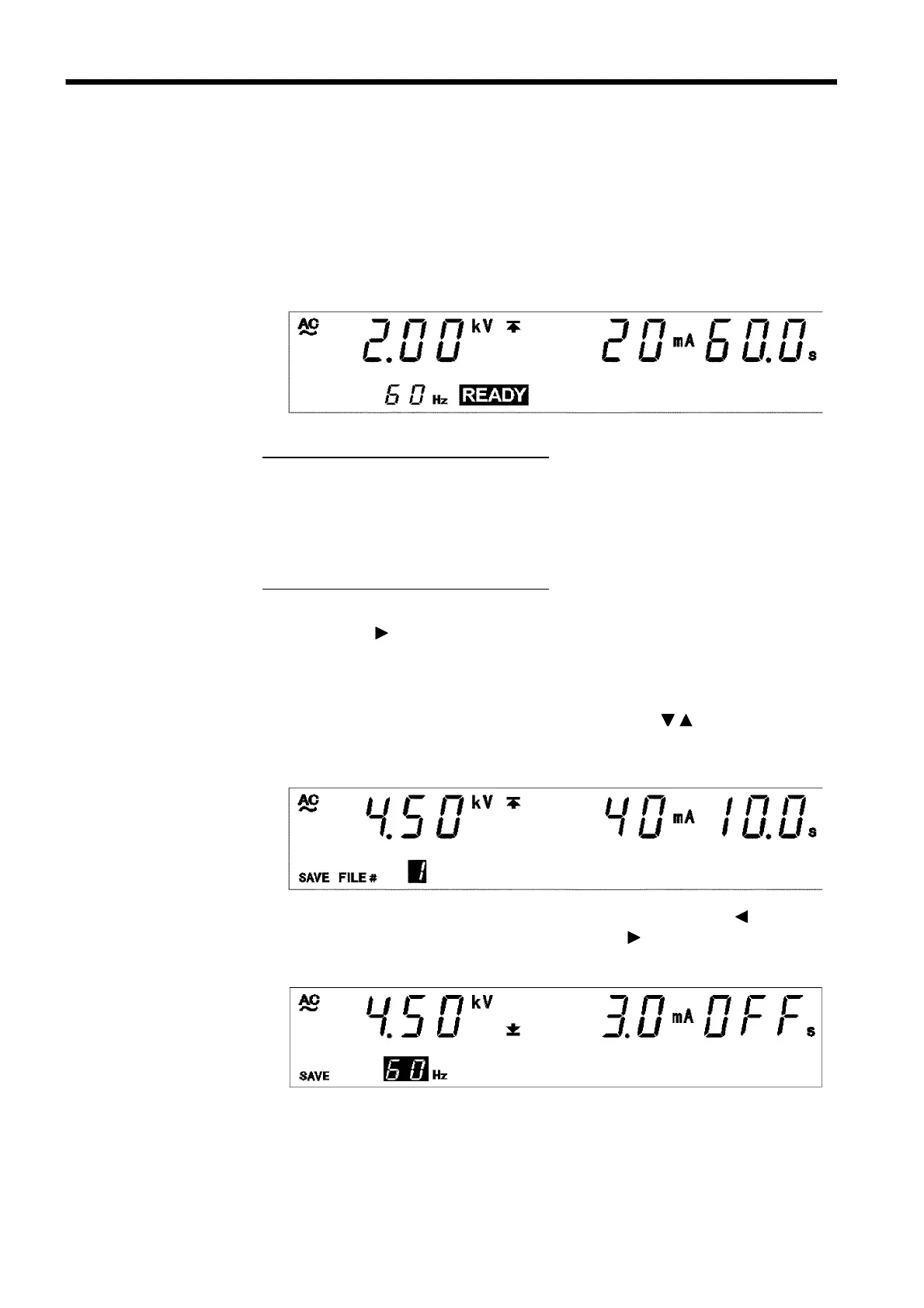
Test type: AC 60 Hz
Test-voltage value: 2.00 kV
Upper-limit value: 20 mA
Lower-limit value: OFF
Test time: 60.0 s
Ramp-up time: 10.0 s
Ramp-down time: OFF
The following example shows how to save in File No.3. We assume that the
3153 is in the READY state.
1. Make the settings that you want to save in the SETTING state and the
unit returns to the READY state.
For more information on making these settings, see Chapter 3.
In this example, settings are made as follows:
2. Press
SHIFT
+ keys to bring up the save screen.
In the save screen, the value set in the READY state is replaced by the
saved data being displayed. The first saved data displayed is the last data
item from the previous save screen. This example shows "
File No.1.
"
The new data overwrites the previous data. Use the
/
keys to select the
data to be overwritten. The new data in this example is to be saved in
File No.3.
At this time, the "test frequency" can be confirmed using the key, the
"lower-limit value" can be confirmed using the key, and the "ramp-
up/down time" can be confirmed using the
ON/OFF
key.



 To Next Page