123
_____________________________________________________________________________________________
7.12 Setting for Screening during the Ramp-Up Time
______________________________________________________________________________________________
0:
No screening during ramp-up time (Initial setting)
1:
Screening during ramp-up time
NOTE
Even when "
0
: No screening during ramp-up" is selected, screening is performed
with 10 mA as the upper-limit value.
During the ramp-up time in an AC withstand-voltage test, screening using the
upper-limit value is performed.
During the ramp-up time, screening using the lower-limit value is not performed.
Durin
the ram
-down time
no screenin
is
erformed.
7.12 Setting for Screening during the Ramp-Up Time
Select whether screening is to be performed using the upper-limit value
during the ramp-up time in a DC withstand-voltage test.
1. Press
SHIFT
+
STOP
keys while in READY state to display the Optional
function setting screen.
2. Move the flashing cursor to the position of
P01
using the
/
keys, and
display
P02
(p. 2) using the
/
keys.
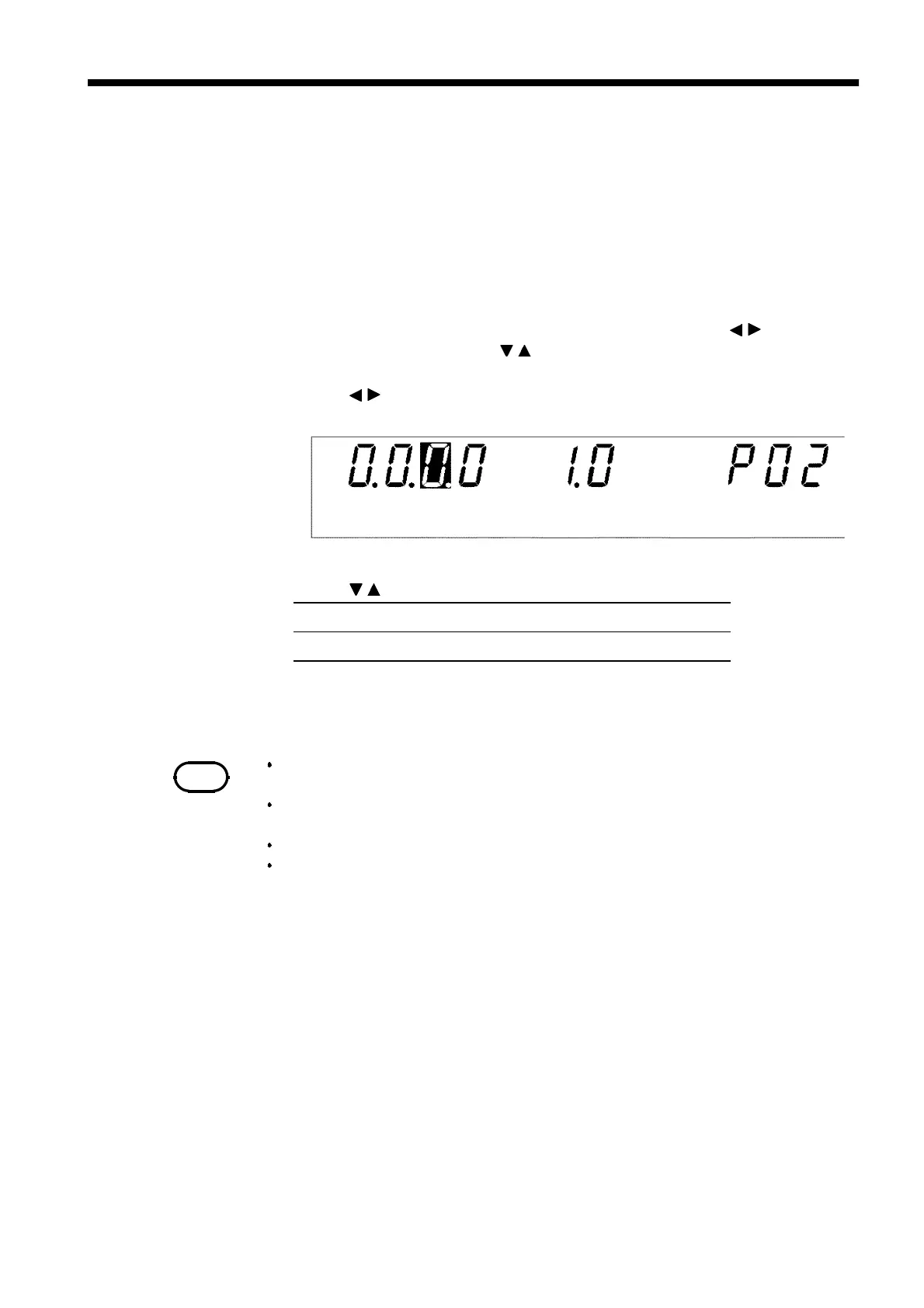
3. Use the
/
keys to move the flashing cursor to the position shown in the
figure.
4. Use the
/
keys to set a value at the flashing cursor location.
5. To complete the optional settings, press
SHIFT
+
STOP
keys. The unit
reverts to the READY state.



 To Next Page