4
_____________________________________________________________________________________________
1.2 Names and Functions of Parts
______________________________________________________________________________________________
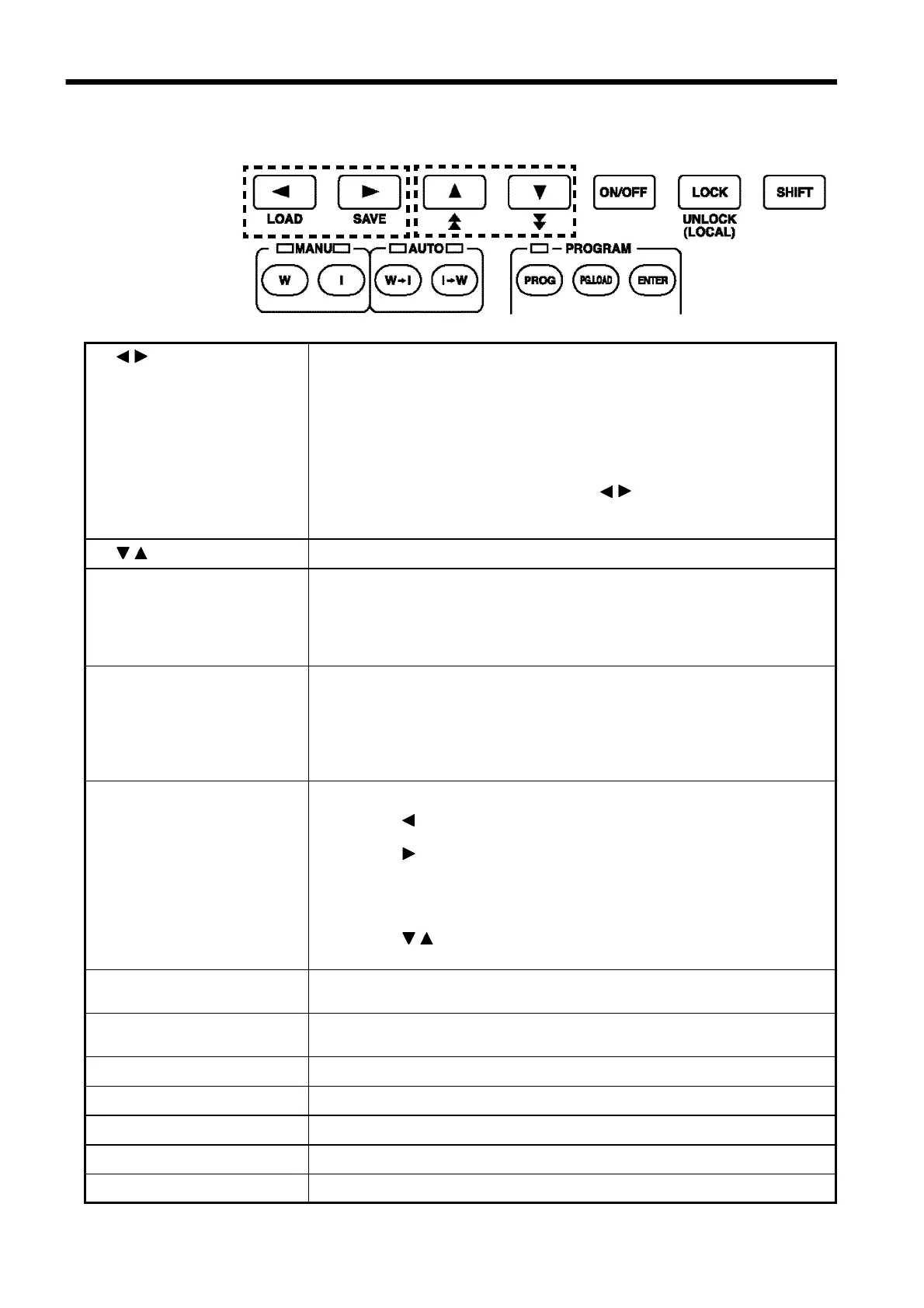
1.2.2 Rubber keys
1
2
3
4
5
6
7
8 9
10 11 12
1
/
key
Moves the flashing cursor.
The switching range is preset before shipment:
Withstand-voltage test:
Test-voltage value ⇔ Upper-limit value ⇔ Lower-limit value ⇔
Test time ⇔ Ramp-up time ⇔ Ramp-down time ⇔ Test-voltage type
Insulation-resistance test:
Test-voltage value ⇔ Lower-limit value ⇔ Upper-limit value ⇔
Test time ⇔ Delay time
To display the flashing cursor, press the
/
keys. The cursor appears,
displaying the preset comparative voltage value or test-voltage value.
(withstand-voltage test and insulation-resistance test)
2
/
key
Changes the position at which the flashing cursor appears.
3
ON/OFF key
Switches on/off the set value for the position of the flashing cursor. If
turned off, the set value is not used in testing.
However, the following key can't perform the switching on/off:
Withstand-voltage test: Test-voltage type, Test voltage, Upper-limit value
Insulation-resistance test: Test voltage, Lower-limit value
4
LOCK key
(LOCAL key)
Used to lock the keys.
When pressed, the
LOCK
key disables all keys except the
START
key,
STOP
key, and Key Lock Cancel key (
LOCK
+
SHIFT
key). See the
"Key-lock Function" section. (Chapter 3 to 6)
In the remote state, this key functions as a
LOCAL
key. It cancels the
remote state.
5
SHIFT key
Used in combination with other keys.
①
SHIFT
+ key
Displaying the Preset-data loading screen. (See Chapter 8)
②
SHIFT
+ key
Displaying the Preset-data saving screen. (See Chapter 8)
③
SHIFT
+
UNLOCK
key
Disabling the key lock function. Cancels the key lock. When GP-IB is
used for communication, go to LOCAL state.
④
SHIFT
+
/
key
Changing the increment size of setting values.
6
W key
(withstand-voltage test)
Performs withstand-voltage tests and settings. (See Chapter 3)
7
I key
(insulation-resistance test)
Performs insulation-resistance tests and settings. (See Chapter 4)
8
W
→
I key
Tests for withstand-voltage, then insulation-resistance. (See Chapter 5)
9
I
→
W key
Tests for insulation-resistance, then withstand-voltage. (See Chapter 5)
10
PROG key
Creates or edits program tests or their files. (See Chapter 6)
11
PG.LOAD key
Used to load program data. (See Chapter 6)
12
ENTER key
Used to create or edit program test files. (See Chapter 6)



 To Next Page