50
_____________________________________________________________________________________________
4.3 "SETTING" State
______________________________________________________________________________________________
4.3.2 Setting the Lower (Upper) Limit Value
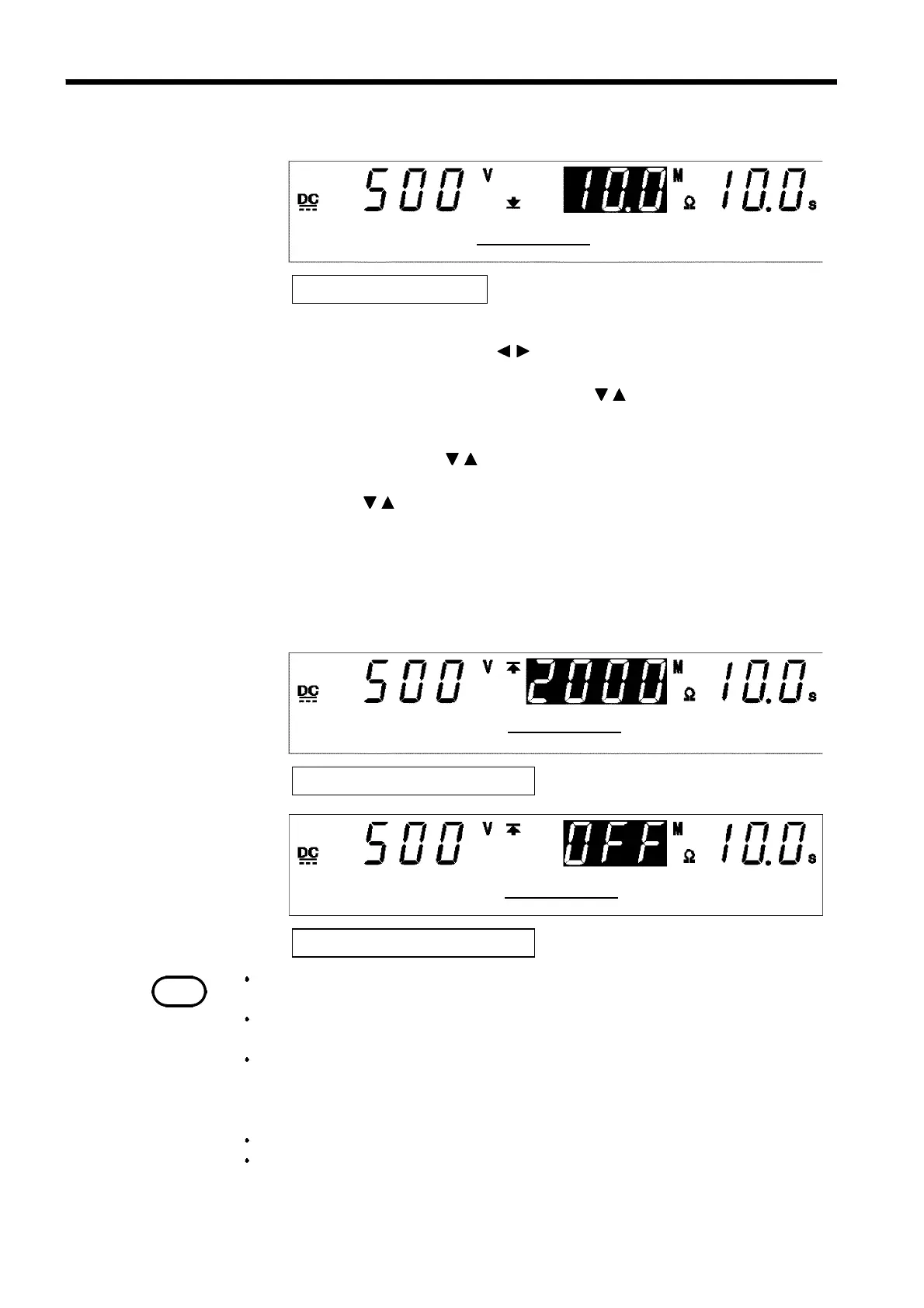
Lower Limit Value: 10 MΩ
Lower-limit value
Upper-limit value: 2000 MΩ
Upper-limit value
Upper-limit value: OFF
Upper-limit value
NOTE
If the set lower-limit value is greater than the upper-limit value, the test cannot be started,
even if the
START
key is pressed. In such a case, correct the upper- or lower-limit value.
The measured resistance and measurement ranges depend on the set lower-limit
and test-voltage values.
Resistance values larger than 9999 MΩ are displayed as "
O.F.
" (overflow).
Therefore, when the resistance measurement range is fixed, UPPER FAIL may
result even if the actual resistance value is lower than the test upper-limit value.If
"
O.F.
" (overflow) appears on the screen, check out the actual measurement range.
Resistance values smaller than 0.1 MΩ are displayed as "
U.F.
" (underflow).
The lower-limit value cannot be set to a value smaller than the test-voltage
value/1,000 (MΩ). For example, if the test voltage is set at 1,000 V, the lower-
limit value cannot be set at a value smaller than 1
000/1
000=1
MΩ
.
1. If no flashing cursor is displayed in the insulation-resistance mode
READY state, press either the / key to display the cursor in the lower
(upper)-limit value position.
2. Set the lower (upper)-limit value using the
/
keys.
The lower (upper)-limit value increases for each setting resolution function
shown in the list below.
Press the keys,
SHIFT
+
/
key. The value increases or decreases 10
times more rapidly than when the
SHIFT
key is not held down.
If the
SHIFT
+
/
keys continue to be held down, the value increases or
decreases by multiples of 100.
The lower (upper)-limit value can be set between 0.1 and 9999 MΩ.
If no Upper-limit value is required, turn off the
ON/OFF
key. Lower-limit
value can not be turn off.
3. To finalize the test settings, press the
STOP
key. The settings are
confirmed and the unit returns to the READY state.



 To Next Page