120
_____________________________________________________________________________________________
7.10 Insulation Resistance Test Measurement Range
______________________________________________________________________________________________
0:
Fixed range (Initial setting)
1:
Auto range
NOTE
For details on the relationships among the test-voltage values, lower-limit values,
and resistance measurement range, see Section 4.3.2 Setting of Lower-Limit
Values (Upper-Limit Values).
When the auto range is used, it is switched according to measured values. Due to
the range-switching time, a certain amount of time is required for a measured
value to be displayed (approximately 1.5 seconds).
When both the "Auto range" and the Test Time are set to ON, testing will not
begin even if the
START
key is pressed. (If set to ON, the displays for the
resistance value and the test time will blink.
7.10 Insulation Resistance Test Measurement Range
Select whether you want to use a fixed or an automatic range as the
insulation-resistance test measurement range.
If "
0
: Fixed range" is selected, the range is automatically selected depending
on the preset lower-limit value.
If "
1
: Auto range" is selected, the range is automatically switched according
to the measured value.
1. Press
SHIFT
+
STOP
keys while in READY state to display the Optional
function setting screen.
2. Move the flashing cursor to the position of
P01
using the
/
keys, and
display
P02
(p. 2) using the
/
keys.
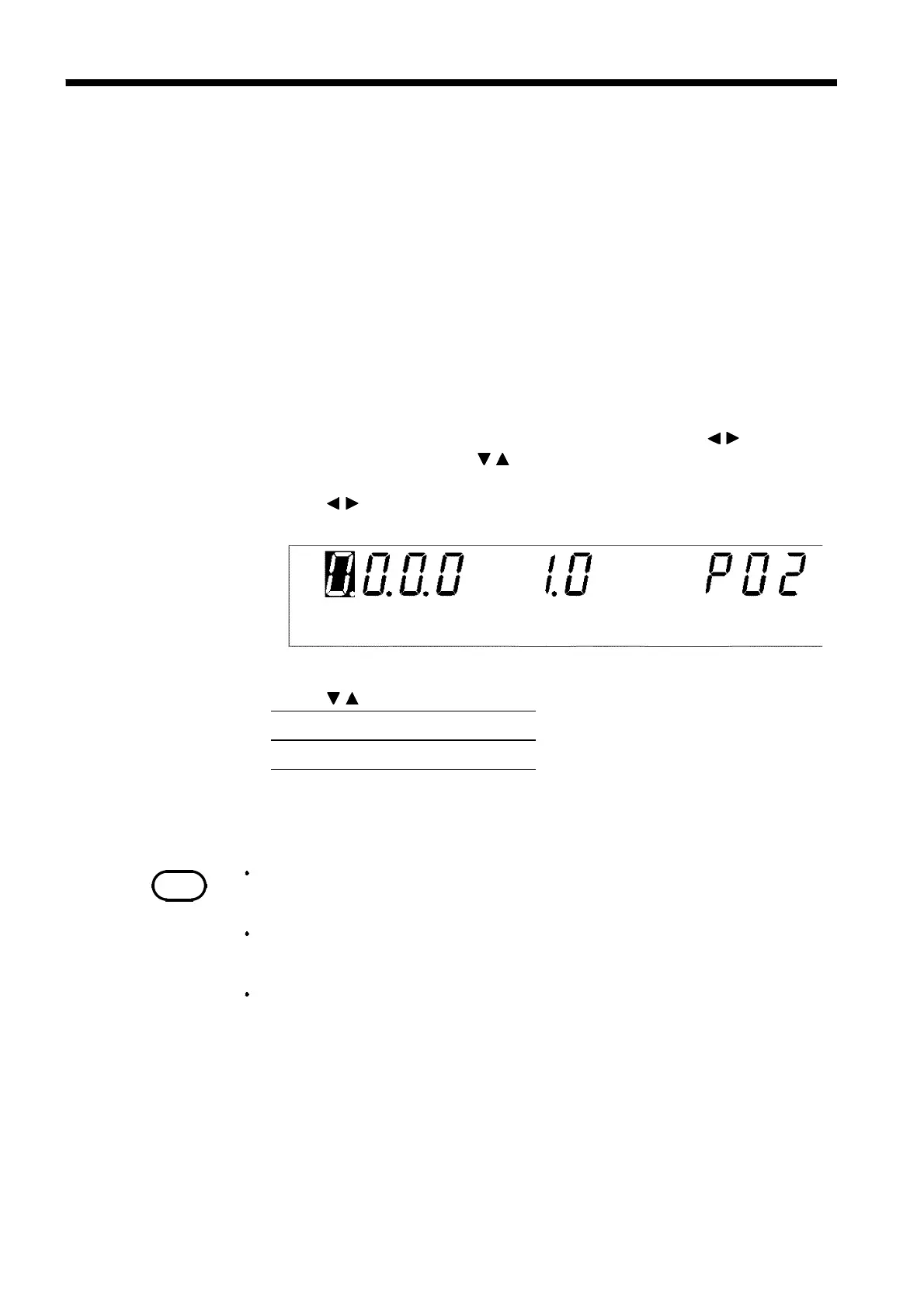
3. Use the
/
keys to move the flashing cursor to the position shown in the
figure.
4. Use the
/
keys to set a value at the flashing cursor location.
5. To complete the optional settings, press
SHIFT
+
STOP
keys. The unit
reverts to the READY state.



 To Next Page