68
_____________________________________________________________________________________________
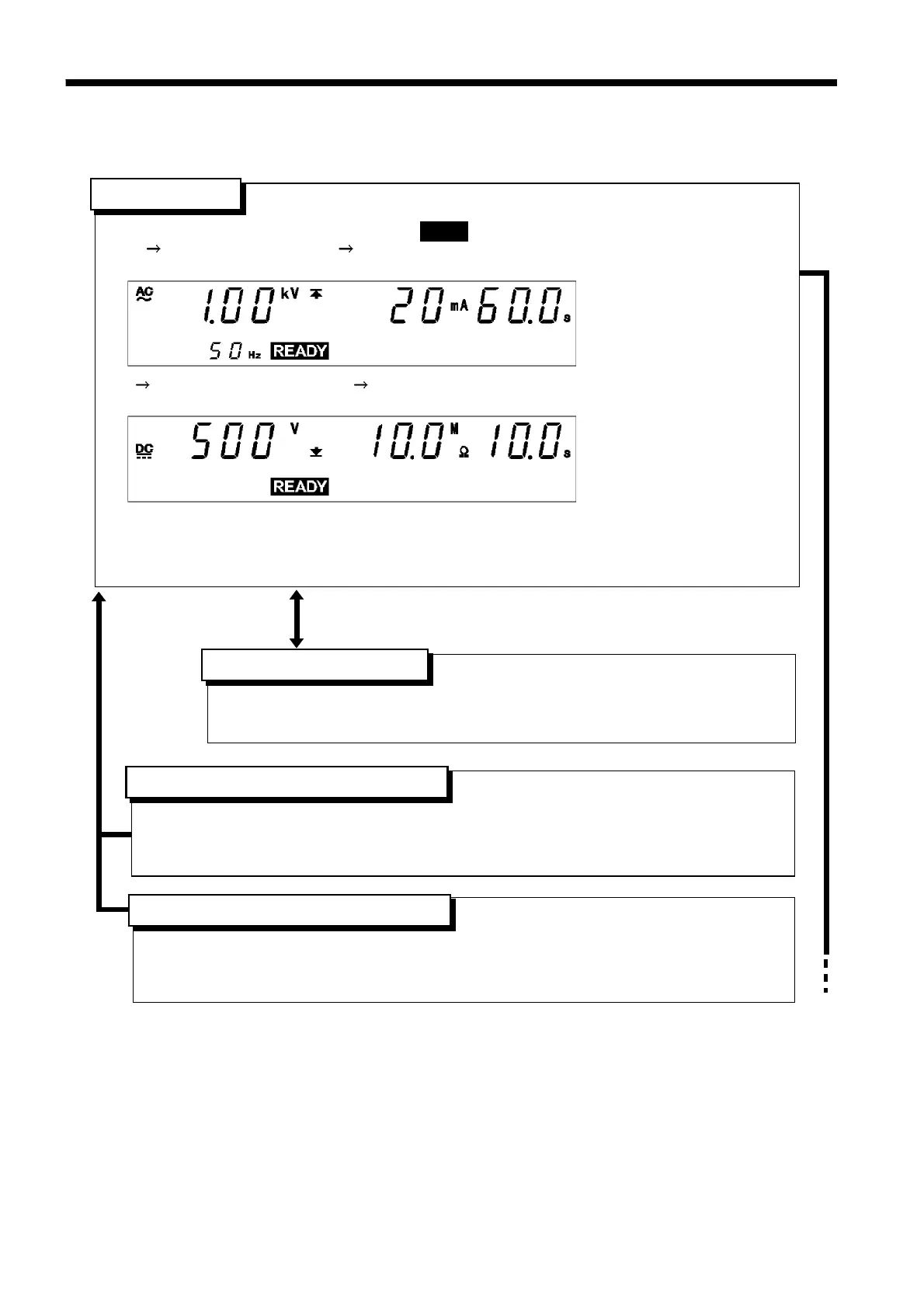
5.1 Auto Test Mode Display
______________________________________________________________________________________________
「
READY
状態」
・The unit is ready for starting a test. The
READY
lamp is turned on.
・W I (Withstand-voltage test Insulation-resistance test) mode: the unit is in the READY
state for withstand-voltage testing.
・I
W (Insulation-resistance test Withstand-voltage test) mode: the unit is in the READY
state for insulation-resistance testing.
・Press the
START
key while in the READY state.
・Press
SHIFT
+
STOP
keys to display the Optional Function Setting screen.
・Key-lock Function can be used. (See Section 5.2.1)
「
READY
状態」
READY
state
Setting the optional functions allows testing under various conditions.
(See Chapter 7)
・To make test settings, withstand-voltage mode must be in the SETTING state.
・For details on settings, see chapter 3, "Withstand Voltage Mode Testing Method."
・Make sure you set a test time.
「
READY
状態」
Setting optional functions
W
→
I/I
→
W key
SHIFT + STOP key
・To make test settings, insulation-resistance mode must be in the SETTING state.
・For details on settings, see chapter 4, "Insulation Resistance Mode Testing Method."
・Make sure you set a test time.
「
READY
状態」
Withstand-voltage mode
READY
state
Insulation-resistance mode
READY
state
5.1 Auto Test Mode Display



 To Next Page