84
_____________________________________________________________________________________________
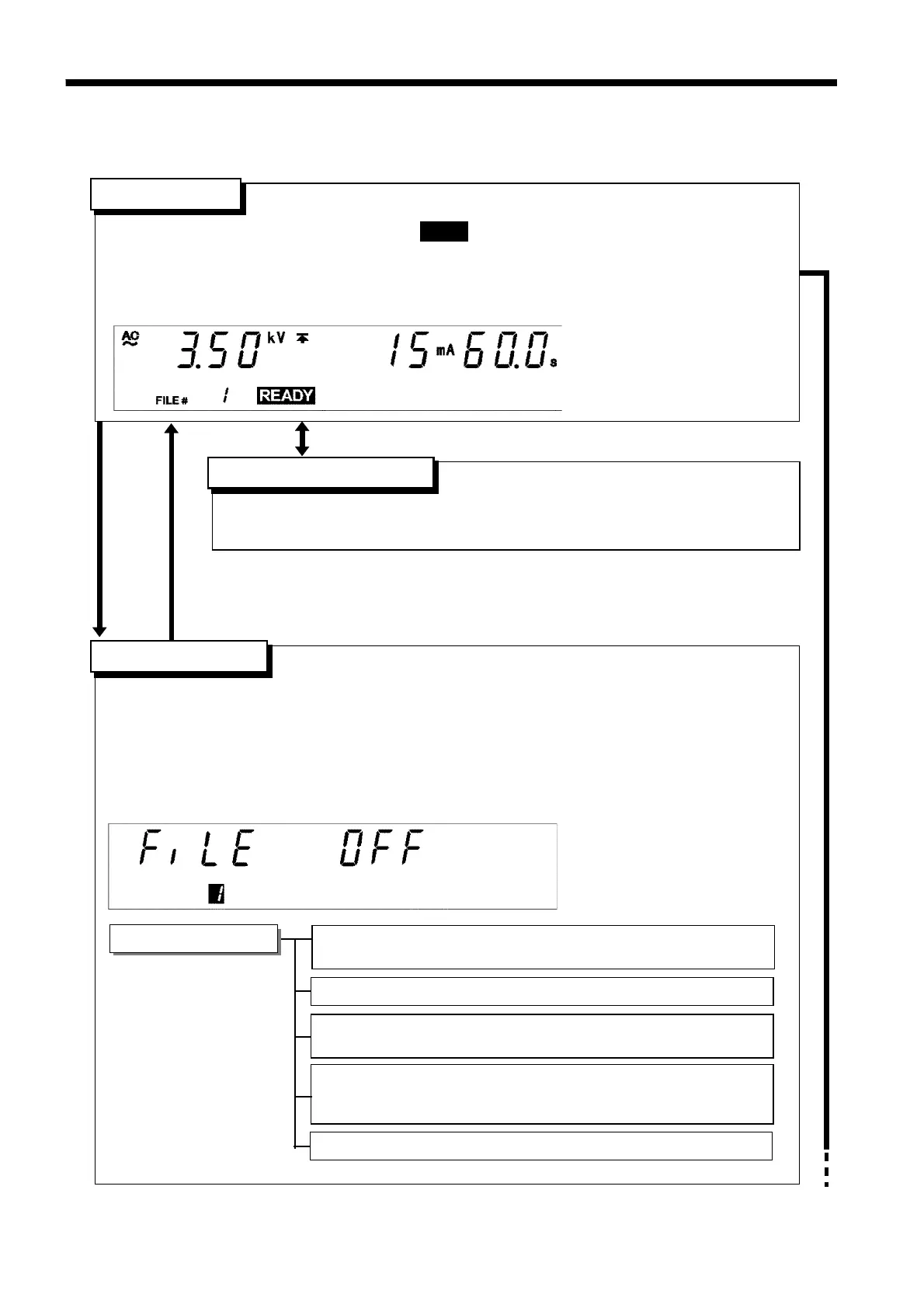
6.1 Program Mode Display
______________________________________________________________________________________________
「
READY
状態」
Setting the optional functions allows testing under various conditions.
(See Chapter 7)
・In this state, test sequences and test conditions for each test can be set.
・Up to 50 steps and 32 files can be set.
・To move to the next item, press the
ENTER
key. If the
ENTER
key is pressed during data
input, the setting of a step that is in the process of being set is finalized, and the unit moves
to the setting of the next step.
・When the
STOP
key is pressed, the program setting is terminated and the unit returns to the
READY state.
FILE: Program file number and scanner condition
(OFF, single scan, multi-scan)
STEP: Step number
READY
state
「
READY
状態」
Program setting
state
「
READY
状態」
Setting optional functions
W/I: Setting of the test type (selection of the withstand-voltage
test/insulation-resistance test, or if the test is terminated in this
step)
ENTER
key
STOP key
SHIFT + STOP key
・The unit is ready for starting a test. The
READY
lamp is turned on.
・Press the
START
key while in the READY state.
・Press the
ENTER
key while in Program setting state.
・Press
SHIFT
+
STOP
keys to display the Optional Function Setting screen.
・Key-lock Function can be used. (See Section 6.2.1)
Program setting items
SCAN: Setting of scanner channel (not displayed when the
scanner is set to OFF)
DATA INPUT: Setting of various test items
6.1 Program Mode Display



 To Next Page