121
_____________________________________________________________________________________________
7.11 Insulation Resistance Test Termination Mode Settings
______________________________________________________________________________________________
0
:
Test for set time (Initial setting)
1
:
Terminate test at PASS screening
2
:
Terminate test at FAIL screening
NOTE
To test an object that contains a capacity component, set it to either one of the
following:
1. Select "
0
: Test for the set time".
2. Select "
1
: End with a PASS result", and set the test time necessary for
charging.
3. Select "
2
: End with a FAIL result", and set the delay time necessary for
charging.
When the test time is set to OFF, the setting of this mode is invalid. Press the
STOP
ke
to terminate the test.
7.11 Insulation Resistance Test Termination Mode
Settings
When performing an insulation-resistance test, set whether you want to
conduct the test for the set test time regardless of the decision, terminate the
test when PASS screening is performed, or terminate the test when FAIL
screening is performed. (Insulation resistance mode only. In auto test mode
and program mode, operation will be the same as when
〝
2: terminate test at
FAIL screening
〟
is selected as the insulation resistance test termination
mode.)
If "
0
: Test for set time" is selected, the test is only conducted for the set
time, and the value is decided when the test is terminated.
If "
1
: Terminate test at PASS screening" is selected, the test is terminated
when PASS screening is conducted within the set time. If PASS screening
is not conducted within the set time, the test is terminated when FAIL
screening is conducted after the set time.
If "
2
: The test is terminated when FAIL screening is conducted within the set
time. If FAIL screening is not conducted within the set time, the test is
terminated when PASS screening is conducted after the set time.
1. Press
SHIFT
+
STOP
keys while in READY state to display the Optional
function setting screen.
2. Move the flashing cursor to the position of
P01
using the
/
keys, and
display
P02
(p. 2) using the
/
keys.
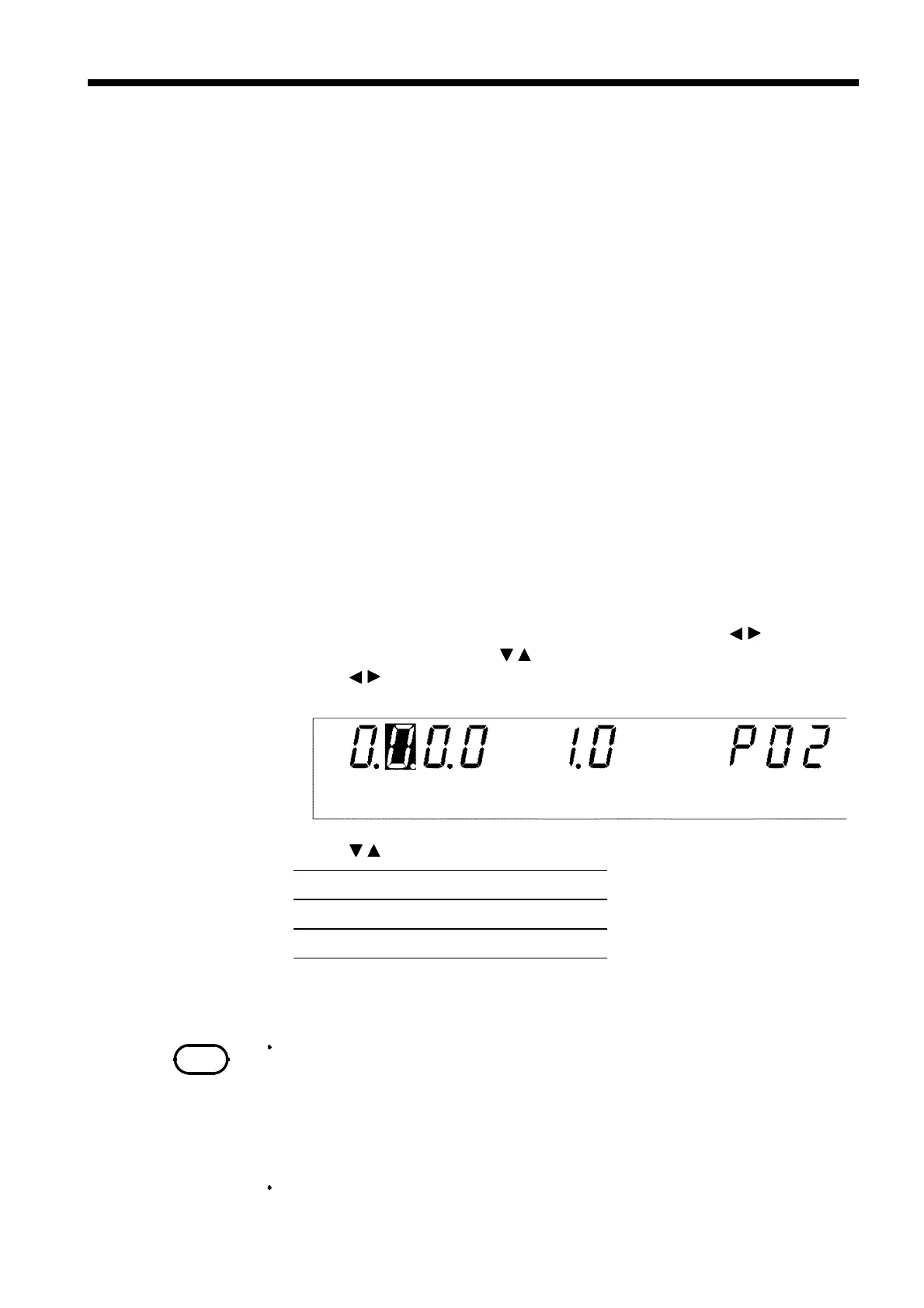
3. Use the
/
keys to move the flashing cursor to the position shown in the
figure.
4. Use the
/
keys to set a value at the flashing cursor location.
5. To complete the optional settings, press
SHIFT
+
STOP
keys. The unit
reverts to the READY state.



 To Next Page