Chapter 6: Console Configuration
Ethersound Networks
Eclipse User Guide 2.0 265/ 526
The Standard Ethersound Network
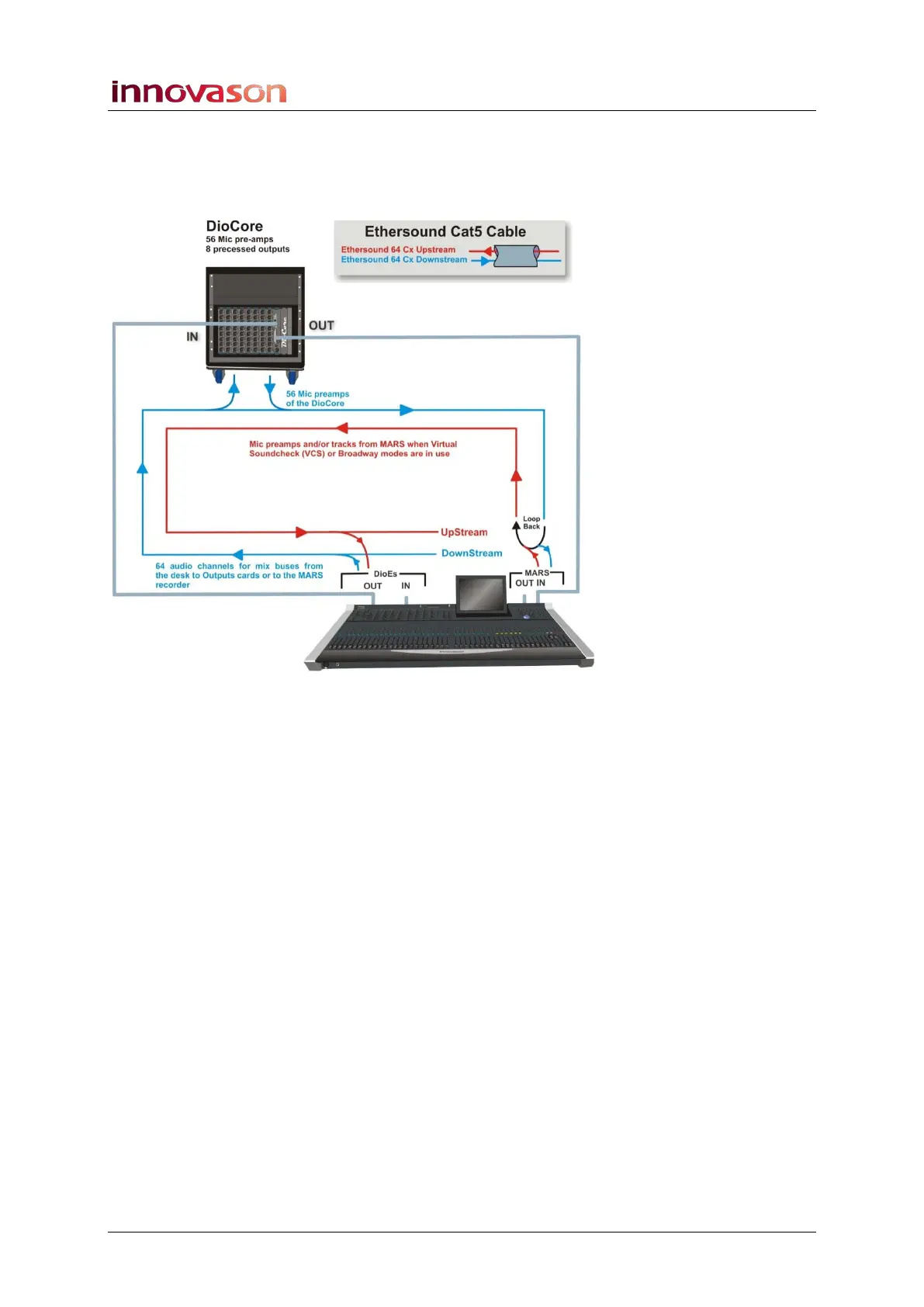
The diagram below shows the Ethersound connections and
audio streaming for the standard Eclipse package:
Eclipse is the Primary Master of this network; M.A.R.S. is
connected at the end of the chain.
Mic preamps from the DioCore are patched downstream onto
the Ethersound channels so that they can be recorded to
M.A.R.S. (use the PATCH INPUT display – DIO1 and Core 1
tabs, see Page 268).
The Ethersound channels are automatically looped back to the
console, and patched upstream to its Faders or Smart Panel
controllers (use the PATCH INPUT display – DIO1 and PATCH
tabs, see Page 235).
Mix busses from the console are patched downstream so that
they will reach the DioCore or M.A.R.S (use the PATCH
OUTPUT display – DIO1 and PATCH tabs, see Page 249).
Note that downstream channels 1 to 56 are replaced by mic
preamps from the DioCore. So, if you wish to record a mix bus
on M.A.R.S., patch downstream to channels 57 to 64.
In the unlikely event of a M.A.R.S. failure, the DioCore becomes
the last device in the chain, and automatically loops the
downstream data back onto the upstream path without any
break in audio.



 To Next Page