G1000 ANNUNCIATIONS AND ALERTS
For a more detailed description of the annunciations and alerts provided
through the PFDs and/or the MFD, refer to the Garmin G1000 Cockpit
Reference Guide for the KODIAK 100.
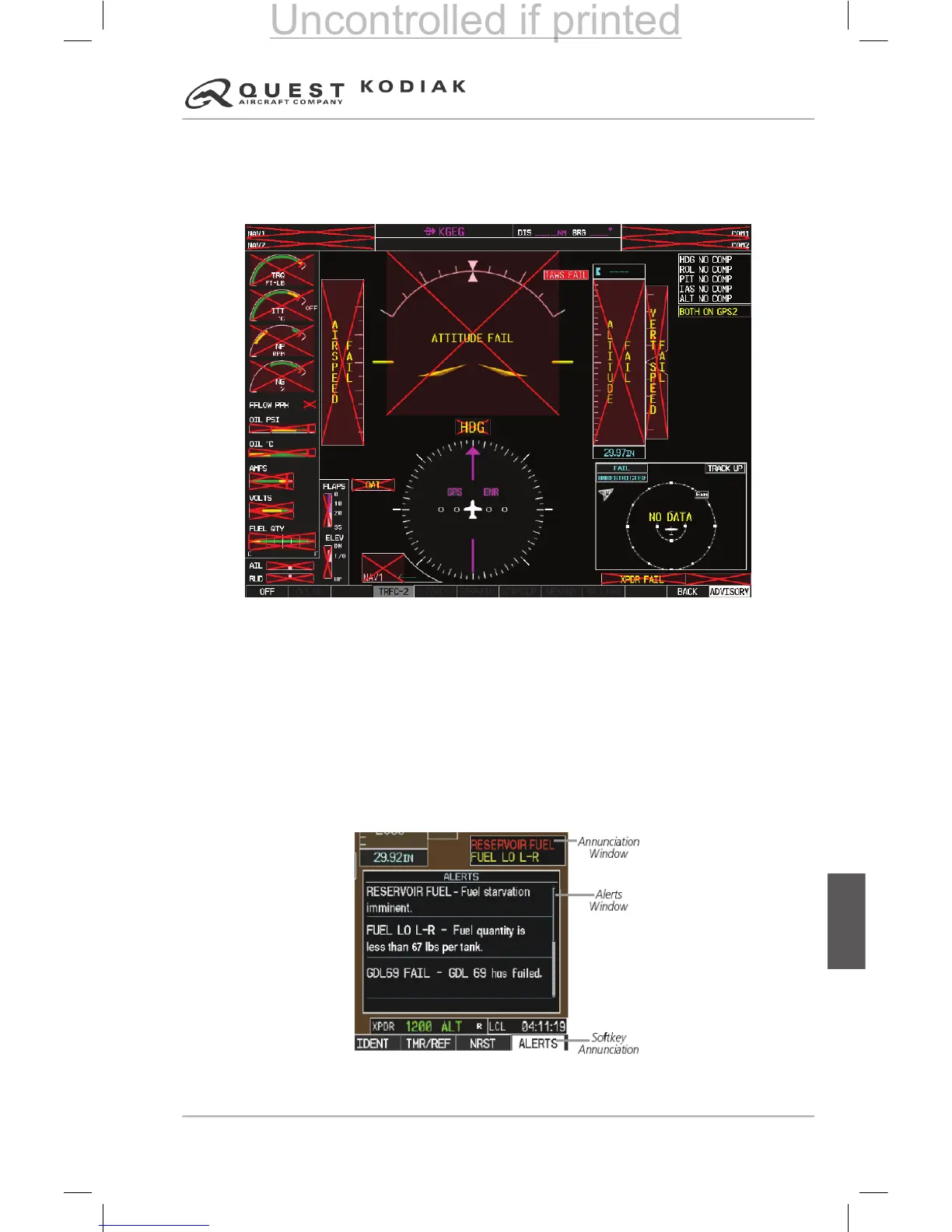
Figure 7-91 – Annunciations and Alerts Windows
Annunciation Window
All system advisories, alerts, cautions and warnings are shown on the right
side of each PFD (or the MFD if the system is in reversionary mode) screen
adjacent to the vertical speed indicator. Up to 12 annunciations can be
displayed simultaneously. A white horizontal line separates annunciations that
are acknowledged from annunciations that have not yet been acknowledged.
Acknowledged annunciations are always above the line. Annunciations
are displayed in order of priority from top to bottom. The highest priority
annunciation is displayed at the top of the annunciation window.
Figure 7-92 – Alert Window


 To Next Page
 Loading...