3.4 Exam Type Selection
104
3.4.1 Select Preset / User Preset to Start Examination
1
After registering, or calling up from the retrieval patient information on the [Patient] screen,
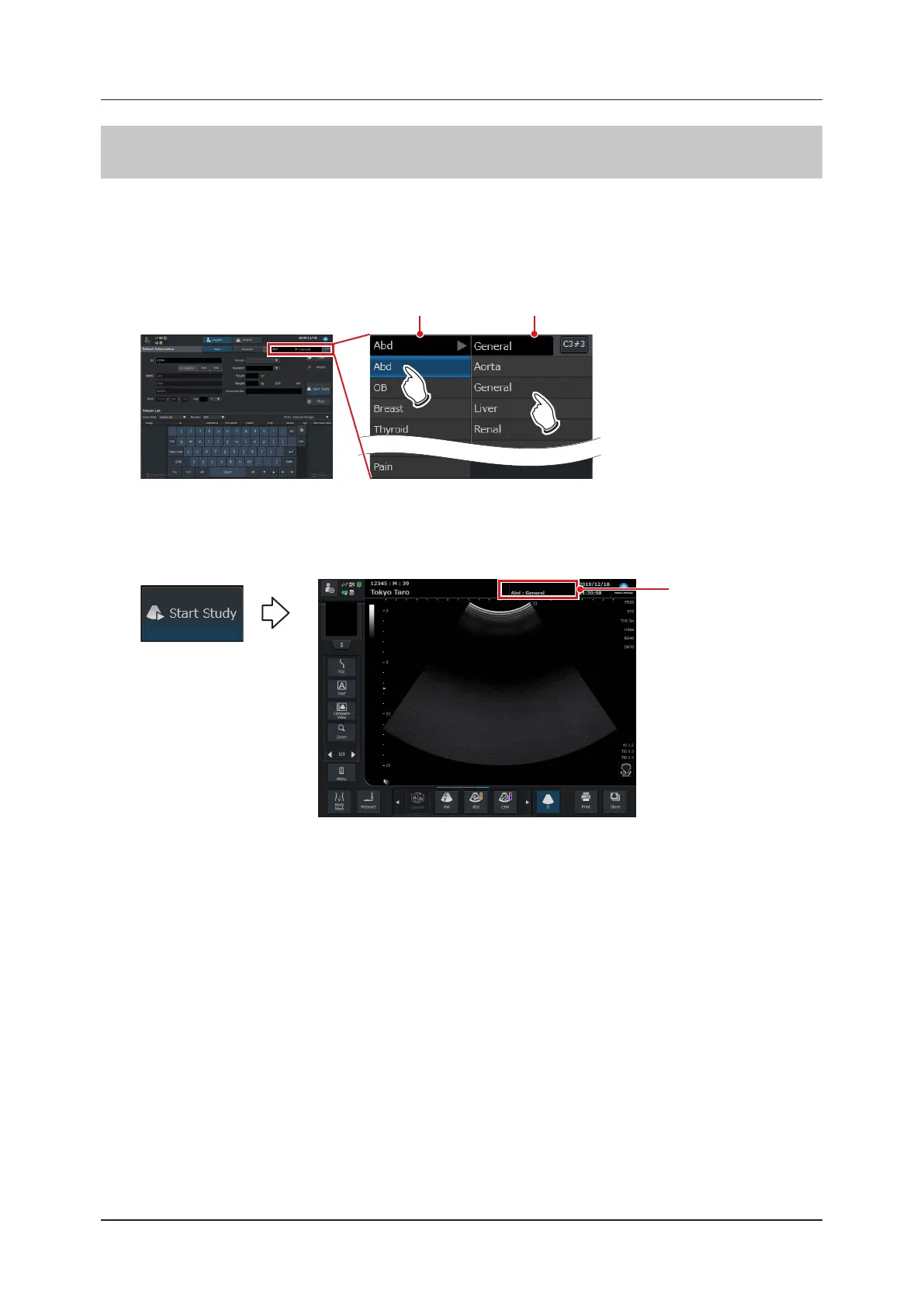
select an exam from the pull-down menu.
• By touching a desired exam type, the relevant preset items for the exam type will be displayed in list form.
From the list you can select a desired preset item.
Exam list Preset list
2
Select a preset / user preset and then press the [Start Study] button.
• Changes to the study screen and starts an examination.
• The selected preset / user preset name is displayed at the top of the study screen.
Preset / User preset
name



 To Next Page