262
8.2 Biopsy
8.2.7 SNV Pop-up Menu
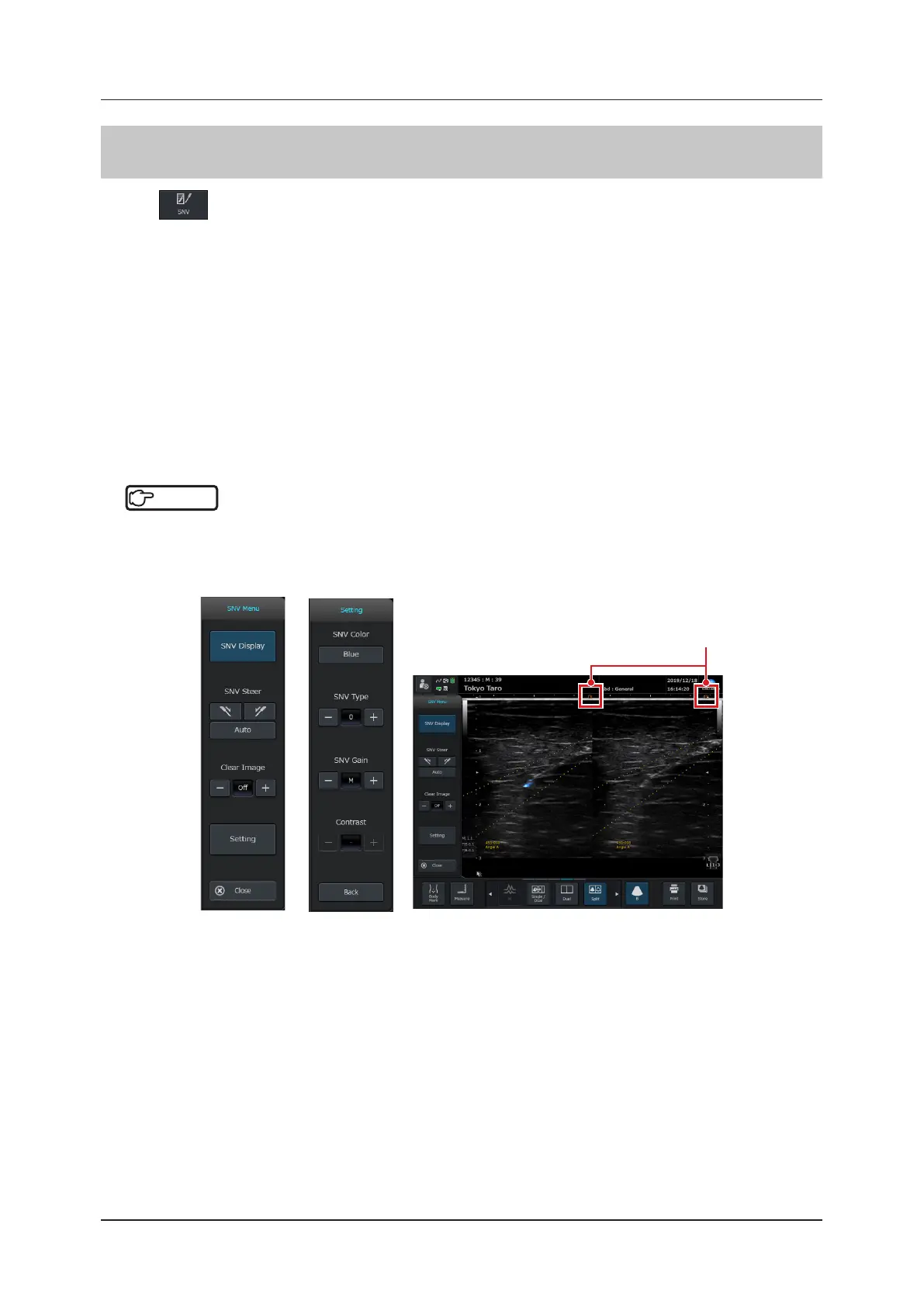
Pressing in the operation button area will display the SNV pop-up menu.
Various parameters such as the SNV Type, SNV Gain and SNV Steer can be changed from the SNV pop-up menu.
The recommended procedure for using the SNV feature is as follows:
1
Attach the biopsy bracket to a transducer.
*
1
2
Enable [Biopsy Display] in the biopsy pop-up menu.
*
1
3
Enable [SNV Display] in the SNV pop-up menu.
4
Enter the Split mode (the mode that displays simultaneous dual display of B-mode and SNV
images).
*
1
*
1: Not essential but recommended.
Reference
•••••••••••••••••••••••••••••••••••••••••••••••••••••••••••••••••••••••••••••••••••••••••••••••••••••
• For details on how to attach a biopsy bracket to the transducer, refer to "8.2.2 Attachment of Biopsy Bracket and
Needle Guide".
• For details on the biopsy pop-up menu, refer to "8.2.5 Biopsy Pop-up Menu".
•••••••••••••••••••••••••••••••••••••••••••••••••••••••••••••••••••••••••••••••••••••••••••••••••••••••••••••••••••••
Turns orange when [SNV Display], [SNV Steer],
or [Clear Image] is enabled.



 To Next Page