227
Chapter 6
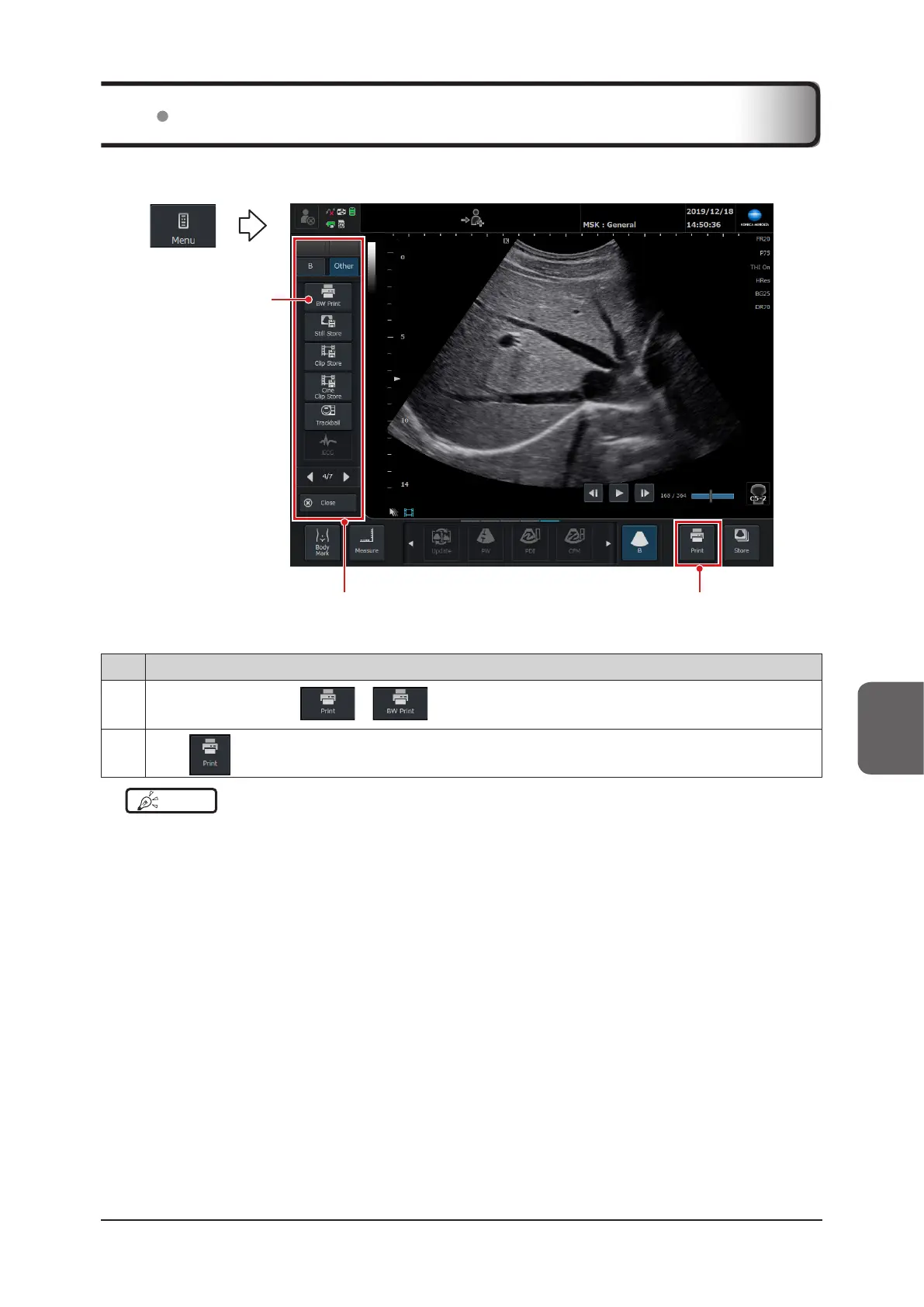
Images can be printed out using a printer connected to the system via a USB cable.
(2)Menu pop-up window
(1)
The following two buttons are available for printing.
No. Functions
(1)
Press the [Menu] button >
or on the [Other] tab.
(2)
Press
in the lower right corner of the screen.
HINT
•••••••••••••••••••••••••••••••••••••••••••••••••••••••••••••••••••••••••••••••••••••••••••••••••••••
• The function of the [BW Print & Still Store] button can be assigned to the [Print] button on the [Setup] screen.
For settings, refer to "Key Customize Screen" of the "Operation Manual: Applications".
•••••••••••••••••••••••••••••••••••••••••••••••••••••••••••••••••••••••••••••••••••••••••••••••••••••••••••••••••••••
6.3 Printing Images



 To Next Page