52
1.6 System Conguration and Part Name
1.6.3 Mini Console
CAUTION
•••••••••••••••••••••••••••••••••••••••••••••••••••••••••••••••••••••••••••••••••••••••••••••••••••••
• Do not press two or more switches on the mini console simultaneously. System malfunction may result. The opera-
tions of the USER LOG output function (refer to the "Operation Manual: Applications") and the pointer display func-
tion (refer to "5.6.1 Operation Items") are excluded.
• The switch conguration on the mini console of this system can be changed. The switch settings may therefore dier
depending on the system. Conrm the switch conguration of your system before use.
• The descriptions in this operation manual are based on the default switch conguration. If the switch conguration
has been changed, the dierences between the current conguration and the default conguration must be under-
stood before use.
• The guaranteed operating angle of the trackball is 30 degrees or less with respect to the horizon. If the angle is
greater than that, do not use the trackball, just operate the touch panel or the push or dial buttons of the mini con-
sole.
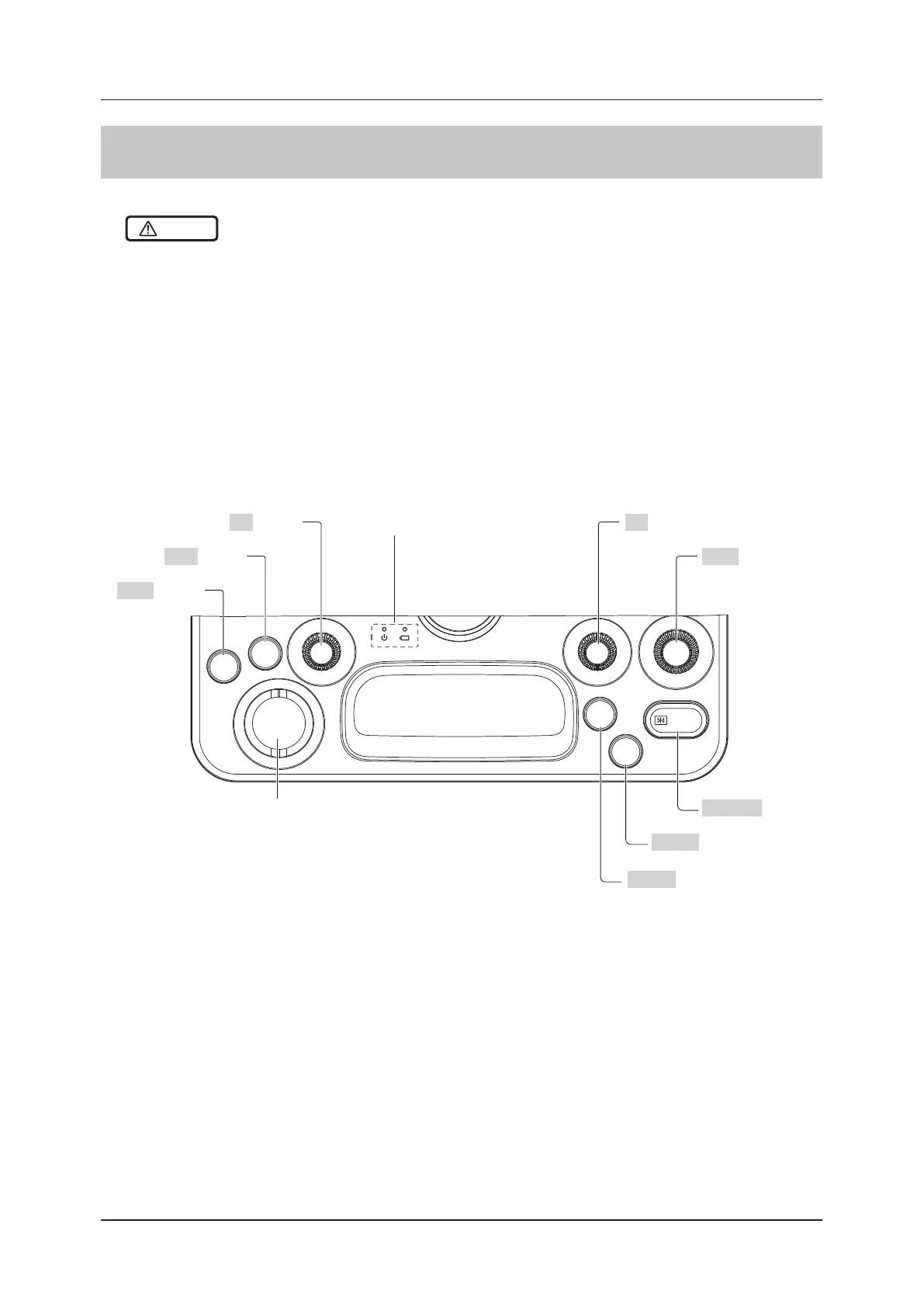
The mini console has nine keys, to which various functions are assigned, and status indicator LEDs.
– A key refers to a push button, dial button, or trackball.
– The dial buttons can be used both as dial buttons that are rotated to the left and right, and as push buttons.
SET
FREEZE
User
1
User
2
F2 F1
Gain
EXIT
F1 button
Gain button
FREEZE button
User 2 button
User 1 button
Trackball
EXIT button
SET button
F2 button Status indicator LED
•••••••••••••••••••••••••••••••••••••••••••••••••••••••••••••••••••••••••••••••••••••••••••••••••••••••••••••••••••••



 To Next Page