259
8.2 Biopsy
Chapter 8
8.2.4 Layout of Guideline
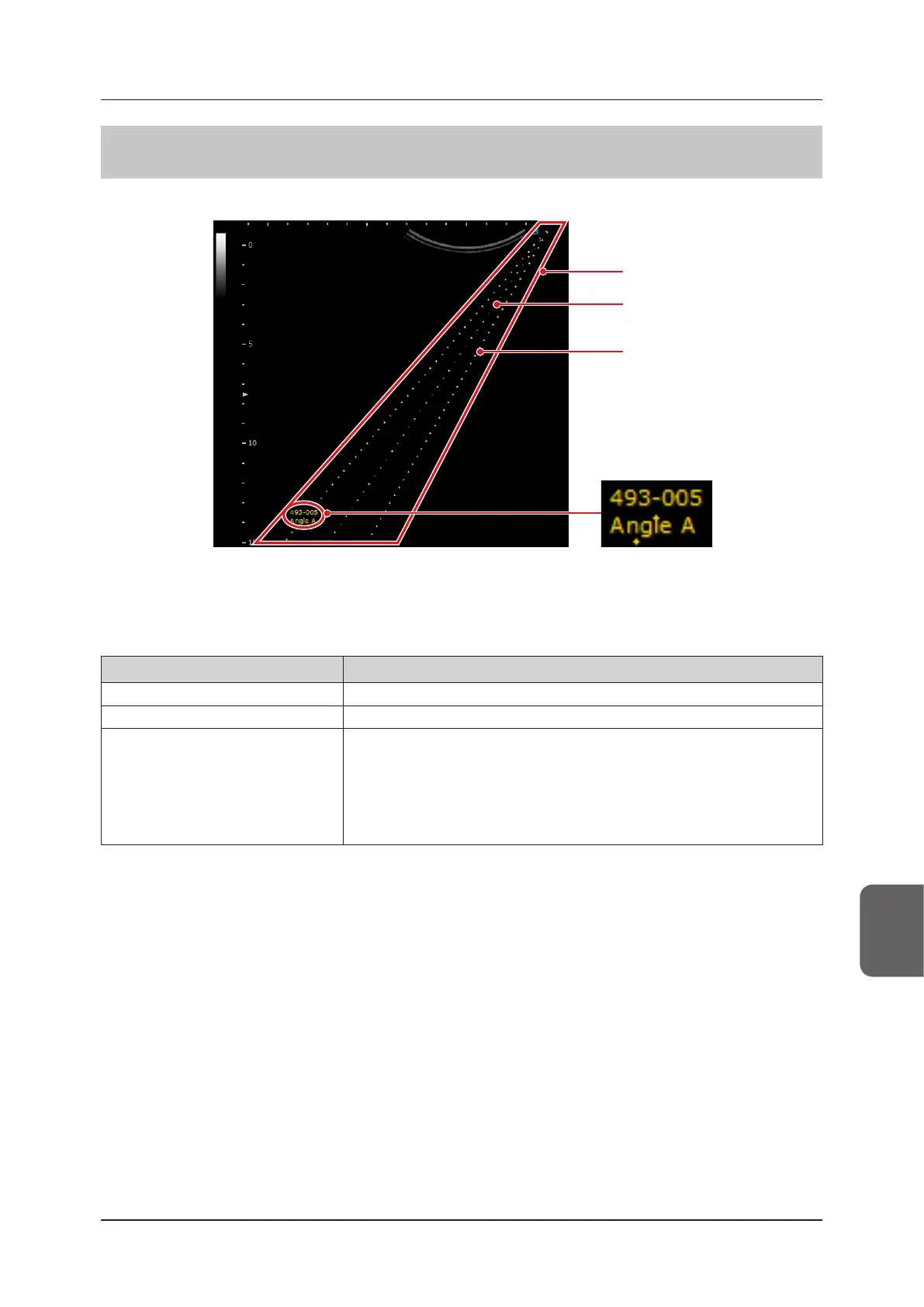
The layout of a guideline is as follows:
Guideline
Error line
Biopsy guideline
Bracket symbol
Angle symbol
Mount the biopsy bracket and needle guide to the transducer and insert the biopsy needle in the same plane as the
image in the scan direction.
A guide for the biopsy needle is displayed on the screen. If the multi-angle-based biopsy bracket is used, an angle
symbol is also displayed.
The guideline display allows you to adjust spacing between dots and unit display.
Item Functions
Bracket symbol Displays the selected biopsy bracket symbol (text).
Angle symbol Displays the angle symbol for the currently selected biopsy for multi-angle.
Guideline
Uses a yellow dotted line to display the insertion line for a biopsy procedure.
• Draws smaller dots at 5 mm intervals, and larger ones at 10 mm intervals.
• Also displays the existence area of the biopsy needle, which allows for possible
insertion angle variations. A combination of the displays can be adjusted using the
menu items.
• The unit display and spacing between dots can also be adjusted using the menu
items.



 To Next Page