5.6 Common Functions
211
Chapter 5
5.6.6 Map editing function
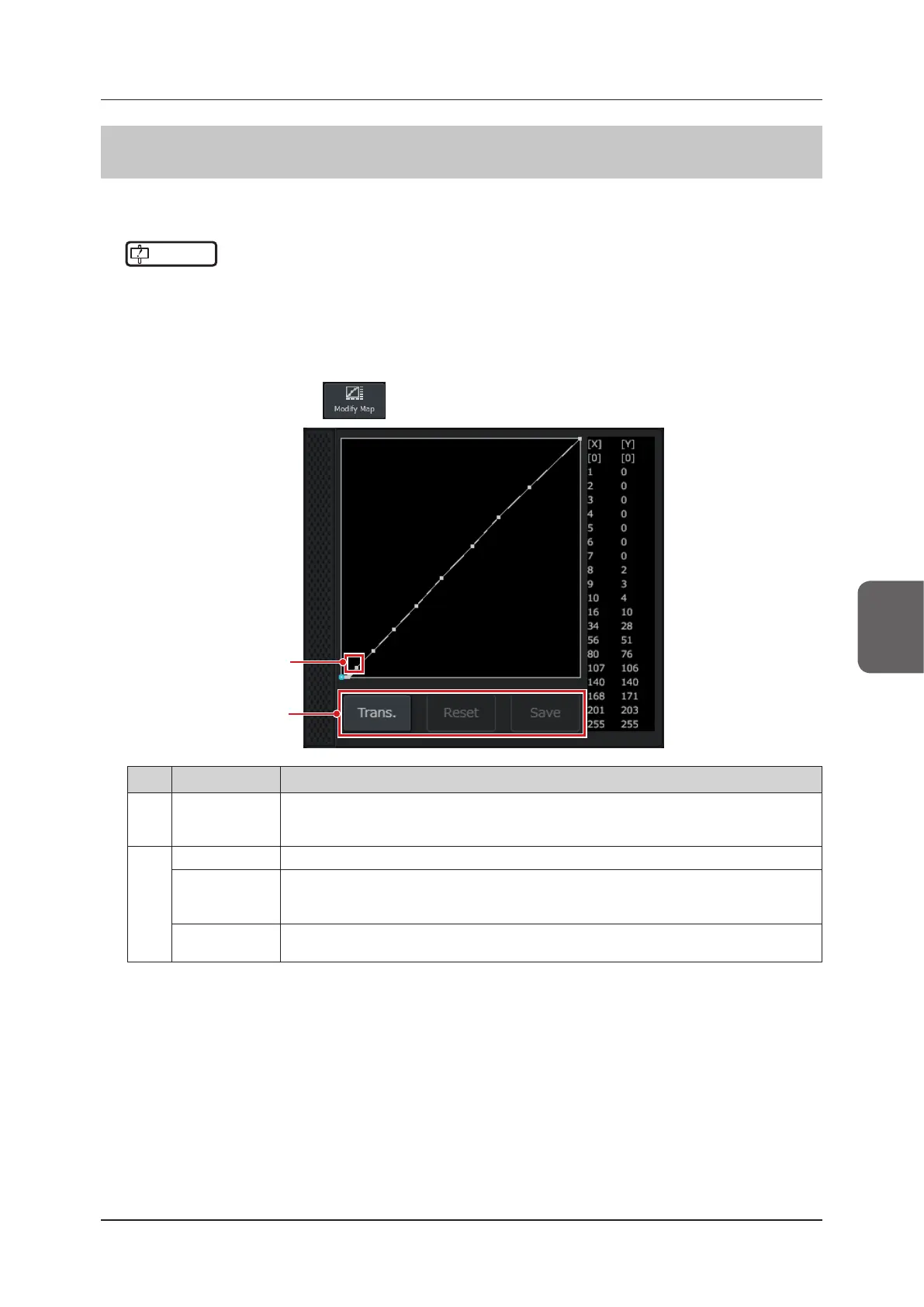
This function edits the B-mode B map image. The edited B map image can be used in M-mode as well.
• It can be used on the study screen in the B-mode.
IMPORTANT
•••••••••••••••••••••••••••••••••••••••••••••••••••••••••••••••••••••••••••••••••••••••••••••••••••••
• Modied map will aect image characteristics. Please conrm the image before the examination.
•••••••••••••••••••••••••••••••••••••••••••••••••••••••••••••••••••••••••••••••••••••••••••••••••••••••••••••••••••••
1
Check that the B-mode B map image value is set between A and J.
• For B map setting, refer to "4.4.1 B-mode".
2
Press the [Menu] button > button on the [Other] tab.
(1)
(2)
No. Location Functions
(1) Editing points
Editing points on the image are displayed in blue.
• Edits can be made by using the trackball to move up, down, left, and right.
• You can change the editing point to the previous or next editing point by turning the F2 dial.
(2)
[Trans.] button Makes the background transparent.
[Reset] button
Returns the image to its unedited state.
• This function does not work unless the image has been edited.
• The image can only be reset as far as the last time it was saved.
[Save] button
Save the edited image.
• This function does not work unless the image has been edited.



 To Next Page