5.3 Text (Annotation)
191
Chapter 5
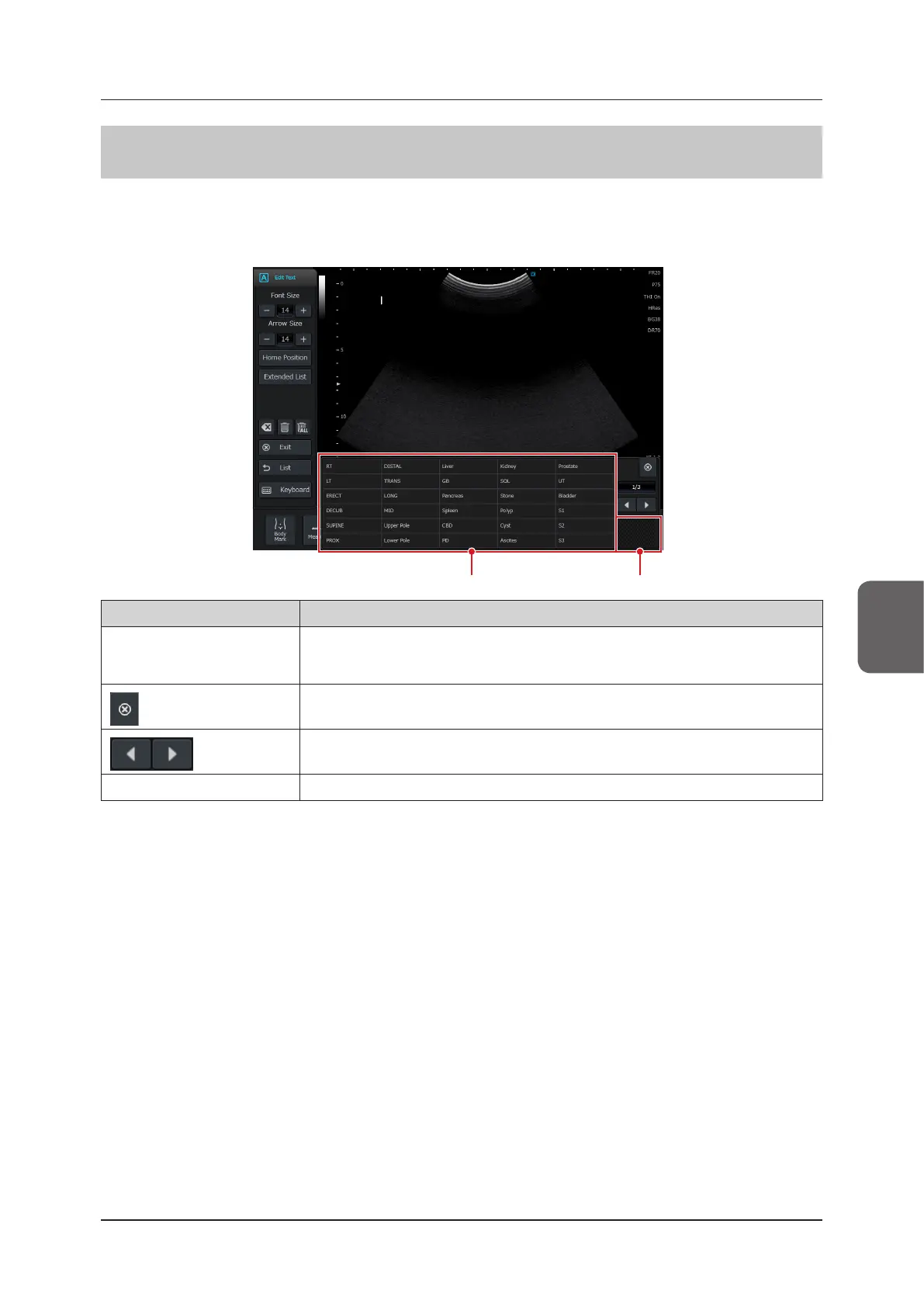
5.3.3 Extended List
The extended list shows up to 5 pages of the annotation list. The annotation list and extended list are linked, so
switching pages aects both lists. Depending on the settings, they can also be displayed when the Text function is
started up. To use this function, an optional "Text Annotation License" is required.
Move barExtended list
Item Functions
Extended list
Auto Annotation can be used to enter the selected character string in the image display
area. If the Auto Annotation character string does not t inside the button, "..." is displayed in
place of the omitted characters.
button Closes the Extended list window.
button Switches pages.
Move bar Move the position of the Extended list window by dragging it.



 To Next Page