258
8.2 Biopsy
8.2.3 Display of Biopsy Guide
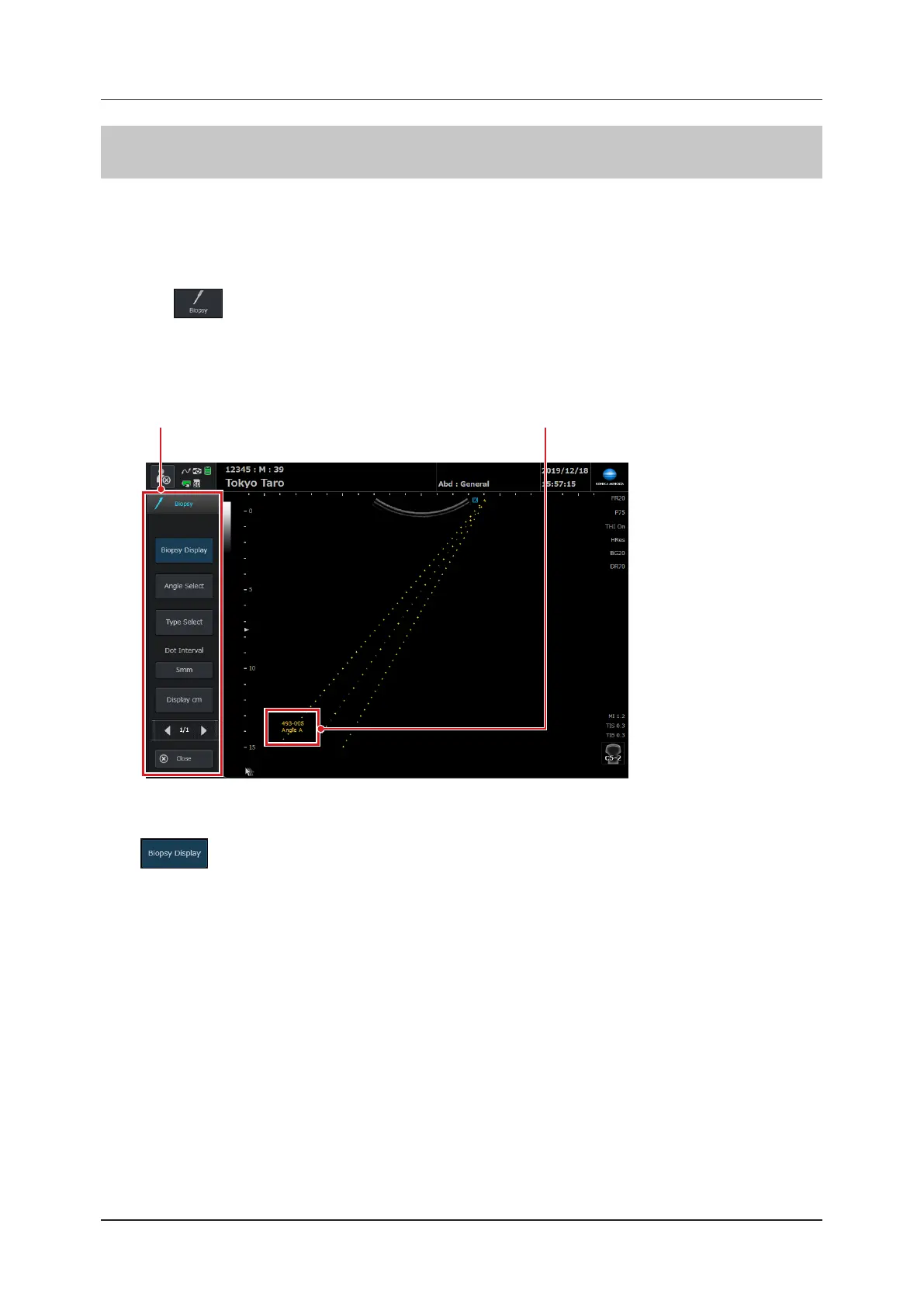
The biopsy guide refers to biopsy guidelines that appear on-screen, and is displayed over a live B-image (including a
color image).
For how to set the Simple Needle Visualization (SNV), refer to "Image Screen" of the "Operation Manual: Applica-
tions".
1
Press in the operation button area.
• A message appears, conrming the guide display type and an insertion route of the biopsy needle.
2
Press the [OK] button.
• The default guide display type will be selected and the biopsy pop-up menu will be displayed.
Biopsy pop-up menu Bracket / angle symbols
z
When ending the biopsy guide
Press .



 To Next Page