188
Text (Annotation) is a function that enables a user to enter Annotation, such as text and arrow marks on the image.
Reference
•••••••••••••••••••••••••••••••••••••••••••••••••••••••••••••••••••••••••••••••••••••••••••••••••••••
• For text-related settings, refer to "Annotation Screen" of the "Operation Manual: Applications".
•••••••••••••••••••••••••••••••••••••••••••••••••••••••••••••••••••••••••••••••••••••••••••••••••••••••••••••••••••••
5.3.1 Start of Text
There are two ways to enter annotation; one is to select text from the already registered Annotation list to enter it au-
tomatically and the other is to enter letters using the software keyboard.
1
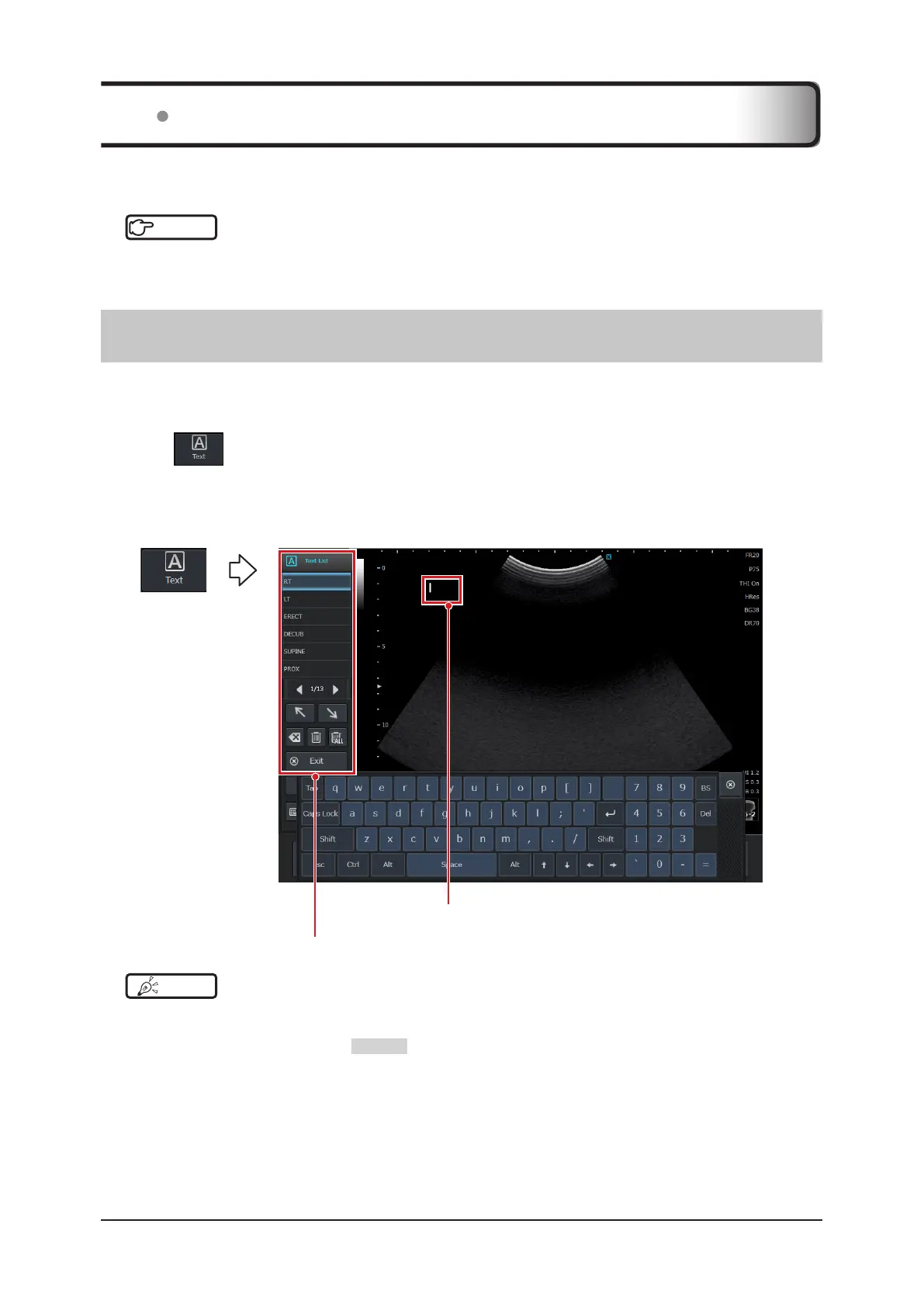
Press in the operation button area.
• The Text pop-up menu and software keyboard are displayed. When the software keyboard is not displayed,
press the [Keyboard] button on the pop-up menu.
• The cursor is displayed in the image display area.
• Text icon is displayed in the information display area. The icon is located behind the software keyboard (hidden).
Text pop-up menu
Cursor
HINT
•••••••••••••••••••••••••••••••••••••••••••••••••••••••••••••••••••••••••••••••••••••••••••••••••••••
• Two more ways to start are shown below.
– Press the [Menu] button > [Other] tab > [Text] button.
– Change to a frozen state using the FREEZE button. (Settings on the [Setup] screen are required.)
•••••••••••••••••••••••••••••••••••••••••••••••••••••••••••••••••••••••••••••••••••••••••••••••••••••••••••••••••••••
5.3 Text (Annotation)



 To Next Page