185
Chapter 5
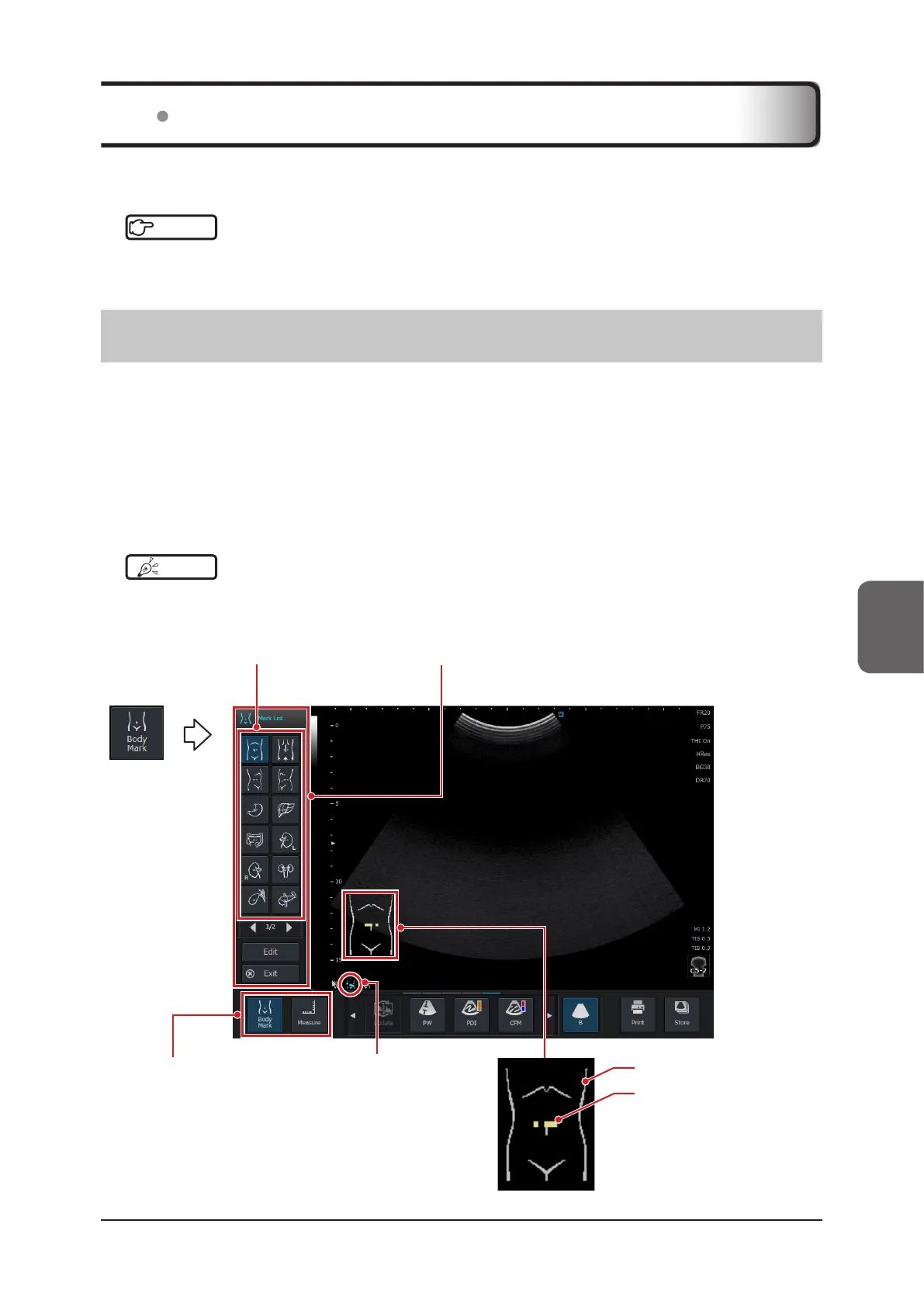
Body Mark is a function to enter a patient’s scan position (Body Mark image) in the image display area.
Reference
•••••••••••••••••••••••••••••••••••••••••••••••••••••••••••••••••••••••••••••••••••••••••••••••••••••
• For Body Mark-related settings, refer to "Annotation Screen" of the "Operation Manual: Applications".
•••••••••••••••••••••••••••••••••••••••••••••••••••••••••••••••••••••••••••••••••••••••••••••••••••••••••••••••••••••
5.2.1 Body Mark Menu
An operation of Body Mark is carried out while a scan image is displayed on the study screen.
Either touch or mini console operation can be used depends on the settings on the [Setup] screen.
• Mini console operation:
Study screen > [Menu] button > [Other] tab > [Setup] button > [Annotation] tab >
[Preset / User Preset] - [Display Touch U/I of Body Mark] must be unmarked. (Default)
• Touch operation:
Study screen > [Menu] button > [Other] tab > [Setup] screen > [Annotation] tab >
[Preset / User Preset] - [Display Touch U/I of Body Mark] check box must be marked.
HINT
•••••••••••••••••••••••••••••••••••••••••••••••••••••••••••••••••••••••••••••••••••••••••••••••••••••
• To enable [Display Touch U/I of Body Mark], it must be registered as a user preset. For details on how to register as
a user preset, refer to "4.2.2 Registering User Preset".
•••••••••••••••••••••••••••••••••••••••••••••••••••••••••••••••••••••••••••••••••••••••••••••••••••••••••••••••••••••
Application start but-
ton area
Body Mark icon
Displays in the informa-
tion display area.
Mark list Body Mark pop-up menu
Body Mark
Transducer mark
Helps record scanning
procedures if aligned to the
scan direction.
5.2 Body Mark



 To Next Page