228
Images can be output to an external storage medium (SD memory card) or sent to the DICOM Storage Server.
When Export Format is [DICOM Format] or [PC Format], only still image les and clip les are exported and associ-
ated information such as patient information or study information is not output. Therefore, exported still images / clip
les cannot be read by the system.
IMPORTANT
•••••••••••••••••••••••••••••••••••••••••••••••••••••••••••••••••••••••••••••••••••••••••••••••••••••
• Do not connect any USB devices, other than a USB printer, USB keyboard and wireless LAN adapter that can be
used by connecting to the system, to the USB connector of the system. In order for you not to start an examination
with any devices other than a printer remained connected to the system, you should detach them from the system
after use.
• If an external medium other than a recommended one is used, the selection and use of the external medium is the
responsibility of a user.
• When using an SD memory card, make sure to conrm in advance that the media are not infected with malware.
•••••••••••••••••••••••••••••••••••••••••••••••••••••••••••••••••••••••••••••••••••••••••••••••••••••••••••••••••••••
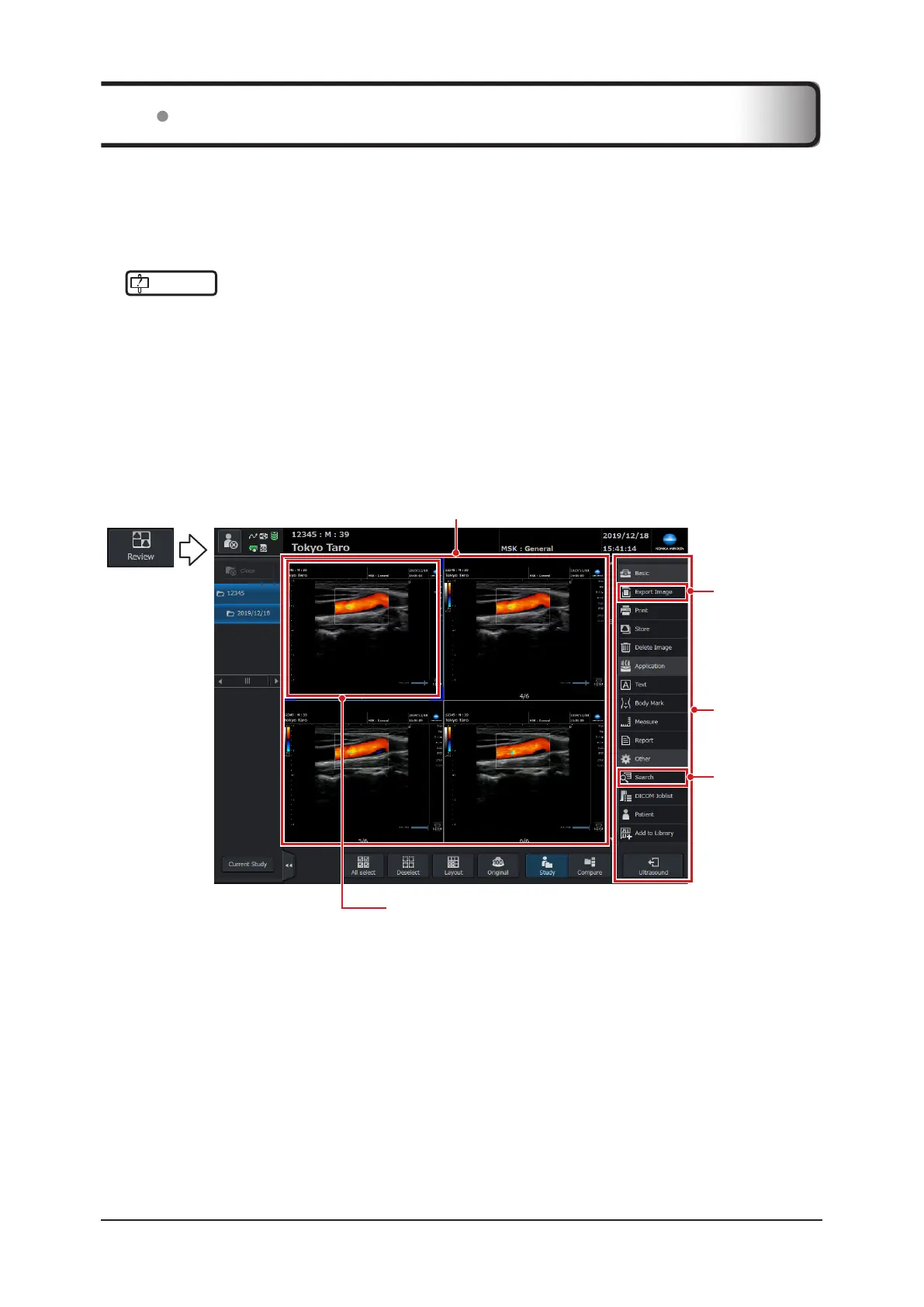
Images can be output on the [Review] screen.
z
Study screen > Operation button area > [Review] button
[Export Image]
button
[Search] button
Image being selected
An image with a blue frame is active.
Control area
Image display area
6.4 Transferring Image Data



 To Next Page