130
4.2.1 Changing Exam Type Using the Shortcut Window
1
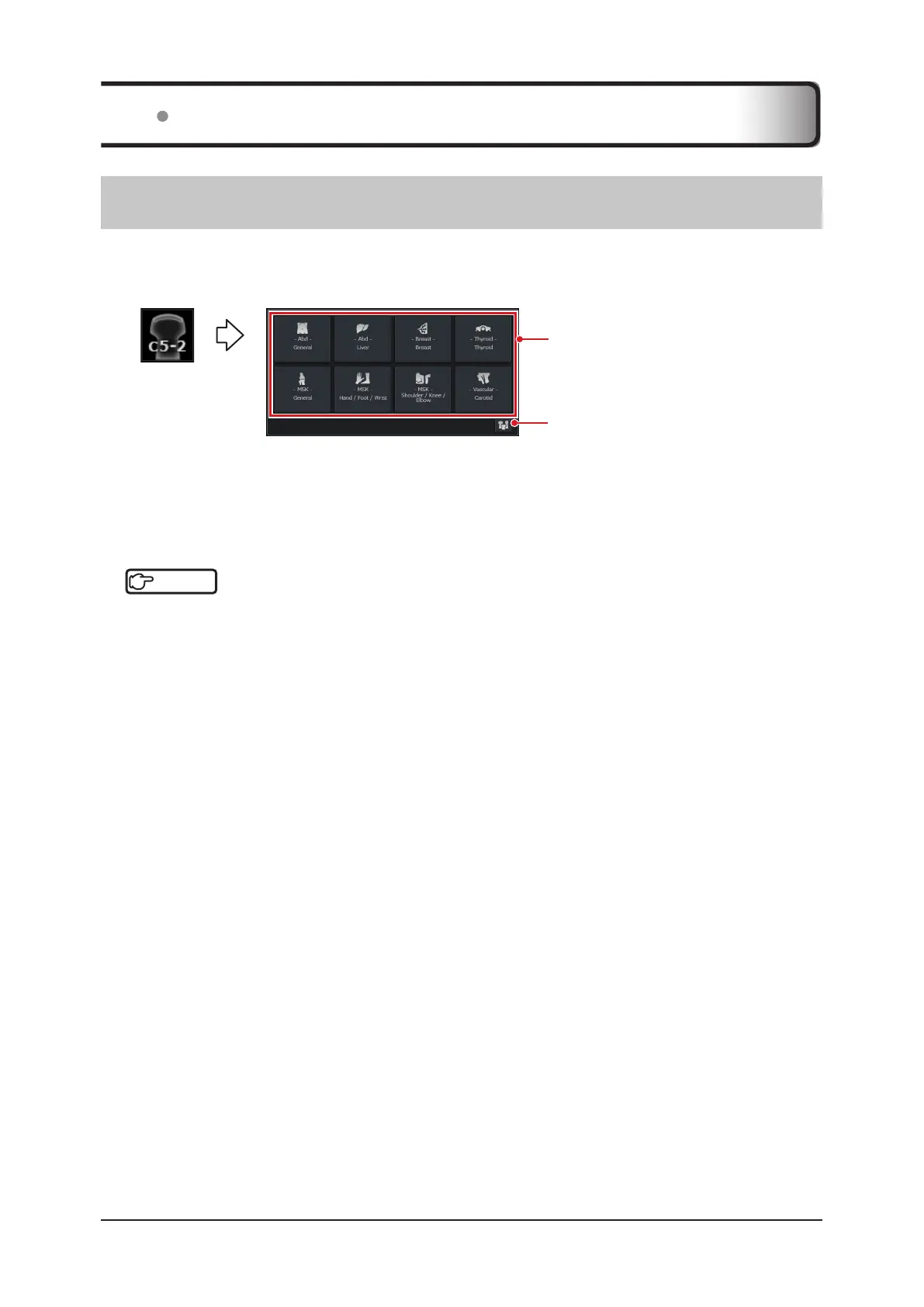
Touch the transducer mark icon at the bottom right of the study screen.
• The exam type select shortcut window appears.
Preset icon
Up to twelve exam type shortcuts are
located in the shortcut window.
2
Select a desired item.
• After the window is closed, the selected preset / user preset is applied.
• Pressing the preset icon takes you to the [Preset / Transducer Select] screen. Refer to "[Preset / Transducer
Select] screen" of "4.2.1 Changing Exam Type Using the Shortcut Window".
Reference
•••••••••••••••••••••••••••••••••••••••••••••••••••••••••••••••••••••••••••••••••••••••••••••••••••••
• The appearance of the shortcut window can be customized.
Refer to "Exam select shortcut setting" in "Exam & Preset Screen" of the "Operation Manual: Applications".
•••••••••••••••••••••••••••••••••••••••••••••••••••••••••••••••••••••••••••••••••••••••••••••••••••••••••••••••••••••
4.2 Changing Exam Type or Preset during Examination



 To Next Page