5.6 Common Functions
208
5.6.3 Full display mode
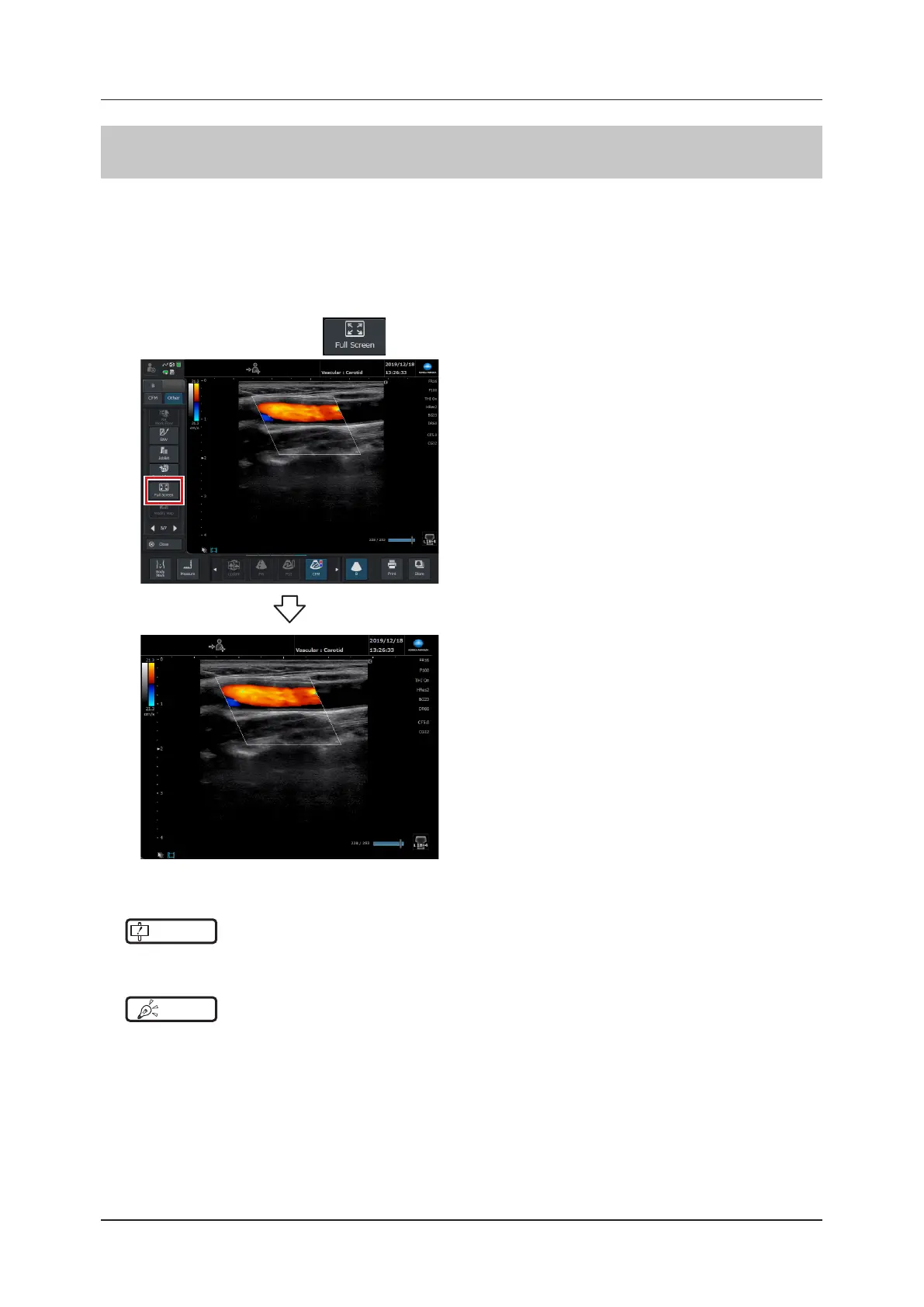
This function expands the image area and the basic information area to take up the whole screen. It can be used
when you want to view a large version of the image.
• It can only be used on the study screen.
• It cannot be used when Measure, Body Mark, and Text are in use.
• It cannot be used during Touch O mode.
• Touching operations such as Direct Touch function are disabled during full screen display mode.
1
Press the [Menu] button > button on the [Other] tab
2
Tap the screen twice to exit full screen display mode.
IMPORTANT
•••••••••••••••••••••••••••••••••••••••••••••••••••••••••••••••••••••••••••••••••••••••••••••••••••••
• You should be aware that the image quality of full screen display mode diers from normal ultrasonic images.
•••••••••••••••••••••••••••••••••••••••••••••••••••••••••••••••••••••••••••••••••••••••••••••••••••••••••••••••••••••
HINT
•••••••••••••••••••••••••••••••••••••••••••••••••••••••••••••••••••••••••••••••••••••••••••••••••••••
• Full screen display mode will exit if you do the following things or the following things occur during full screen display
mode.
– When the message dialog is displayed
– When the free cursor is displayed
– When the screen saver starts
– When performing the [EXIT] operation
– When switching to a screen other than the study screen
– When starting Measure, Body Mark, or Text
– If you press the full screen display mode key on the mini console
•••••••••••••••••••••••••••••••••••••••••••••••••••••••••••••••••••••••••••••••••••••••••••••••••••••••••••••••••••••



 To Next Page