4.7 ECG Mode
173
Chapter 4
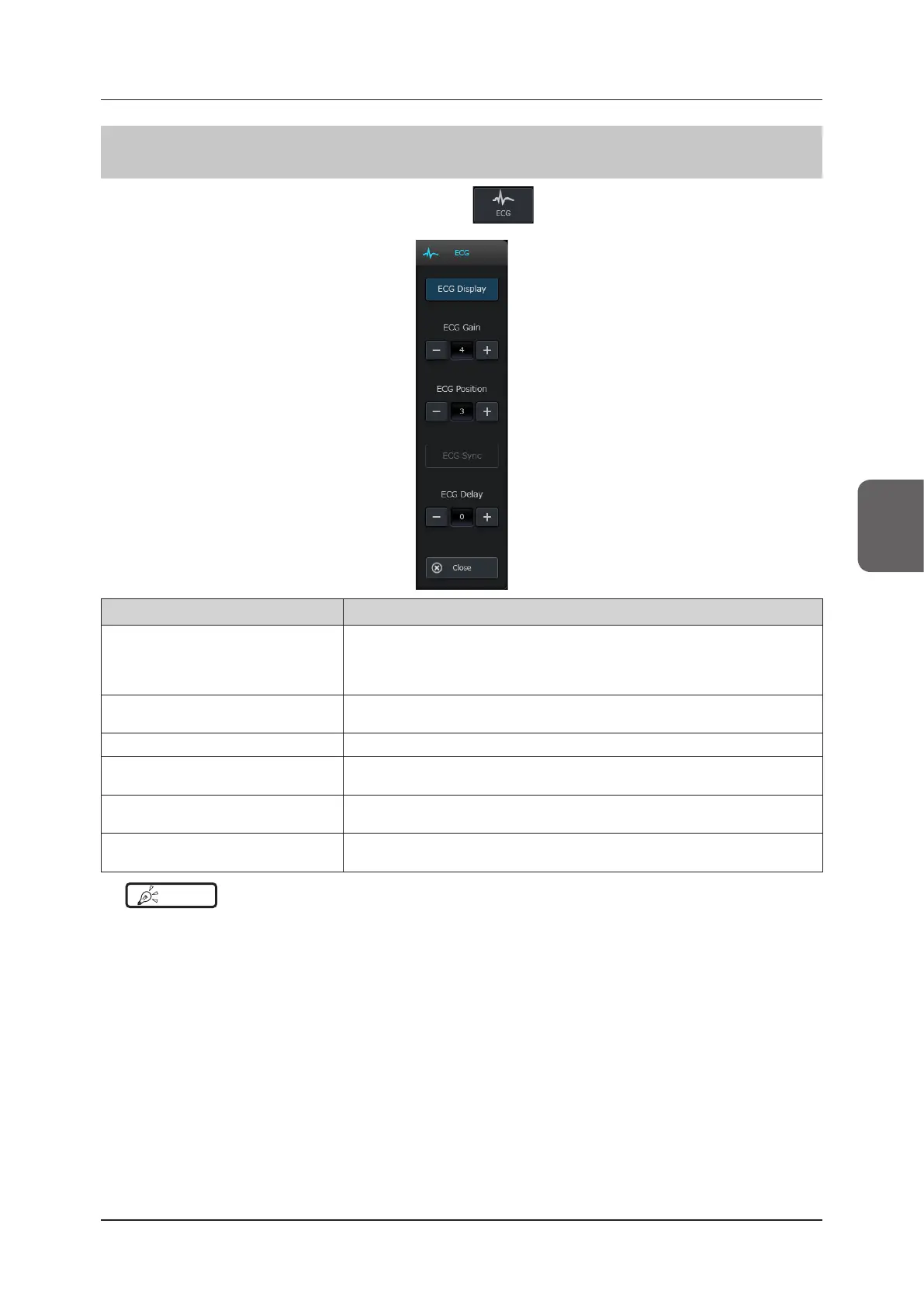
4.7.4 ECG Pop-up Menu
With the ECG function enabled, press the [Menu] button > on the [Other] tab to display the ECG pop-up
menu.
Button Functions
[ECG Display]
Enables or disables the ECG display.
• If it is set to ON, the bright ECG line which reects the settings for the [ECG Gain]
and [ECG Position] will be displayed.
• If it is set to OFF, the bright line is hidden.
[ECG Gain]
Sets the ECG gain.
Units : dB
[ECG Position] Sets the ECG display position.
[ECG Sync]
Enables / disables sync display of Cine images of B mode and ECG bright line.
• For details, refer to "4.7.5 ECG Synchronization".
[ECG Delay]
Set the delay time that elapses after detection of R wave.
Units : ms
[Close]
Closes the menu.
• The display of the bright ECG line is not aected.
HINT
•••••••••••••••••••••••••••••••••••••••••••••••••••••••••••••••••••••••••••••••••••••••••••••••••••••
• If the Reference Signal Unit becomes disconnected during the display of the ECG pop-up menu, the function termi-
nates and the menu is closed.
•••••••••••••••••••••••••••••••••••••••••••••••••••••••••••••••••••••••••••••••••••••••••••••••••••••••••••••••••••••



 To Next Page