3.1 Study Screen
88
3.1.2 Displaying Common Data
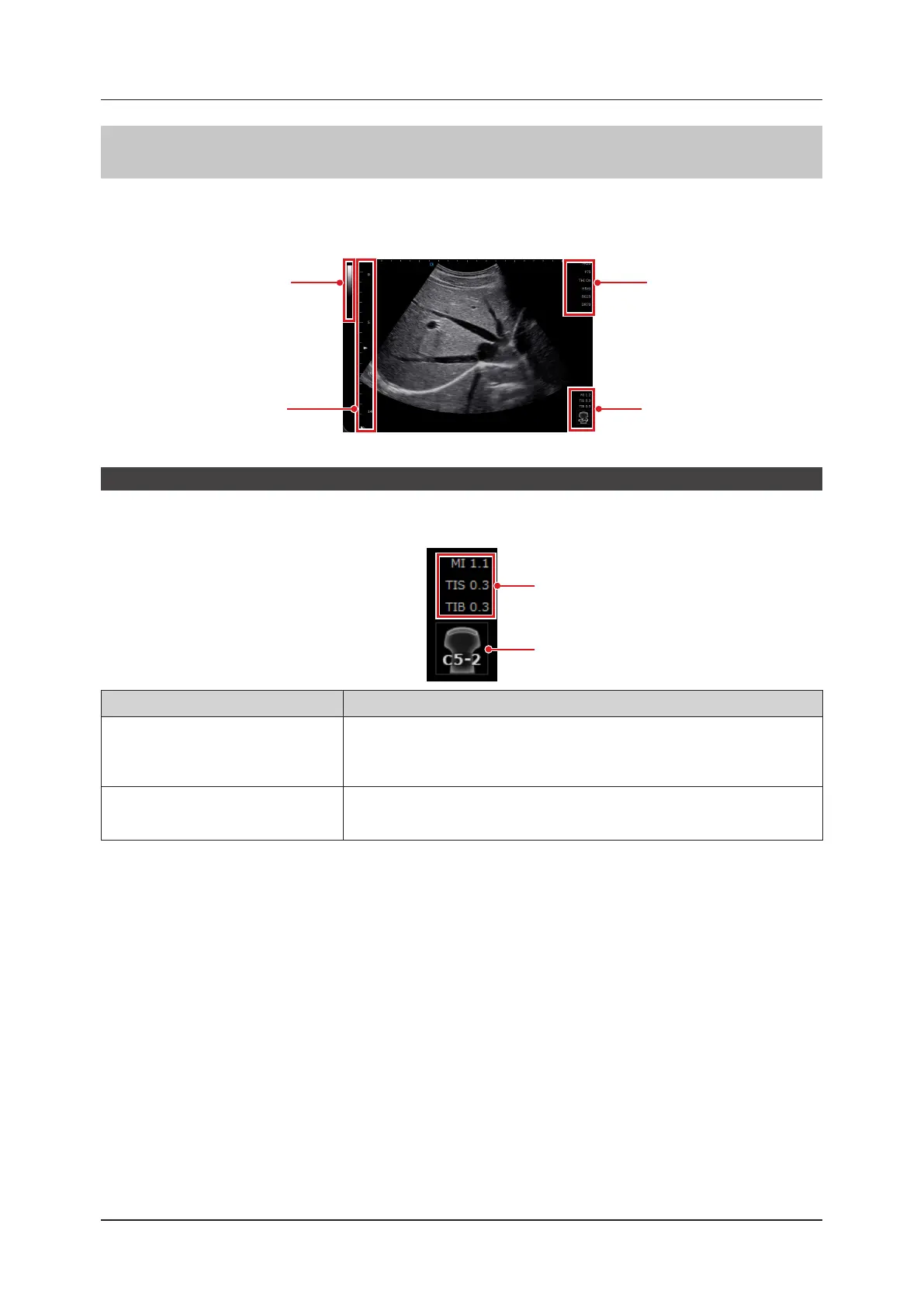
In the image display area, various data of image-related information such as parameters are displayed.
This section describes the common data displays in each mode.
• Numbers on the image are a numerical display sample.
Parameter display area
MI/TI display area
Gray bar / Color bar area
B-image scale
MI/TI display area
MI/TI and Transducer information are displayed.
[MI]/[TIS]/[TIB] (or [TIC]) values are displayed only in a live state.
MI/TI display
Transducer mark icon
Item Functions
MI/TI display
Displays the acoustic power data being transmitted from the transducer.
• Starting at the top: [MI], [TIS] and [TIB] (or [TIC]) values, which are displayed only
in a live state.
• For details on MI/TI, refer to "9.2 MI/TI Display Description".
Transducer mark icon
Displays present transducer information.
• Touching the icon will display the exam type select shortcut window.
• Refer to "4.2.1 Changing Exam Type Using the Shortcut Window".



 To Next Page