4.8 Panoramic View
178
4.8.2 Various Operations for Panoramic Images
Operations for Panoramic Images
In the panorama review screen, you can use enlarge, reduce, rotate, and other functions.
z
Enlarge/Reduce
You can enlarge and reduce panoramic images by pinching out and pinching in and by rotating the dial on the
F2
button.
Measuring ends if you enlarge or reduce the panoramic image while measuring.
While a panoramic image is enlarged, you can move the image by doing touch operations (drag) or trackball opera-
tions.
z
Rotate
You can rotate panoramic images by rotating the dial on the
F1
button.
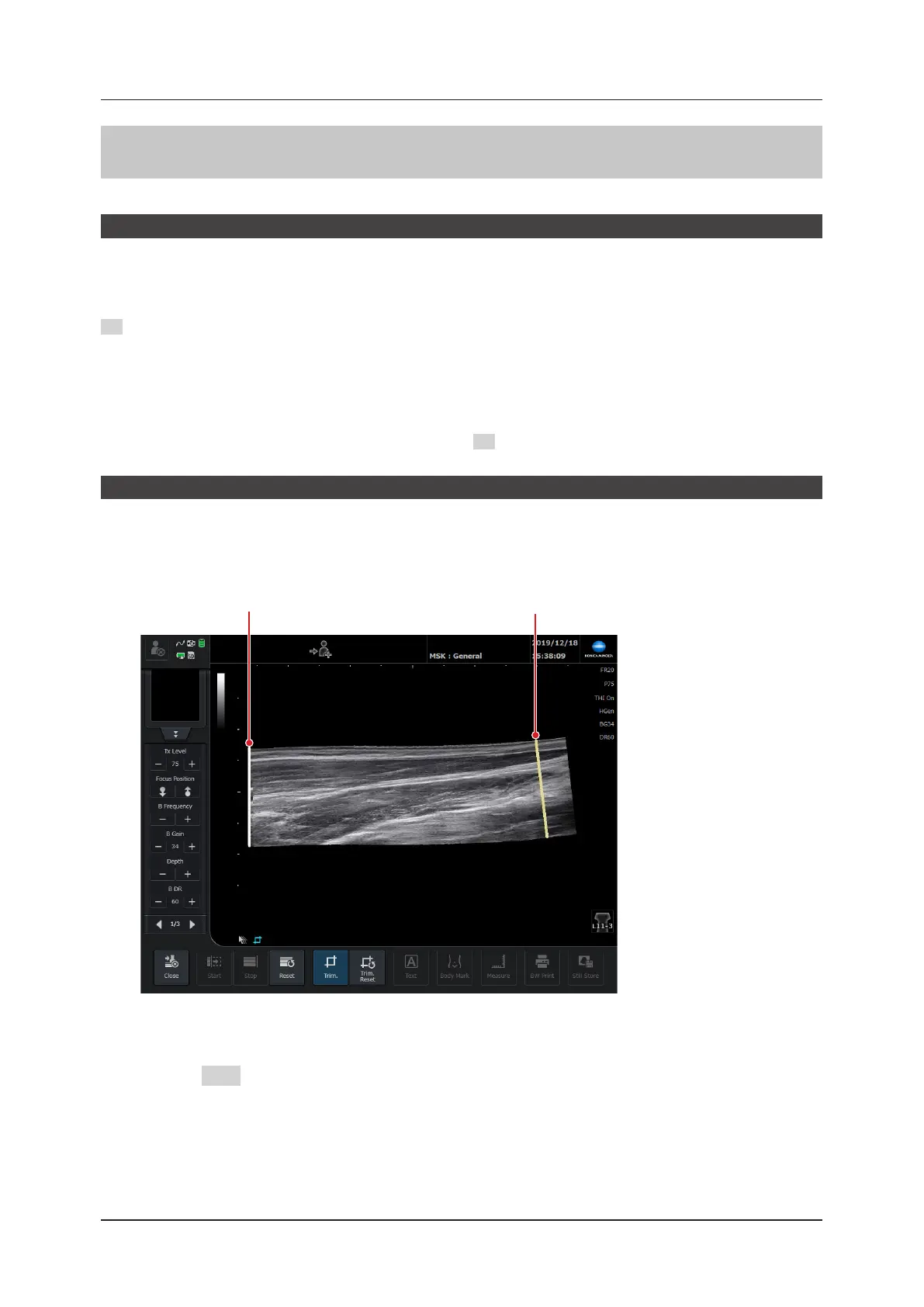
Trimming Panoramic Images
You can trim panoramic images by using the trimming function.
1
Press the [Trim.] button to start the trimming function.
• The trimming bar appears at the start and the end of the panoramic image.
Trimming bar (start side) Trimming bar (end side)
2
Move the trimming bar by doing touch operations (drag) or trackball operations.
3
Press the SET button to x the position of the trimming bar.



 To Next Page