5.6 Common Functions
209
Chapter 5
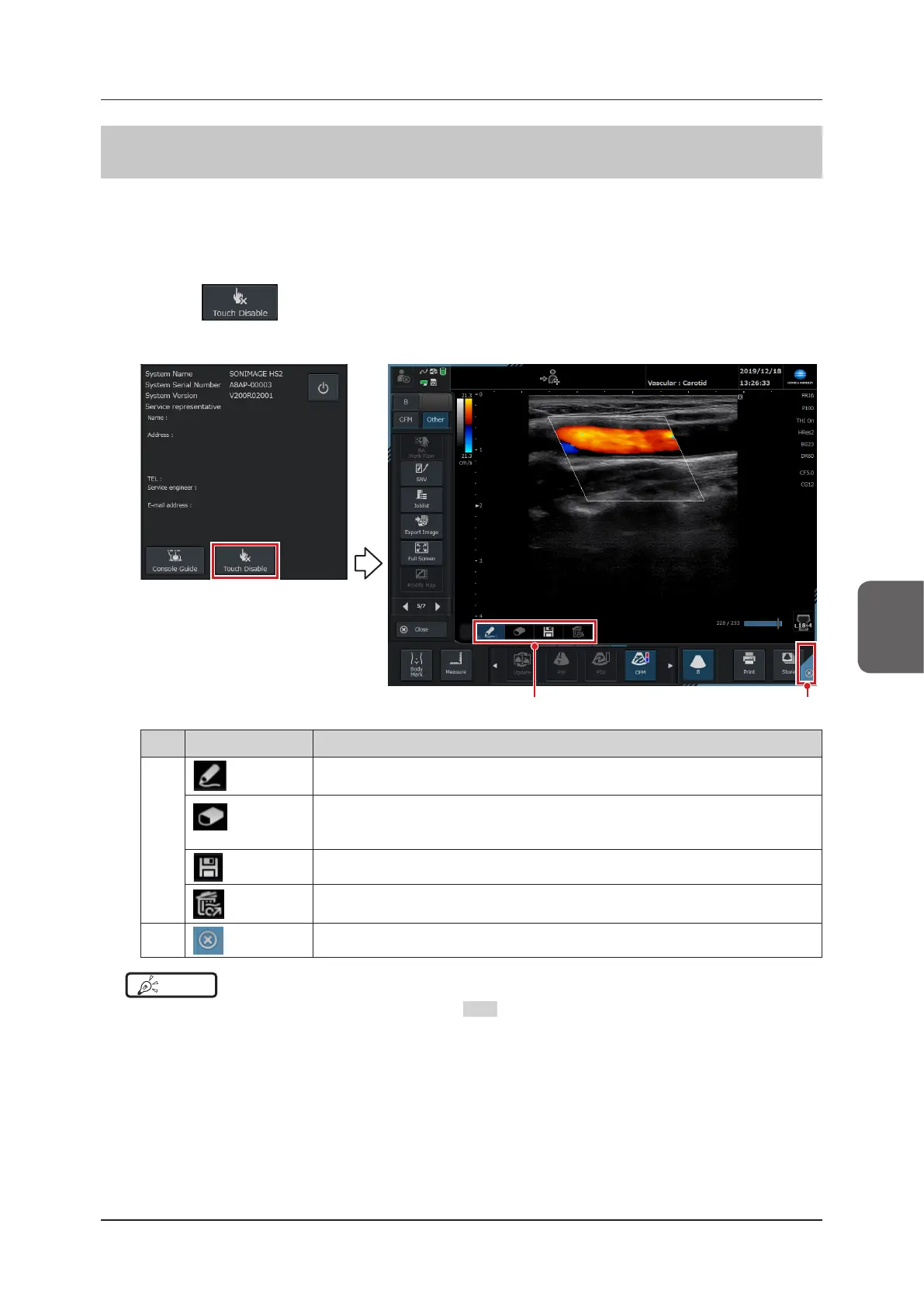
5.6.4 Touch invalidation mode
This function blocks touch operation. It prevents unintentional operation of the machine if the screen is bumped ac-
cidentally during explanation to a patient, etc.
• It cannot be used during full screen display mode.
• It cannot be used on the login screen or when the screen is locked.
1
Press the button under the KONICA MINOLTA logo.
• A blue frame will appear around the top left and bottom right corners of the screen indicating that the system is
in Touch O mode.
(2)(1)
No. Button Functions
(1)
If you select this function and then touch the screen, an orange line will be drawn around
each section of the screen you touch.
If you select this function and then touch the screen, lines that have been drawn will be
deleted if you touch them.
• This function does not work unless lines are being drawn.
Touch this icon to store an image, including all the lines you have drawn on it.
Selecting this will delete all drawn lines.
• This function does not work unless lines are being drawn.
(2)
Exits Touch O mode.
HINT
•••••••••••••••••••••••••••••••••••••••••••••••••••••••••••••••••••••••••••••••••••••••••••••••••••••
• You can also exit Touch invalidation mode by pressing
EXIT
when the system is in Touch invalidation mode.
•••••••••••••••••••••••••••••••••••••••••••••••••••••••••••••••••••••••••••••••••••••••••••••••••••••••••••••••••••••



 To Next Page