220
Even during an examination, images can be stored, browsed, printed out, or output.
The image data acquired in an examination includes still images and clips.
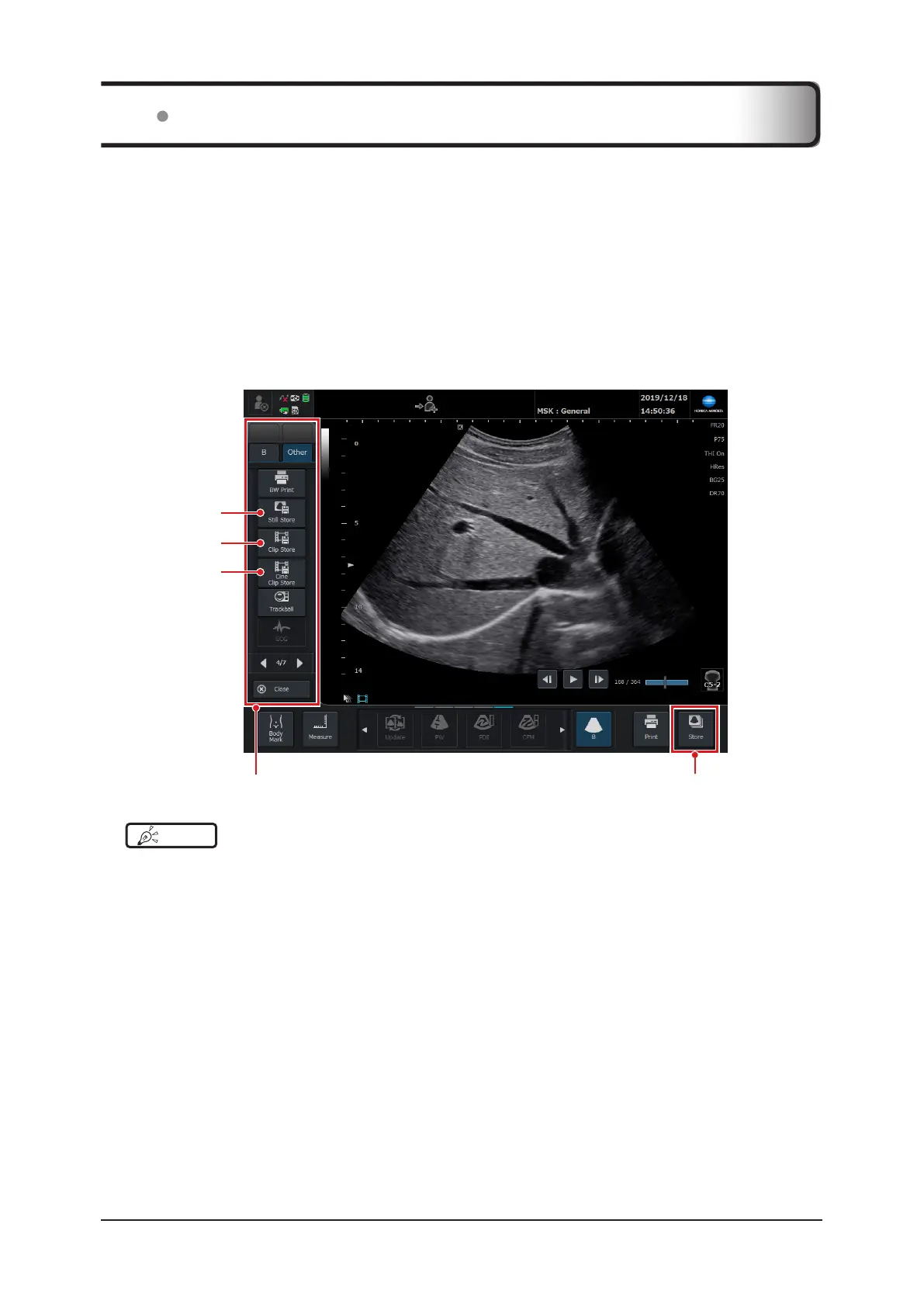
In storing images, the following functions can be used: Still Store to store still images, Clip Store and Cine Clip Store
to store clips.
Image data stored in Internal Storage is linked to the appropriate examination and managed in the patient database.
If you use one of the following methods to store images, clips, or cine clips while not conducting an exam, a patient
ID is automatically issued and the images, clips, or cine clips are stored.
• Store still image while frozen.
• Store image in Touch invalidation mode while frozen
• Store cine clip while frozen
• Store clip using prospective save settings while live
Menu pop-up window - [Other] tab
[Cine Clip Store]
button
[Clip Store] button
[Still Store] button
[Store] button
HINT
•••••••••••••••••••••••••••••••••••••••••••••••••••••••••••••••••••••••••••••••••••••••••••••••••••••
• Up to 200 les, including still images and clips, can be stored for 1 examination.
• When [as You Go] is checked for [Auto Sending] on the [Setup] screen, an image will be automatically sent to the
DICOM Storage Server* at the time of storing the image.
Refer to "DICOM Screen" of the "Operation Manual: Applications".
*: To use this function, an optional "DICOM Storage License" is required.
•••••••••••••••••••••••••••••••••••••••••••••••••••••••••••••••••••••••••••••••••••••••••••••••••••••••••••••••••••••
6.1 Storing Images



 To Next Page