5.6 Common Functions
203
Chapter 5
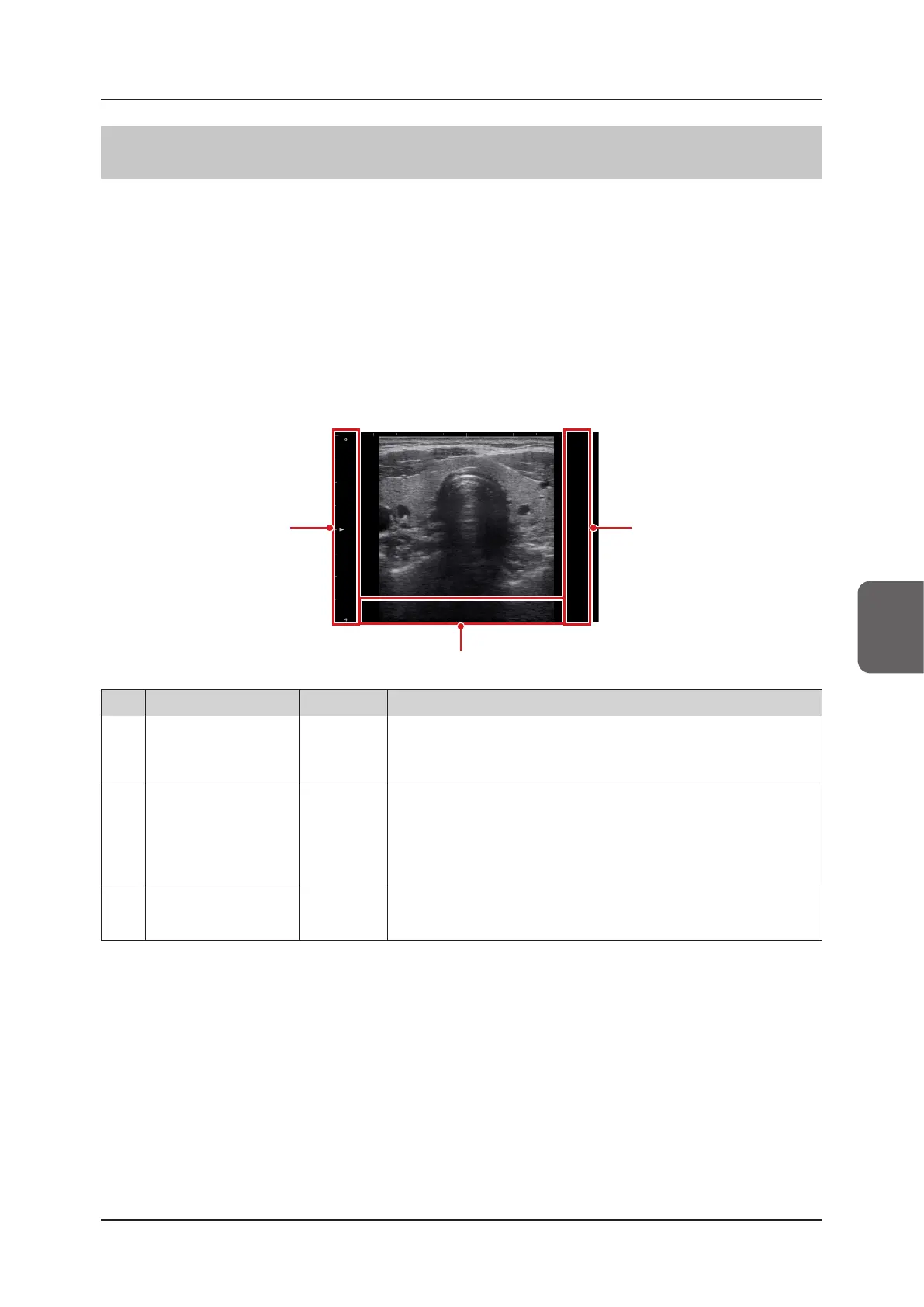
5.6.2 Direct Touch and Drag
By dragging a certain area in an ultrasound image, a parameter assigned to the area can be changed. For details
about assigning functions, refer to "Direct Touch Screen" in the "Operation Manual: Applications".
The name of a manipulable parameter is displayed at the center of each area.
With a touch of a direct touch area, the name of the assigned function appears at the center of the (direct touch)
area.
• Drag left / right:
Drag right / left to increase / decrease a parameter.
• Drag up / down:
Drag up / down to increase / decrease a parameter.
z
B-mode/ Elastography-mode
<Single display>
(3)
(1) (2)
No. Location Direction Remarks
(1) B-image Area Left Side
*
Up/Down
The assigned functions can be changed by customizing the settings.
You can also not assign any functions.
D Angle Correction and Gate Size operations are not available in Elastogra-
phy-mode.
(2)
B-image Area Right
Side
*
Up/Down
The assigned functions can be changed by customizing the settings.
You can also not assign any functions.
D Angle Correction, Gate Size, and Ana-M Angle operations are not avail-
able in Elastography-mode.
(3)
B-image Area Bottom
Side
Left/Right
You can also not assign any functions by customizing the settings.
B Gain when the image is in a live state.
Gain operations are not available in a frozen state.
*
: In 2B-mode, the side with vertical scale is the left side and the opposite side is the right side.



 To Next Page