175
Chapter 4
4.8 Panoramic View
The panoramic view is a function that displays a panoramic image by combining the B-mode image with the motion
of the transducer.
The transducers that can use it are the L18-4, L14-4, and L11-3.
You must have the optional "Panoramic View License" to use this function. Contact your Konica Minolta service rep-
resentative.
IMPORTANT
•••••••••••••••••••••••••••••••••••••••••••••••••••••••••••••••••••••••••••••••••••••••••••••••••••••
• Panoramic images are generated based on continuous multiple images captured by scanning, whereupon the posi-
tion of each image is estimated and combined according to those results. Because of this, distortion may occur, due
to the scanning, in the panoramic image that is captured. Use panoramic images as reference images.
•••••••••••••••••••••••••••••••••••••••••••••••••••••••••••••••••••••••••••••••••••••••••••••••••••••••••••••••••••••
4.8.1 Capturing Panoramic Images
1
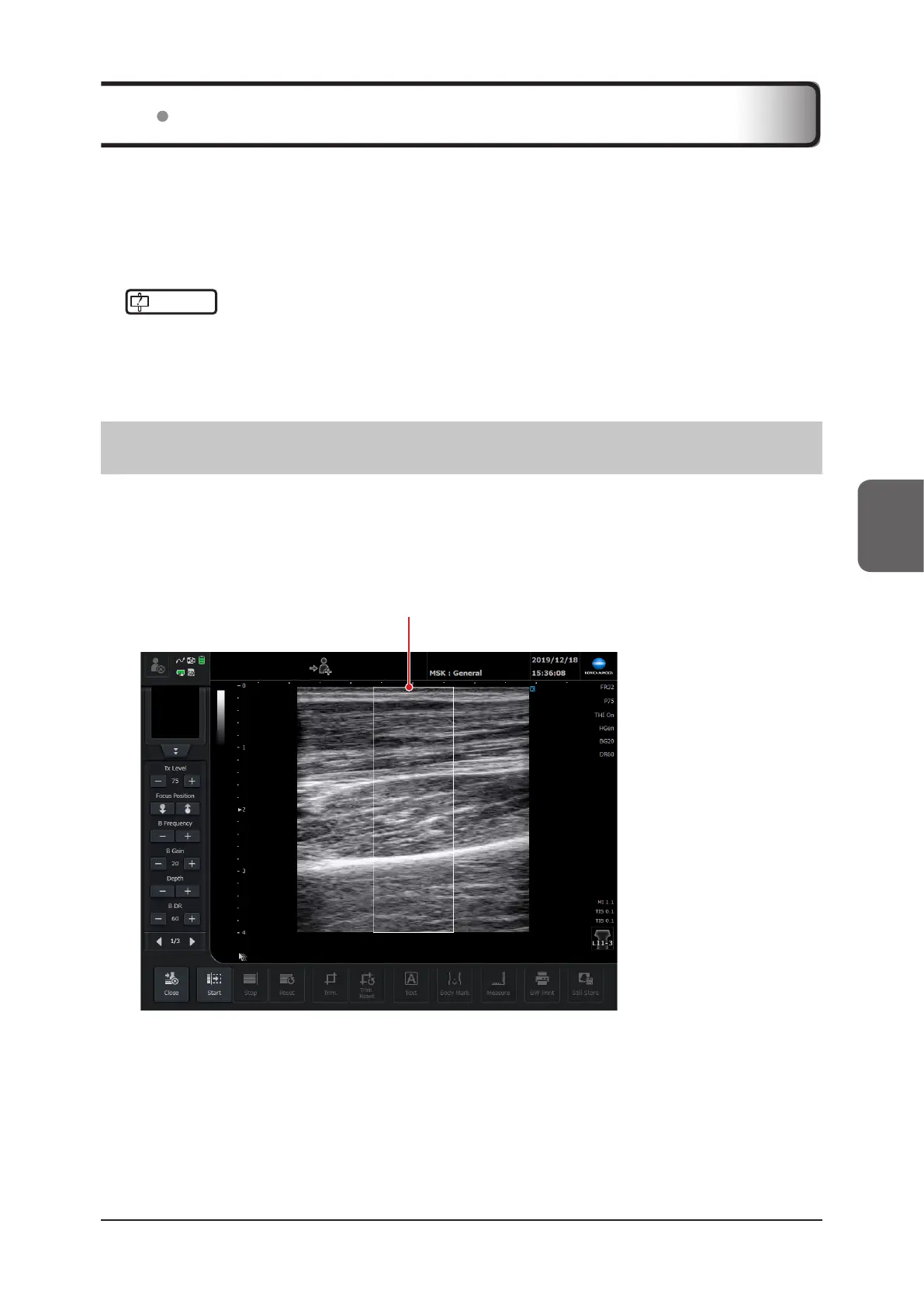
Press the [Menu] button > [Panoramic View] button on the [Other] tab.
• The panorama setup screen appears, and then the panoramic ROI appears.
• The depth is in a range from 3 to 7 cm.
• The screen switches to the B-mode image.
Panoramic ROI



 To Next Page