5.6 Common Functions
217
Chapter 5
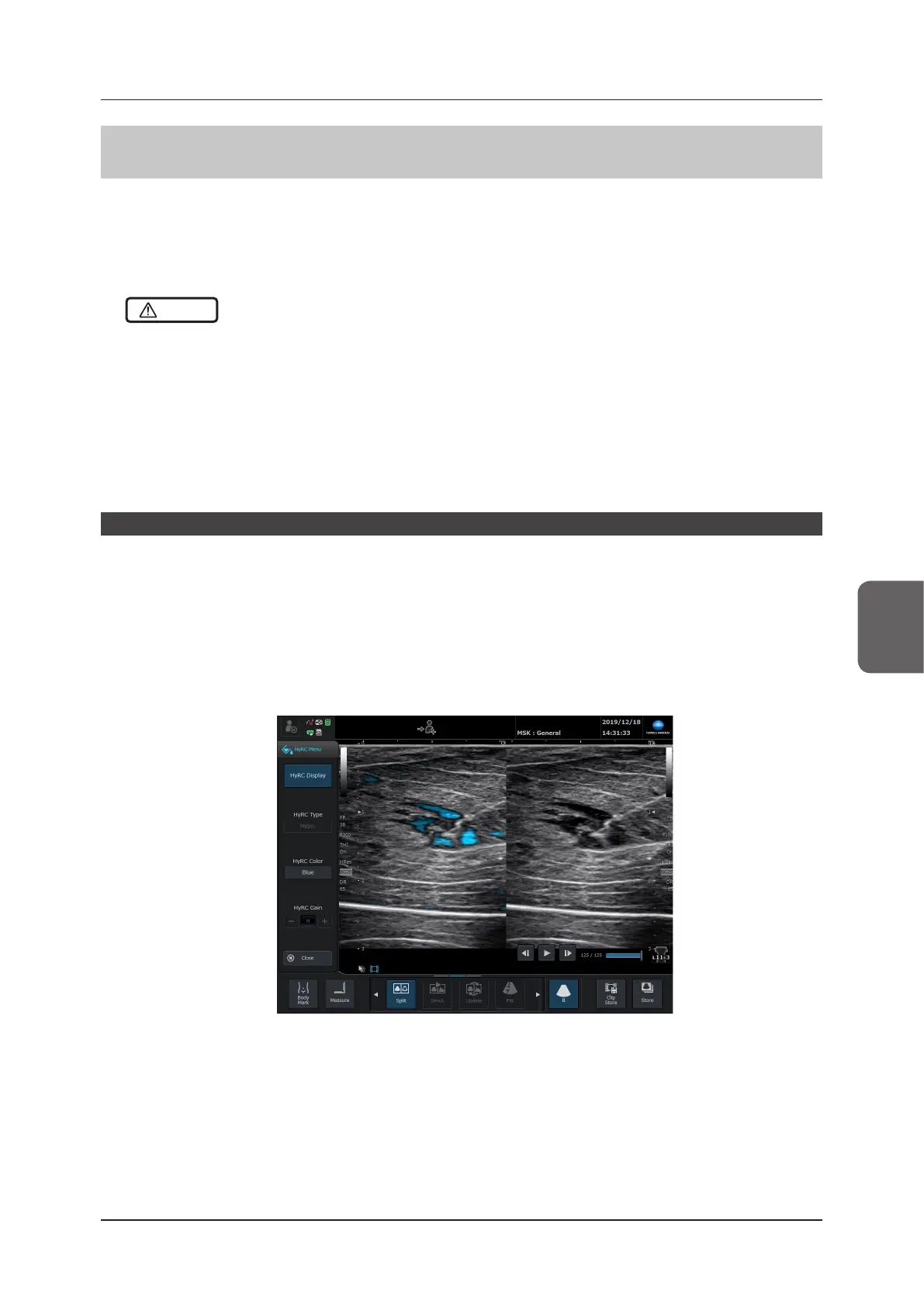
5.6.9 Hypoechoic Region Characterization Function
The Hypoechoic Region Characterization function is a function that superimposes colors as specified in the hy-
poechoic region.
The transducers that can use it are the L11-3 and L18-4.
You must have the optional "Hypoechoic Region Characterization License" to use this. Contact your service repre-
sentative.
CAUTION
•••••••••••••••••••••••••••••••••••••••••••••••••••••••••••••••••••••••••••••••••••••••••••••••••••••
• Whenever using the enhanced display, turn on Split mode, and do nal assessment of the image on the side that is
not the enhanced display. The enhanced display is only a reference image, nal assessments using this image could
lead to a misdiagnosis.
• You can change the colors in the enhanced display. Change the colors so the display is not confused with the colors
of the Color Flow-mode, Power Doppler-mode, 2D-TDI-mode, SCF-mode, or Elastography-mode.
• The hypoechoic region may not be enhanced correctly.
– The hypoechoic region may not be colored, depending on the HyRC gain settings and the HyRC type settings.
– The enhanced hypoechoic region is determined by the relation of the luminance distribution of the periphery.
•••••••••••••••••••••••••••••••••••••••••••••••••••••••••••••••••••••••••••••••••••••••••••••••••••••••••••••••••••••
Starting the Hypoechoic Region Characterization function
1
Press the [HyRC].
• The Hypoechoic Region Characterization pop-up menu is displayed.
• The enhanced parts appear colored in the image.
2
Enter the Split mode (the mode that displays simultaneous dual display of B-mode and Hy-
poechoic Region Characterization displays).
*1
*1 : Not essential but recommended.



 To Next Page