260
8.2 Biopsy
8.2.5 Biopsy Pop-up Menu
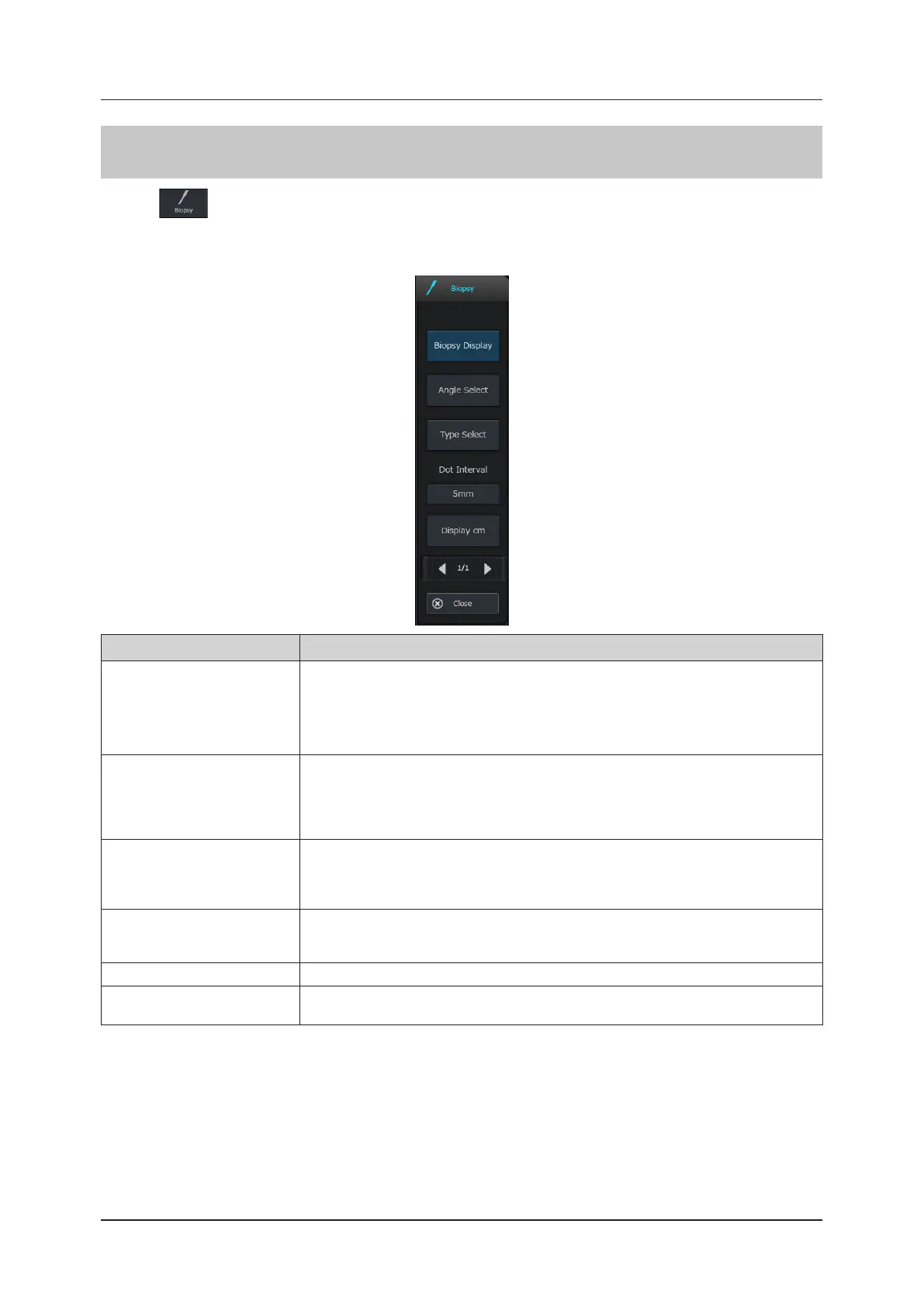
Pressing in the operation button area will display the biopsy pop-up menu and will turn ON the default biopsy
guide display corresponding to the transducer being connected.
Various parameters such as the guideline display and type selection can be changed from the biopsy pop-up menu.
Button Functions
[Biopsy Display]
Enables or disables the biopsy guide display.
• When the biopsy function is started using the [Biopsy] button, this item is also turned ON
automatically, and when it is turned OFF, the biopsy function is ended.
• When the image is frozen with the Biopsy Display inactive, Biopsy Display cannot be made
active. Unfreeze the image before using Biopsy Display.
[Angle Select]
Changes the guide display angle.
• The angle select menu is displayed, which shows the bracket and angle symbols corre-
sponding to the transducer.
• Select the desired bracket and angle symbols, or close the list with the [Cancel] button to
return to the biopsy menu.
[Type Select]
Changes the display combination of the biopsy guide and variance line as follows:
Displays both the guideline and error lines.
Displays only the error lines.
Displays only the guideline.
[Dot Interval]
Changes the intervals of the dot marks of the biopsy guide in relation to the direction of
insertion of the biopsy needle.
• Pitch: 5 mm
⇔
10 mm
[Display cm] Shows / Hides the length of the biopsy needle inserted.
[Close]
Closes only the pop-up menu.
• The guide function does not end.



 To Next Page