201
Chapter 5
5.6 Common Functions
The following useful functions are provided for a user to easily acquire images.
• Operation items
• Direct touch and drag
• Full display mode
• Touch O mode
• Left/right Layout Switch Function
• Map editing function
5.6.1 Operation Items
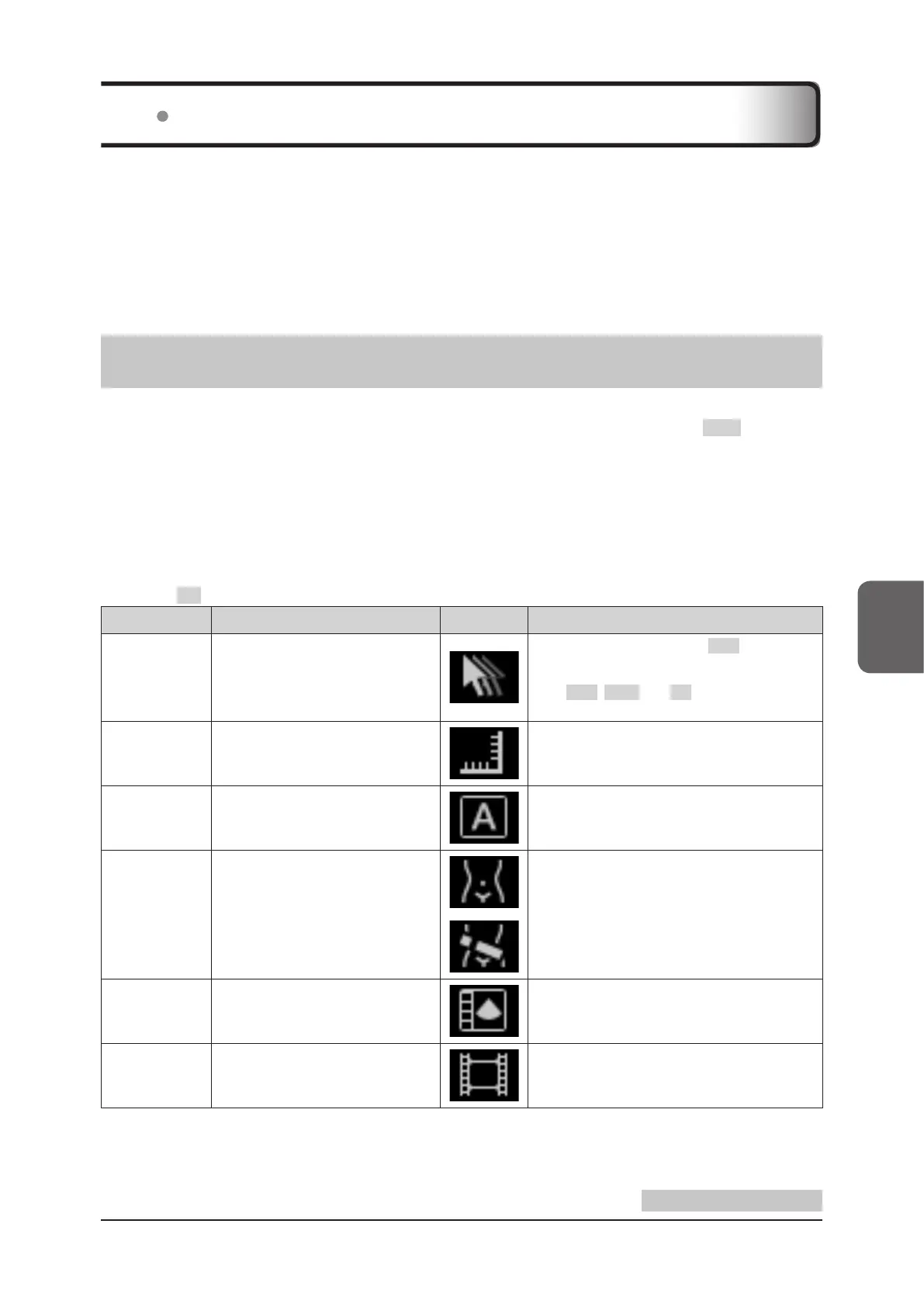
Operation items are a group of easy-to-use functions that allow you to simply operate selected operation objects,
such as an ultrasound image, C ROI and the D cursor, by using the trackball plus clicking the SET button or by
touching the screen.
Only available operation items are displayed in the information display area above the mode button area. At this
time, an item whose function is started rst is displayed rst, with the pointer excluded, and the selected icon is lit.
The pointer is xed and displayed in the leftmost position. In addition, when an item is selected, the color of the item
itself changes on the ultrasound image, indicating that it is active.
There are three ways to switch between operation items.
• Touch or click an icon in the information display area.
• Touch or click an operation item on the ultrasound image.
• Press the F2 button on the mini console to switch between icons, starting from the left end of the array.
Operation items Function Icon Remarks
Pointer
Manipulates the free cursor to be dis-
played at the center of the screen with
the trackball.
To conrm selection, press the SET button, as it
is treated as a click.
• You can also display the pointer by pressing
the SET , EXIT , and F2 buttons at the same
time.
Measure A Measurement function.
Refer to "5.4 Measurement".
Text A Text (Annotation) function.
Refer to "5.3 Text (Annotation)".
Body Mark A Body Mark function.
Refer to "5.2 Body Mark".
Compare View
Plays back previous study data (still
image / clip) during an examination.
Refer to "Compare View" of the "Operation
Manual: Applications".
Cine Enables Cine functions.
Refer to "5.1 Cine".
Continued on the next page



 To Next Page