4.4 Basic Scanning Mode
140
4.4.2 M-mode
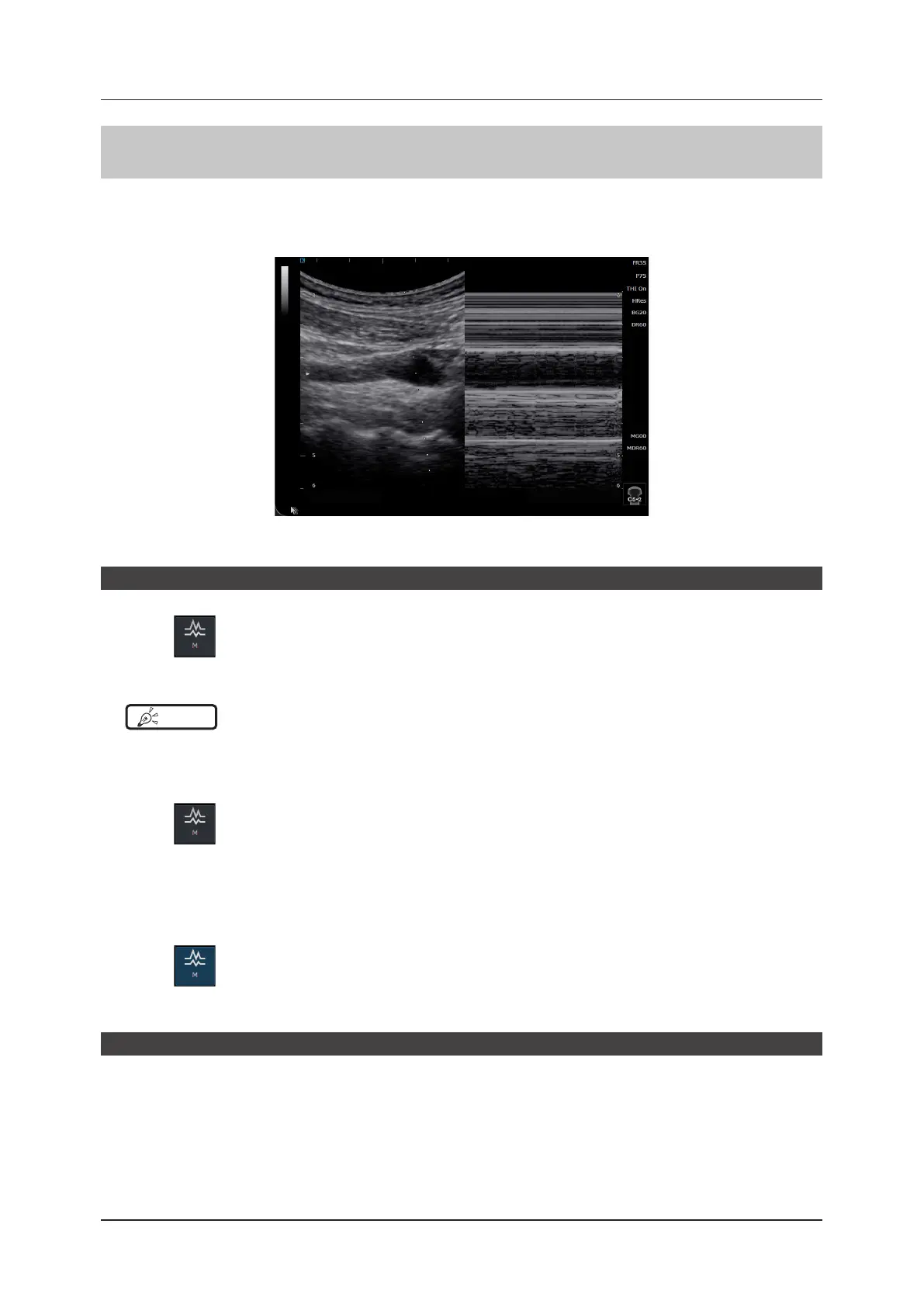
In M-mode the B image area is specied using the M cursor, which displays a change over time.
This mode is suitable for observation of active organs such as heart valves. It also allows a B-mode image to be dis-
played, and an observation area to be displayed or sized in the B image.
<M image>
Start of M-mode
1
Press .
• An M cursor appears on the B image.
HINT
•••••••••••••••••••••••••••••••••••••••••••••••••••••••••••••••••••••••••••••••••••••••••••••••••••••
• You can change the settings in the [Setup] screen to skip step 1 and switch directly to M-mode with a single-press of
the [M] button.
•••••••••••••••••••••••••••••••••••••••••••••••••••••••••••••••••••••••••••••••••••••••••••••••••••••••••••••••••••••
2
Press again.
• Changes to M-mode.
• Changes to dual display and shows a trace image.
z
To exit
1
Press again.
• Exits M-mode and returns to B-mode.
M cursor
Using the trackball on the mini console allows you to move the M cursor from side to side.
The cursor shows the relative position of the M-mode image with respect to the B image. So the observation area
can be changed by moving the cursor.



 To Next Page