4.4 Basic Scanning Mode
141
Chapter 4
M-mode parameter list
Item Functions
[Tx Level]
Sets the transmission voltage.
• Displayed in all modes.
[Sweep Speed] Sweep speed setting for M-mode
[M Layout] Display layout setting for M-mode
[M Gain]
Gain oset setting for M-mode
• Sets as the oset value relative to a B-mode gain.
[M DR] Dynamic range setting for M-mode
[M Map] Map brightness curve setting for M-mode
[Edge Enhance] Edge enhance setting for M-mode
Anatomical M-mode
Anatomical M-mode is a function to display a M-mode image on a desired line of a B-mode image.
This function allows you to retrieve a B-mode image from Cine memory in a live state as well as a frozen state and
display a M-mode image.
• For transducers that can use this function, refer to "10.1.1 Transducer Technical Data and Acoustic Output".
1
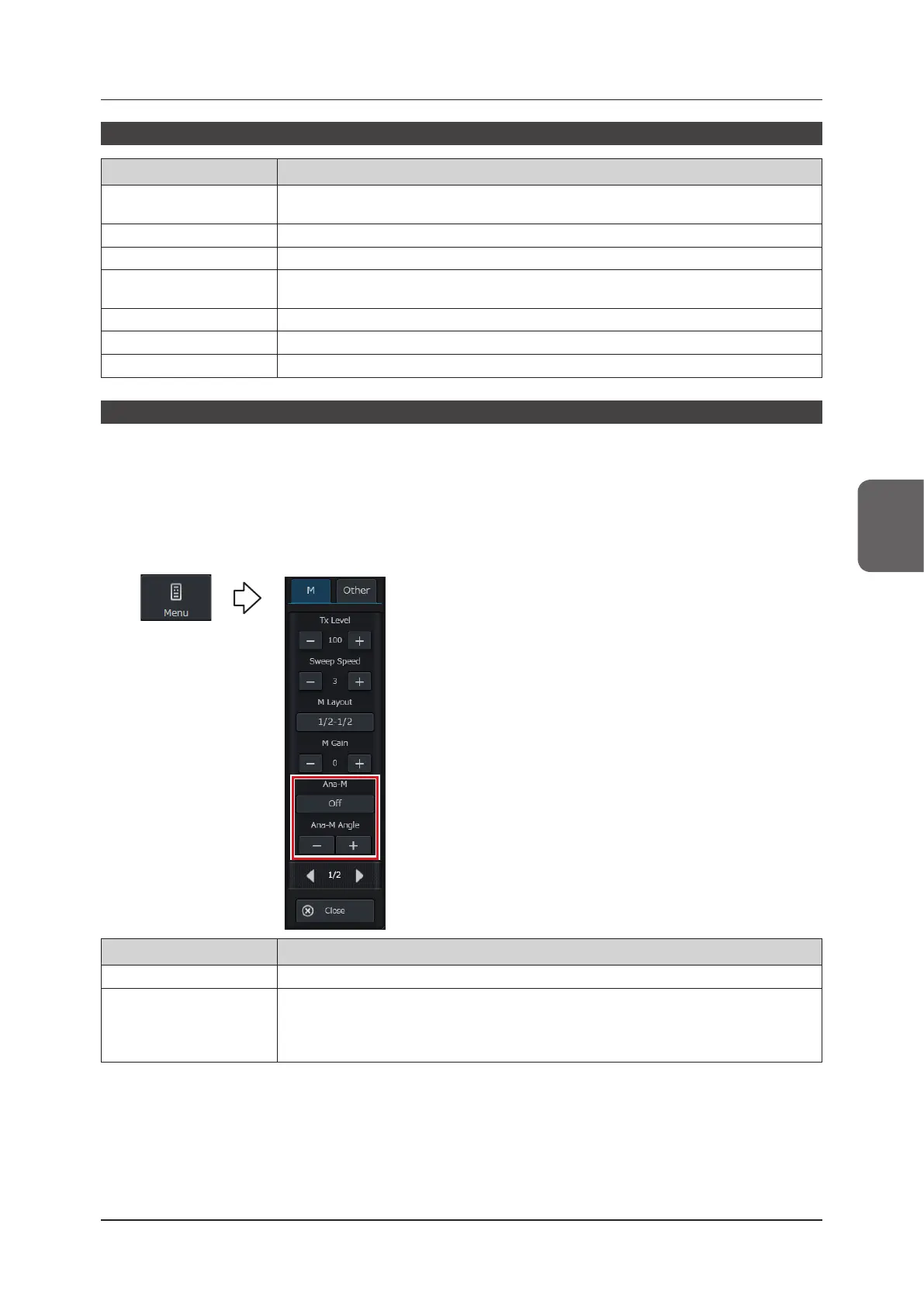
Press the [Menu] button during M-mode or the M cursor-mode.
• The menu pop-up window appears with the [M-mode] tab selected.
Item Functions
[Ana-M] Activates / terminates Anatomical M-mode.
[Ana-M Angle]
Sets a rotation angle of the Ana-M cursor.
• When this item is changed with Anatomical M deactivated, the Anatomical M-mode is activat-
ed.



 To Next Page