4.4 Basic Scanning Mode
142
2
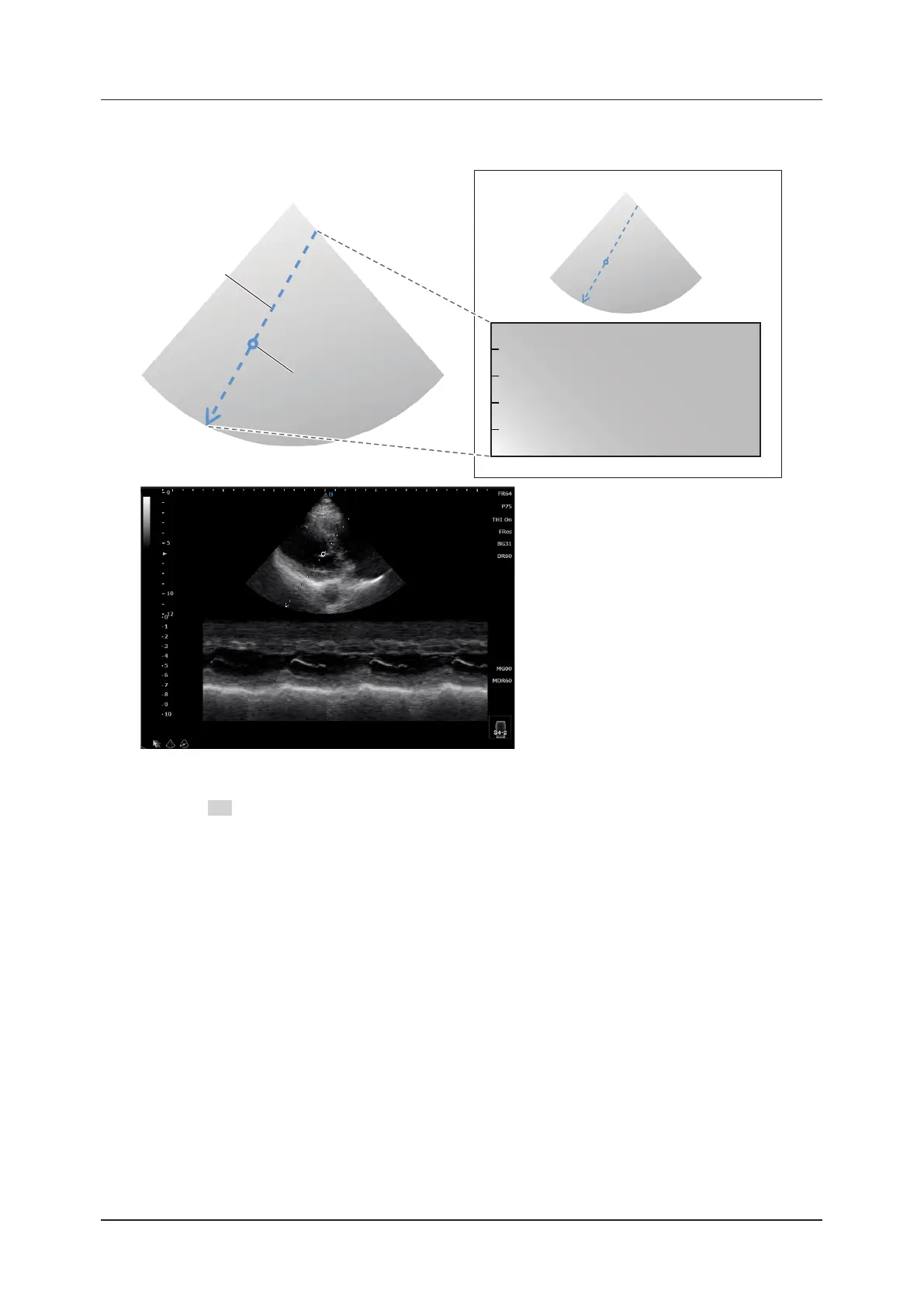
When [Ana-M] is set to [On], the freely movable Ana-M cursor and the rotation center cursor
appear.
Ana-M cursor
Rotation center cursor
<Anatomical M image>
• The Ana-M cursor can be rotated centered on the rotation center cursor by the Angle operation (the item in the M-
mode menu or F2 Rotate).
• The Ana-M cursor is displayed as a straight line from one side to another side of the B image. Among the intersec-
tions of the line (cursor) with the sides, the one corresponding to the end position of the M image is displayed as
an arrow. Among the intersections, the one always having a deeper display depth for the B image is the end posi-
tion side. (When the cursor’s rotation angle is 180 degrees and horizontal to the B image, the start and end posi-
tions depend on the setting of the B-mode parameter, [LR Flip]. When [LR Flip] is set to [Left], the left side is the
start position and the right side is the end position.)
• The rotation center cursor is displayed at the center of the Ana-M cursor. It can be moved with trackball or touch
operation.
• When the Anatomical M-mode is activated in a frozen state, the Anatomical M image is displayed from Cine mem-
ory in B-mode.



 To Next Page