4.2 Changing Exam Type or Preset during Examination
131
Chapter 4
z
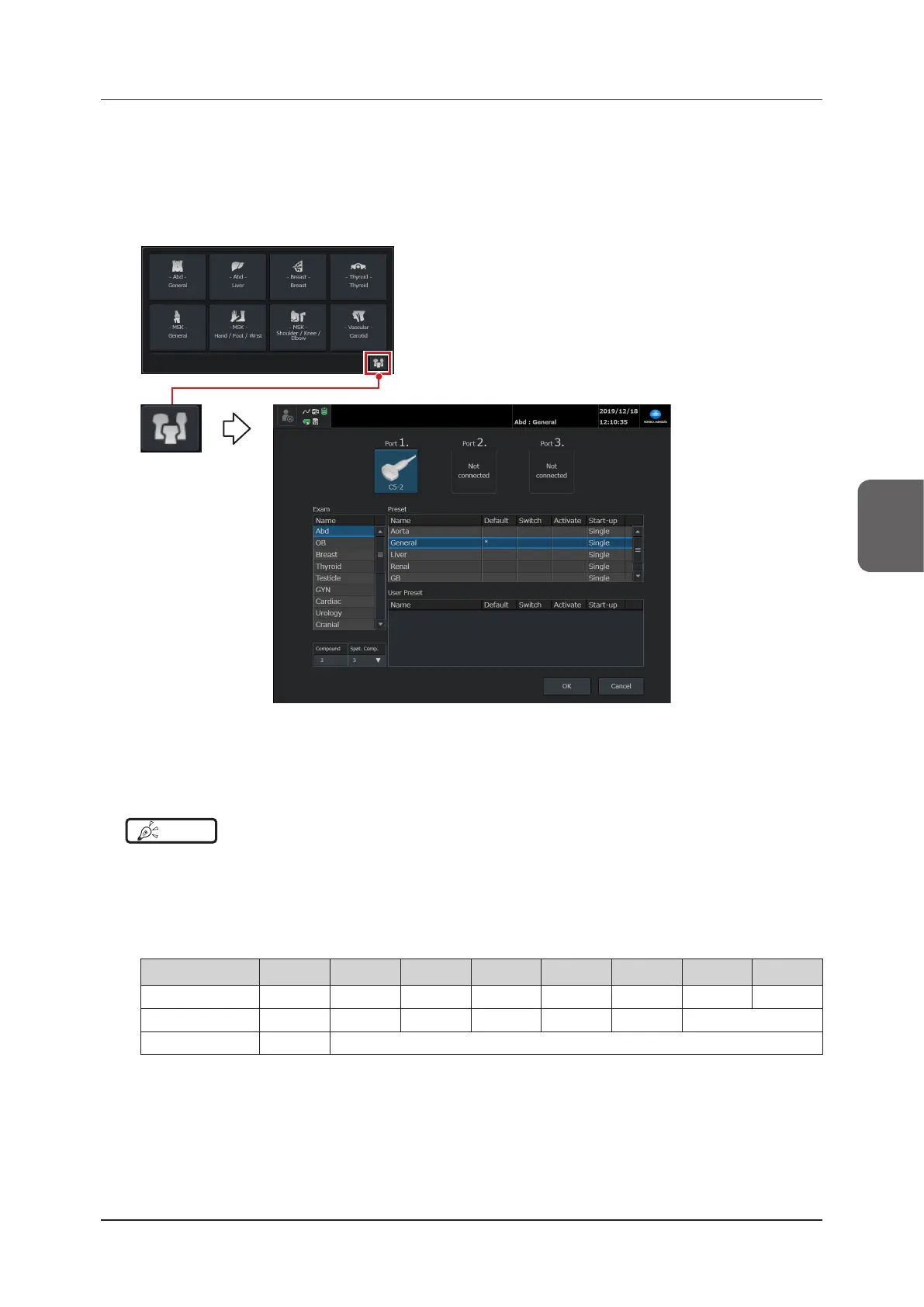
[Preset / Transducer Select] screen
If you want to select an exam type or preset not shown in the dialog box, go to the [Preset / Transducer Select]
screen.
1
Touch the preset icon in the exam type select shortcut window.
• [Preset / Transducer Select] screen is displayed.
2
Select the desired item from the preset or user preset list.
3
Press the [OK] button to return to the study screen.
HINT
•••••••••••••••••••••••••••••••••••••••••••••••••••••••••••••••••••••••••••••••••••••••••••••••••••••
• If you select a preset or user preset in the exam select shortcut setting window and the transducer set in the [Switch]
eld for the selected preset or user preset is connected in advance to the system, the transducer will be automati-
cally selected.
• For some transducers, the displayed number may not match the selected setting. If you have selected the number
that is not available, the value will be set as follows when the examination starts.
*
The number for spatial compound is shown inside the brackets
O (1) 1 (1) 2 (3) 3 (3) 4 (5) 5 (5) 6 (3) 7 (5)
Linear transducer O 1 2 3 4 5 6 7
Convex transducer O 1 2 3 2 3 6
Sector transducer O 1
•••••••••••••••••••••••••••••••••••••••••••••••••••••••••••••••••••••••••••••••••••••••••••••••••••••••••••••••••••••



 To Next Page