3.1 Study Screen
90
z
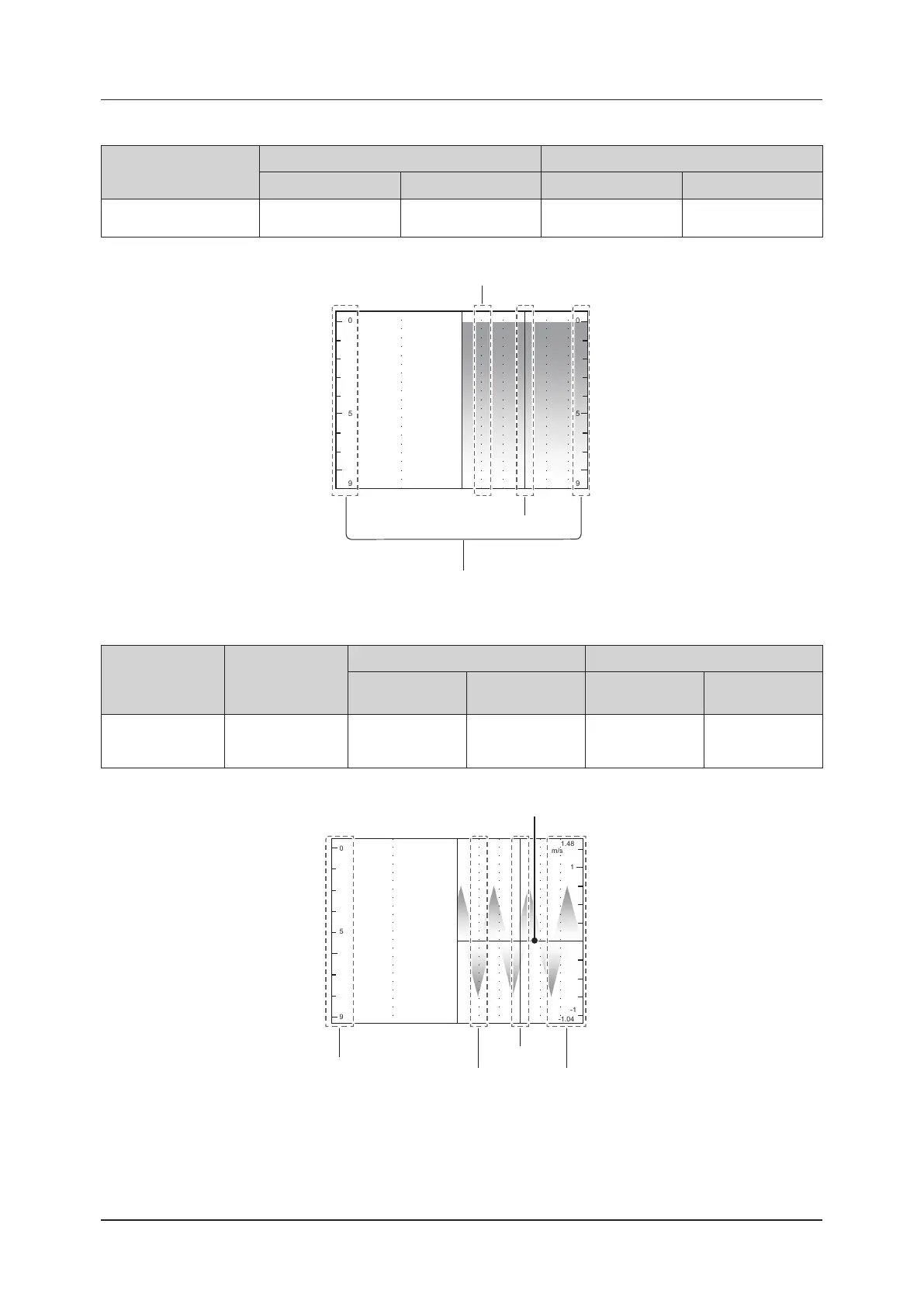
M-mode image
Sweep marker
Depth scale Time marker
L/R display Other than L/R display Setting item OFF
*
Setting item ON
*
Latest M-image position
(only in live state)
Right Left Not displayed.
Position in 0.5-second
and 1-cm increments
*
: Go to [Setup] screen > [System Settings] screen > [Image] tab > Setting item for [Time Marker Display].
0
5
9
0
5
9
Depth scale
Sweep marker
Time marker
z
PW / CW-mode image
Sweep marker Baseline
Velocity value scale Time marker
L/R display
Other than L/R
display
Setting item OFF
*
Setting item ON
*
Latest Doppler im-
age position
(only in live state)
Velocity is located
at 0.
Right Left Not displayed.
Velocity position
in 0.5-second
increments
*
: Go to [Setup] screen > [System Settings] screen > [Image] tab > Setting item for [Time Marker Display].
1
1.48
-1.04
-1
m/s
0
5
9
Time marker
Sweep marker
Depth scale
Velocity value scale
Baseline



 To Next Page