3-2 824 Reference Manual 11/8/00
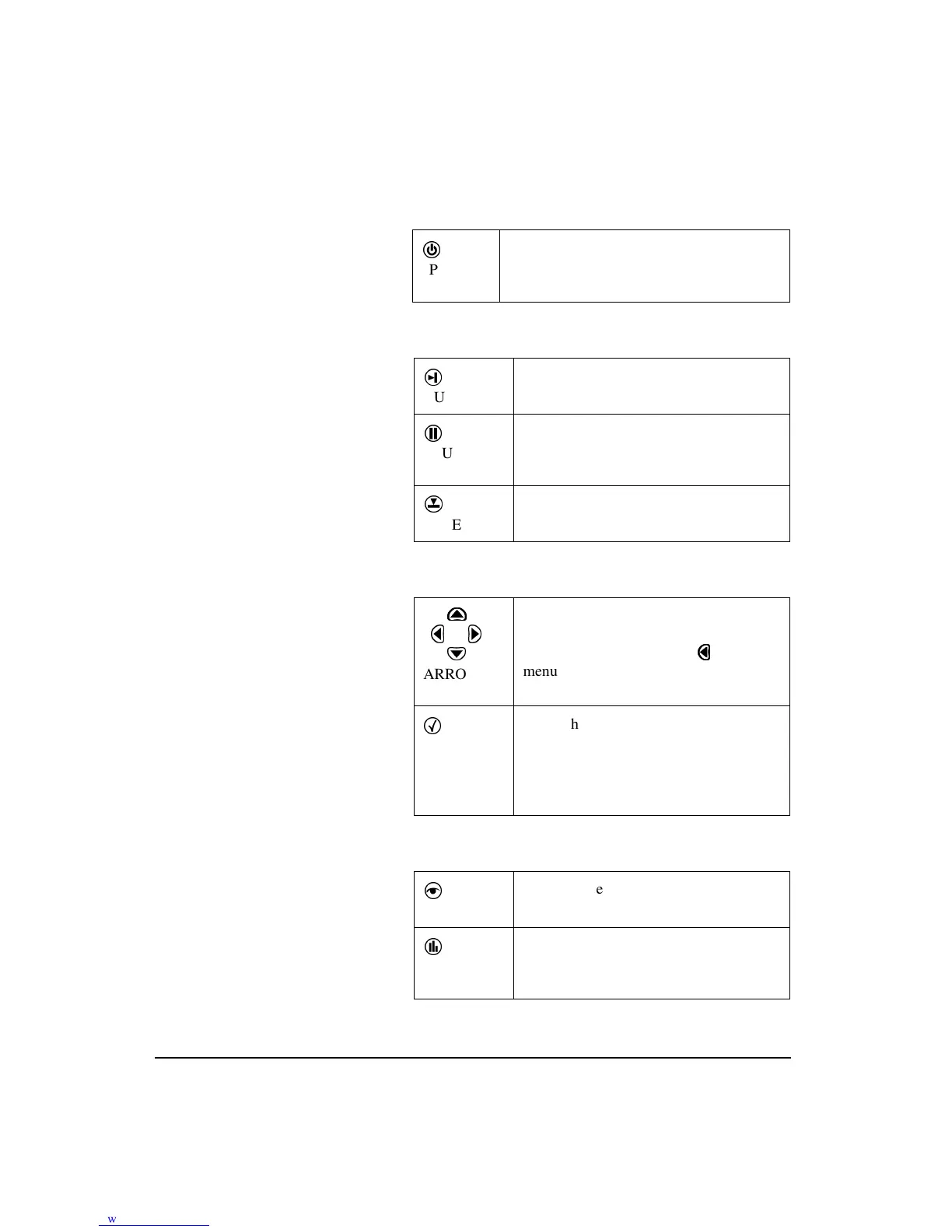
Power Key
Measurement Keys
Navigation Keys
Control Keys
v
POWER
Turns on / off the System 824; accesses bat-
tery power monitoring and LCD utilities,
and is used to close menus.
s
RUN/STOP
Begins and ends measurements.
p
PAUSE
Pauses readings while running, Previews
current SPL when stopped. Activates
Back Erase function.
R
RESET
Displays Reset options menu. (Current,
Overall, Options)
....
u
uu
u
l
.....
d
ARROW
Used to move through System 824
menus, change settings, and scroll
through data displays. The
key exits
menu’s.
c
SELECT
Selects highlighted menu items (like a
button on a mouse), concludes data entry
(like the Enter key on a PC keyboard)
and activates context specific menus
(called
Check
menus).
V
VIEW
Displays View menu choices where you
can select which data to view.
D
DATA
Displays the
Data Files
menu. This
menu is used to store and recall Data
Files.
r



 To Next Page