4-16 824 Reference Manual 11/8/00
Accessing the Settings Menu to Initiate Editing or Modification
As mentioned above, the first item on the list, highlighted, is
the Active ID. The message “Edit Settings”, along with the
symbol “>” to the right, indicates that one should press
r
in order to view or edit the Active ID. In many cases,
the
c
Check key will accomplish the same result. This will
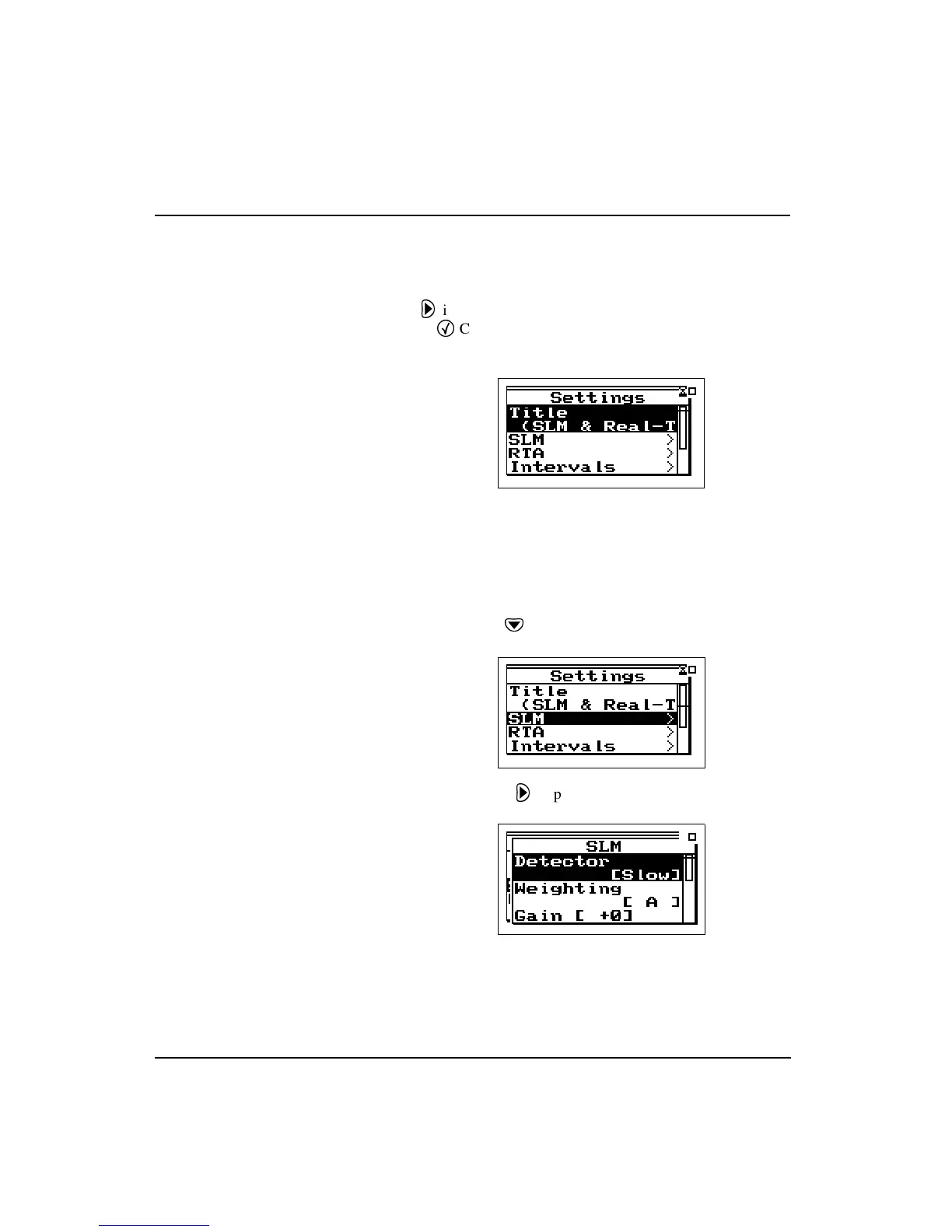
produce the
Settings
menu list as shown below.
Note that all of the items in this list, with the exception of
the first, Title, have the symbol “>” to the right indicating a
sub-menu. In order to illustrate the Settings menu structure,
please perform the following steps to set the SLM Weighting
function.
Step 1
Use
d
to highlight SLM
Step 2
Press
r
to produce the SLM sub-menu



 To Next Page