WP-A
Max 3000g d= 0.1g
00
+
g
Max
Scale interval
Dead load at
Max at
calibrated at
Sensitivity
3000.0 g
0.1 g
mV/V
mV/V
µV/d
0.040750
1.00000
0.400000
30000 d
1 d
83.33 cnt/d
by load by mV/V by data Linear. Save
WP-A
Max 3000g d= 0.1g
00
+
g
Max
Scale interval
Dead load at
Max at
calibrated at
Sensitivity
3000.0 g
0.1 g
mV/V
mV/V
µV/d
0.040750
1.00000
0.400000
30000 d
1 d
83.33 cnt/d
by load by mV/V by data Linear. Save
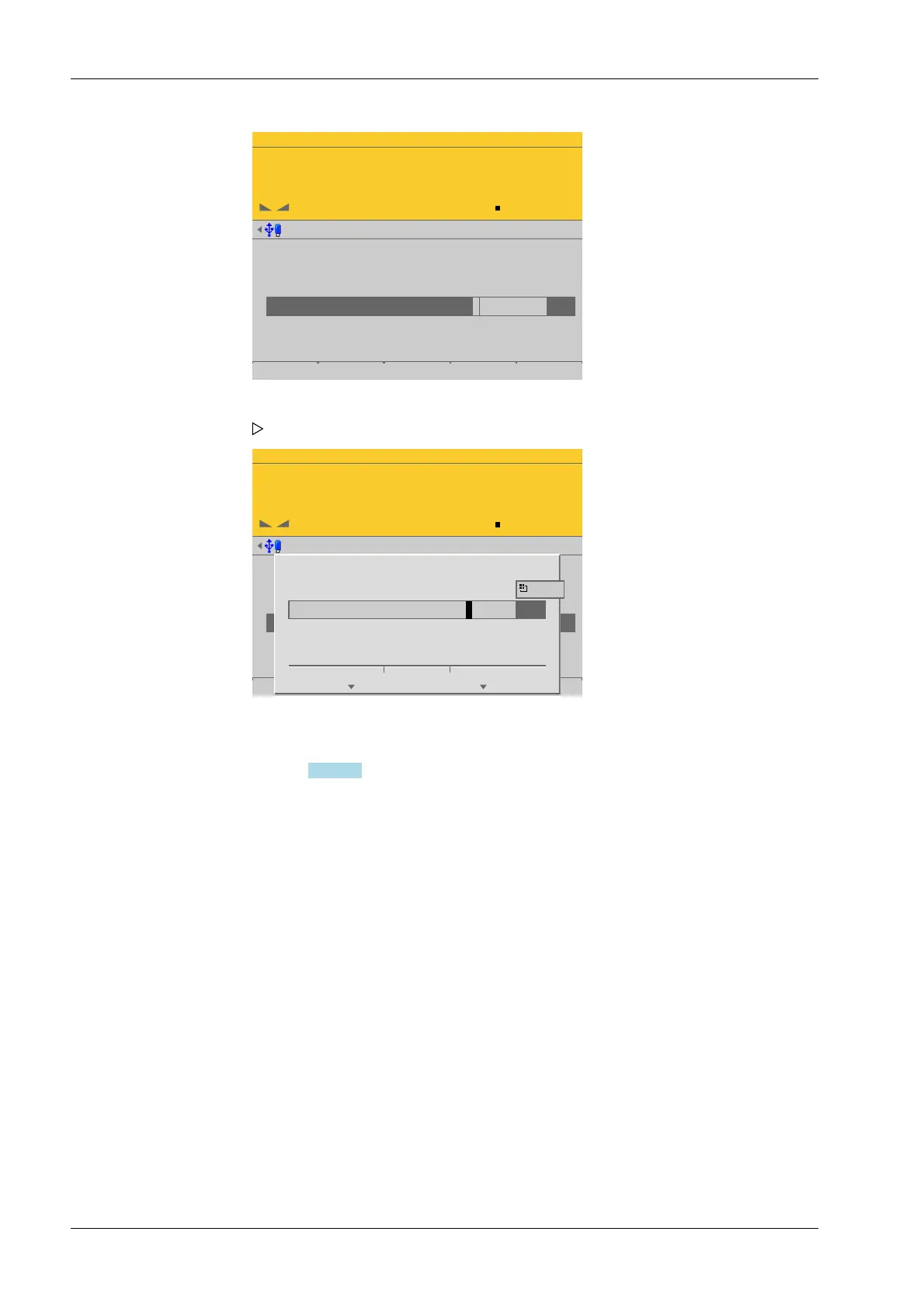
Enter input voltage
for SPAN.
Ok Cancel
1.000000 mV/V
If necessary, enter the value for the subsequent dead load correction (see
Chapter 4.7.1.2.3).
4.7.1.2.1.4.3 by data
In this menu item (under Max at), calibration of the Internal weighing point weighing
electronics is performed with load cell data (smart calibration).
If the scale is not used in legal metrology, calibration without weights can be performed.
The easiest method is the one using load cell data without calculation.
Accessible via MENU - [Operating] - [System setup] - [Weighing points] - [Weighing
point x] - [Calib] - [New] - [Max at] - [by data] .
1. Select [Max at] and press the [by mV/V] soft key.
An input window opens.
2. Enter input voltage for SPAN.
3. Press the [OK] soft key.
4. Press the [Save] soft key to save the calibration.
Process Controller Maxxis 5 PR 5900 4 System setup
Minebea Intec EN-114



 To Next Page