When [all load cells same] is set, only one value each must be entered for [LC rated
output] and the output impedance [LC output impedance]. For the calibration
certicate values of the load cell, please refer to "Output at max. capacity" and
"Output impedance".
4.7.1.2.1.4.4Linearization
In this menu item (under Max at), calibration of the Internal weighing point weighing
electronics is performed with linearization points.
The measurement range for a straight can be optimized by setting the linearization
points.
Prerequisite
- Calibration of Max and dead load was done.
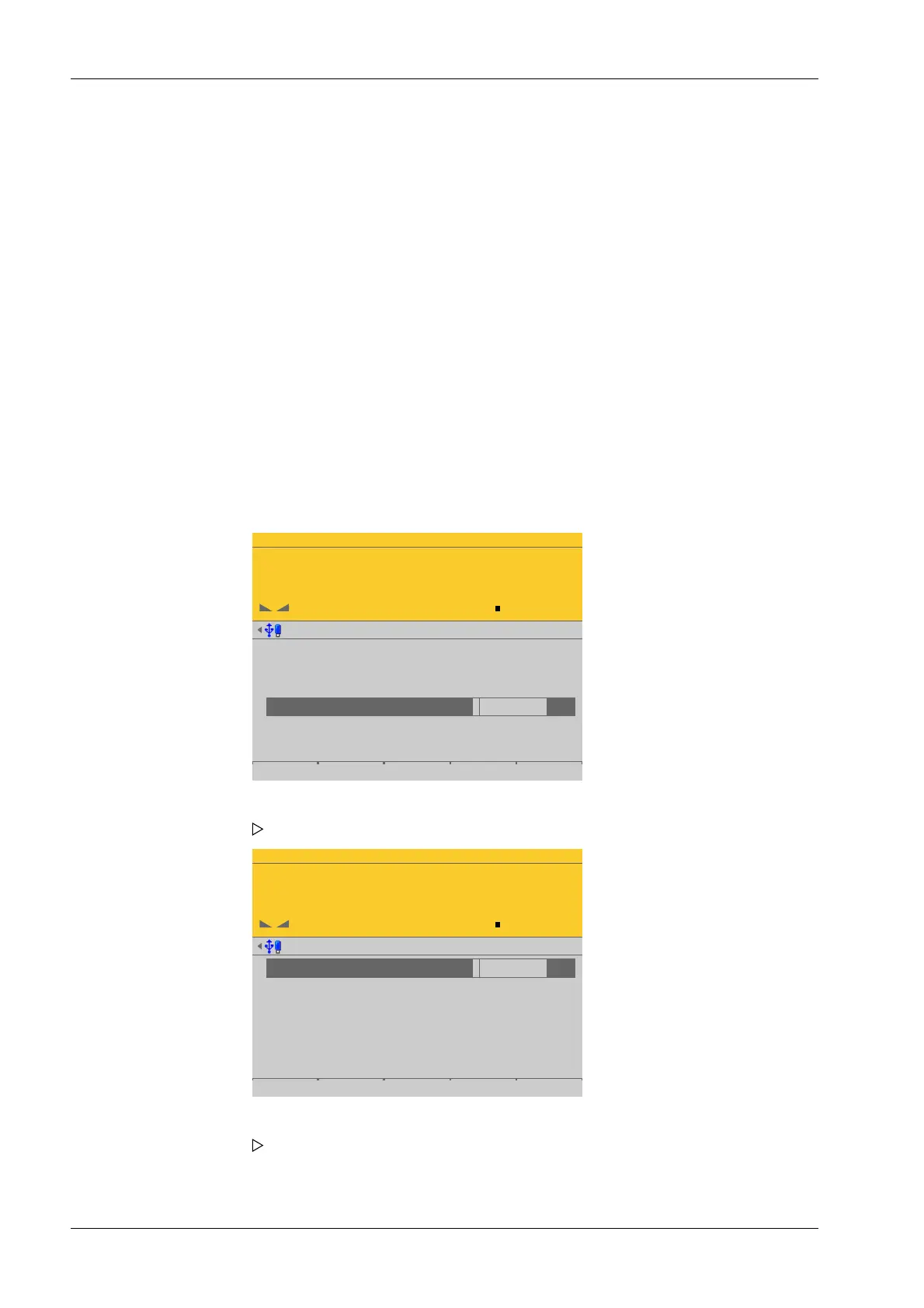
Accessible via MENU - [Operating] - [System setup] - [Weighing points] - [Weighing
point x] - [Calib] - [New] - [Max at] - [Linear.] .
WP-A
Max 3000g d= 0.1g
00
+
g
Max
Scale interval
Dead load at
Max at
calibrated with mV/V
Sensitivity
3000.0 g
0.1 g
mV/V
mV/V
mV/V
µV/d
0.040582
1.177264
1.177264
0.470906
30000 d
1 d
103.415 g
3000.000 g
98.11 cnt/d
by load by mV/V by data Linear. Save
WP-A
Max 3000g d= 0.1g
00
+
g
Linearisation @admin
1
2
3
calibrated with mV/V mV/V1.177264
Add by mV/V by load
3. Press the [Calc] soft key to start the calculation.
4. Conrm the calculation to save the calculated mV/V value to the calibration data.
5. Press the [Save] soft key to save the calibration.
1. Select [Max at] and press the [Linear.] soft key.
The linearization menu opens.
2. Press the [Add] soft key to set a linearization point.
An input window opens.
Process Controller Maxxis 5 PR 5900 4 System setup
Minebea Intec EN-116


 To Next Page