WP-A
Max 3000g d= 0.1g
00
+
g
Linearisation @admin
1
2
3
calibrated with mV/V mV/V1.177264
Add by mV/V by load
Enter linearisation weight.
Ok Cancel
750 g
WP-A
Max 3000g d= 0.1g
00
+
g
Linearisation @admin
1. Lin. point
2. Linearis. point
3. Linearis. point
calibrated with mV/V
mV/V
mV/V
mV/V
mV/V
-.------
-.------
-.------
1.177246
750 g
1500 g
2250 g
Add Change Delete by mV/V by load
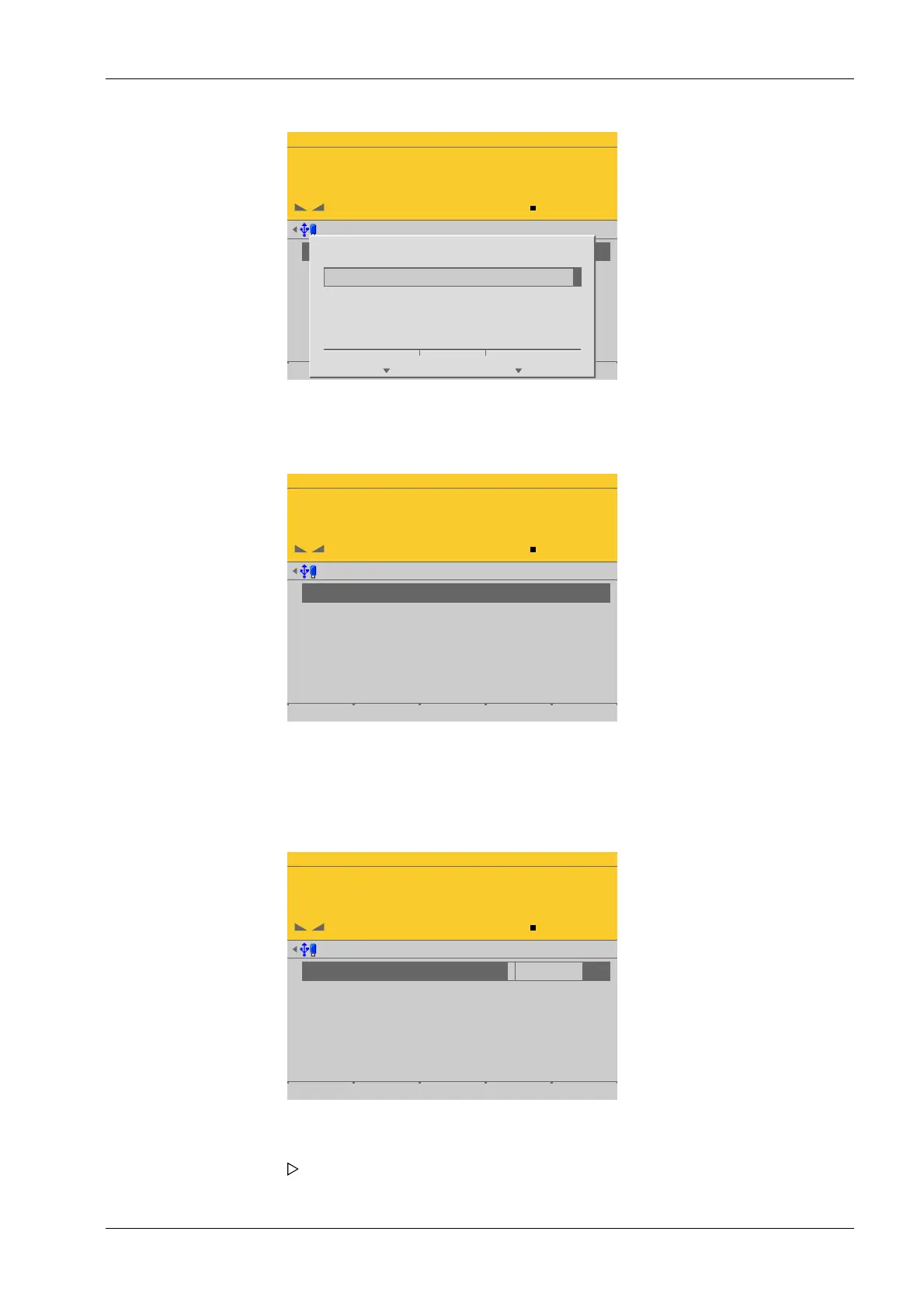
The window shows the set linearization points.
The [by mV/V] soft key can be used to enter the value directly.
The [Change] soft key can be used to modify the selected linearization point.
The [Delete] soft key can be used to delete the selected linearization point.
WP-A
Max 3000g d= 0.1g
6947
+
g
Linearisation @admin
1
2
3
1. Lin. point
2. Linearis. point
3. Linearis. point
calibrated at
mV/V
mV/V
mV/V
mV/V
0.294101
-.------
-.------
0.987384
750 g
1500 g
2250 g
2516.5 g
Add Change Delete by mV/V by load
3. Enter the desired value using the keyboard.
4. Press the [OK] soft key.
5. Repeat these steps to set up to three linearization points in succession.
6. Select a linearization point, place the corresponding weight on the scale, and press
the [by load] soft key.
The value corresponding to the weight is automatically entered in mV/V.
4 System setup Process Controller Maxxis 5 PR 5900
EN-117 Minebea Intec


 To Next Page