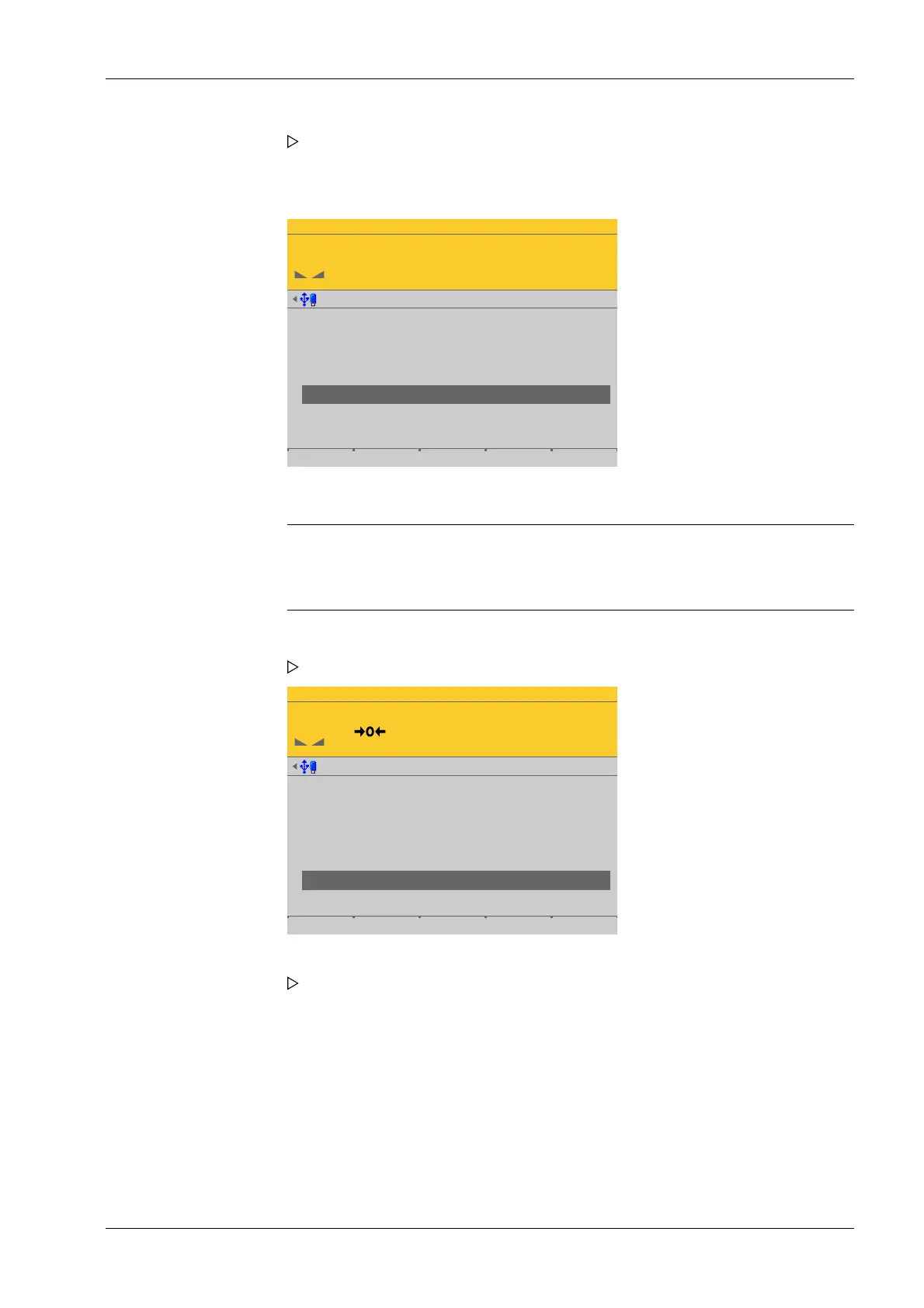
To use the empty scale as dead load (normal case):
WP-D
Max 200t d= 0.02t
7.500+ t
Calibration @admin
Number of vessel feet
Local gravity
Max
Scale interval
Dead load
Calibration weight
Corner correction
4
9.81379 m/s²
200.000 t
0.020 t
10000 d
1 d
Vessel by load by value Save
Note:
Once the dead load is known, the value can be overwritten by pressing the [by
value] soft key.
WP-D
Max 200t d= 0.02t
0.000 t
Calibration @admin
Number of vessel feet
Local gravity
Max
Scale interval
Dead load
Calibration weight
Corner correction
4
9.81379 m/s²
200.000 t
0.020 t
7.508 t
10000 d
1 d
The conrmation is displayed with "setting scale interval…"
10. Do not load scale.
11. Press the [By load] soft key.
12. Conrm the entries.
The conrmation is displayed with "Setting dead load…"
13. Select and conrm [Calibration weight].
An input window opens.
4 System setup Process Controller Maxxis 5 PR 5900
EN-205 Minebea Intec



 To Next Page