WP-D
Max 200t d= 0.02t
7.500+ t
Calibration @admin
Number of vessel feet
Local gravity
Max
Scale interval
Dead load
Calibration weight
Corner correction
4
9.81379 m/s²
200.000 t
0.020 t
0.000 t
10000 d
1 d
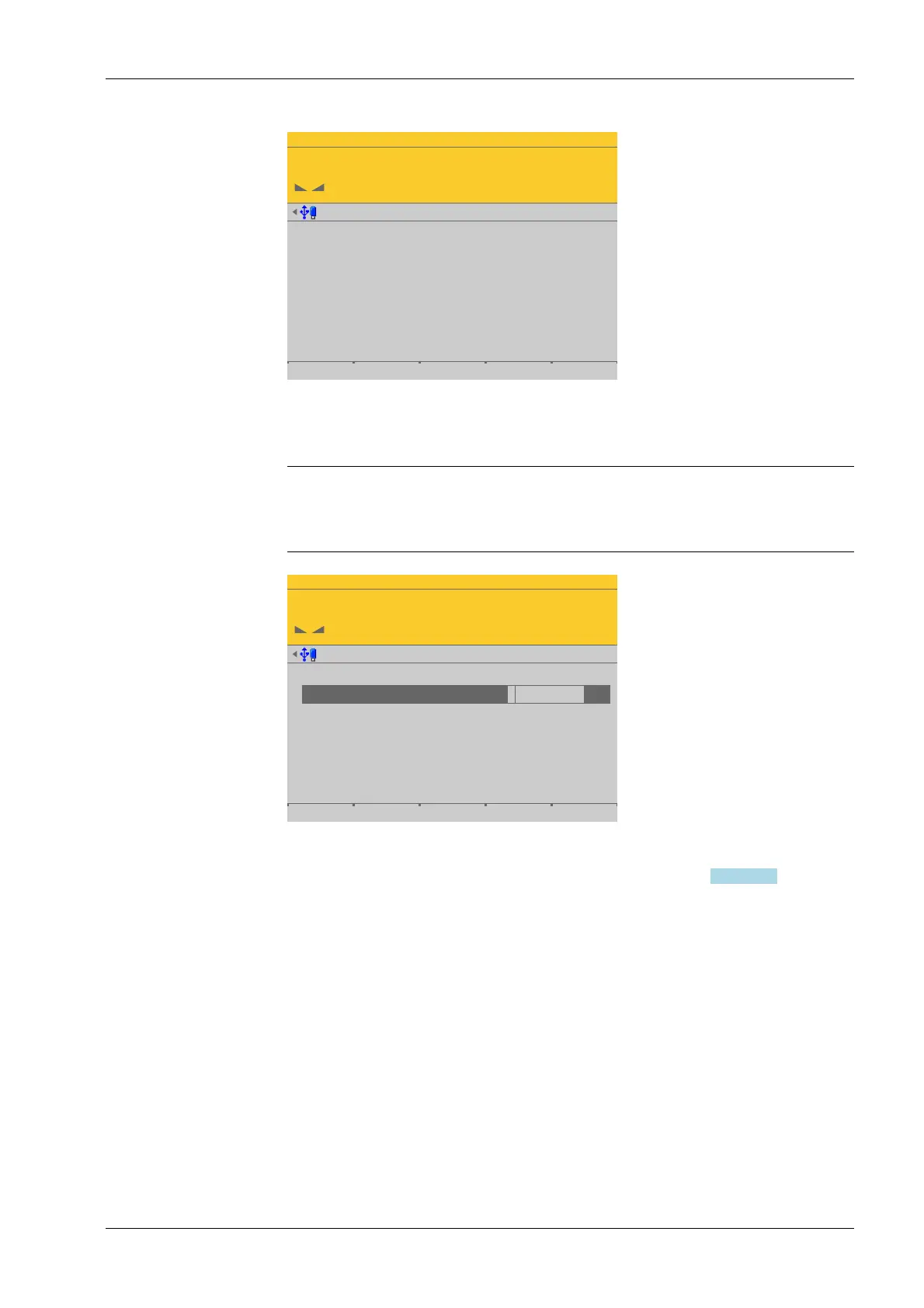
The data from the last calibration is displayed.
Note:
The menu item [Modify] is only used for minor changes (e.g. changing the dead
load/preload). Otherwise, the menu item [New] should be selected.
WP-D
Max 200t d= 0.02t
7.500+ t
Number of vessel feet
Local gravity
Max
Scale interval
Dead load
Calibration weight
Corner correction
4
9.81379 m/s²
200.000 t
0.020 t
10000 d
1 d
For description and settings of the parameters, refer to Chapter 4.7.8.3.4.1.
4.7.8.3.4.3 Dead load (correction)
In this menu item, the dead load is modied for the digital precision pressure load cell
Pendeo
®
Process.
If the platform weight changes by an amount that is higher than the zero range, e.g., due
to dead load reduction, dead load increase, or mechanical changes, the functions for
automatic zero tracking and manual zero setting no longer work.
If the entire zeroset range is already utilized, you can still correct the dead load without
aecting other calibration data/parameters.
Accessible via MENU - [Operating] - [System setup] - [Weighing points] - [Weighing
point x] - [Calib] - [Calibrate the scale] - [Modify] - [Dead load] .
1. Press the [Modify] soft key.
2. Select the individual parameters and conrm.
3. Press the [Save] soft key to save the calibration.
1. The scale must be empty (empty vessel).
4 System setup Process Controller Maxxis 5 PR 5900
EN-207 Minebea Intec



 To Next Page