WP-D
Max 200t d= 0.02t
7.500+ t
Weighing points @admin
Setup Pendeo
Quick install with search load cells and set dead load
Search for connected load cells
View and assign load cells
Calibrate the scale
Assign load cell name
Service function for load cells
4.7.8.3.4.1 New
In this menu item (under Calibrate the scale), a new calibration of the digital precision
pressure load cell Pendeo
®
Process is performed and congured.
Example data:
- Maximum capacity of a load cell: E
max
= 50 t
- Number of load cells: 4
- Number of vessel feet: 4
- Max: 200.000 t
- Scale interval: 0.020 t
- Dead load: Empty weight
- Calibration weight: 11.000 t
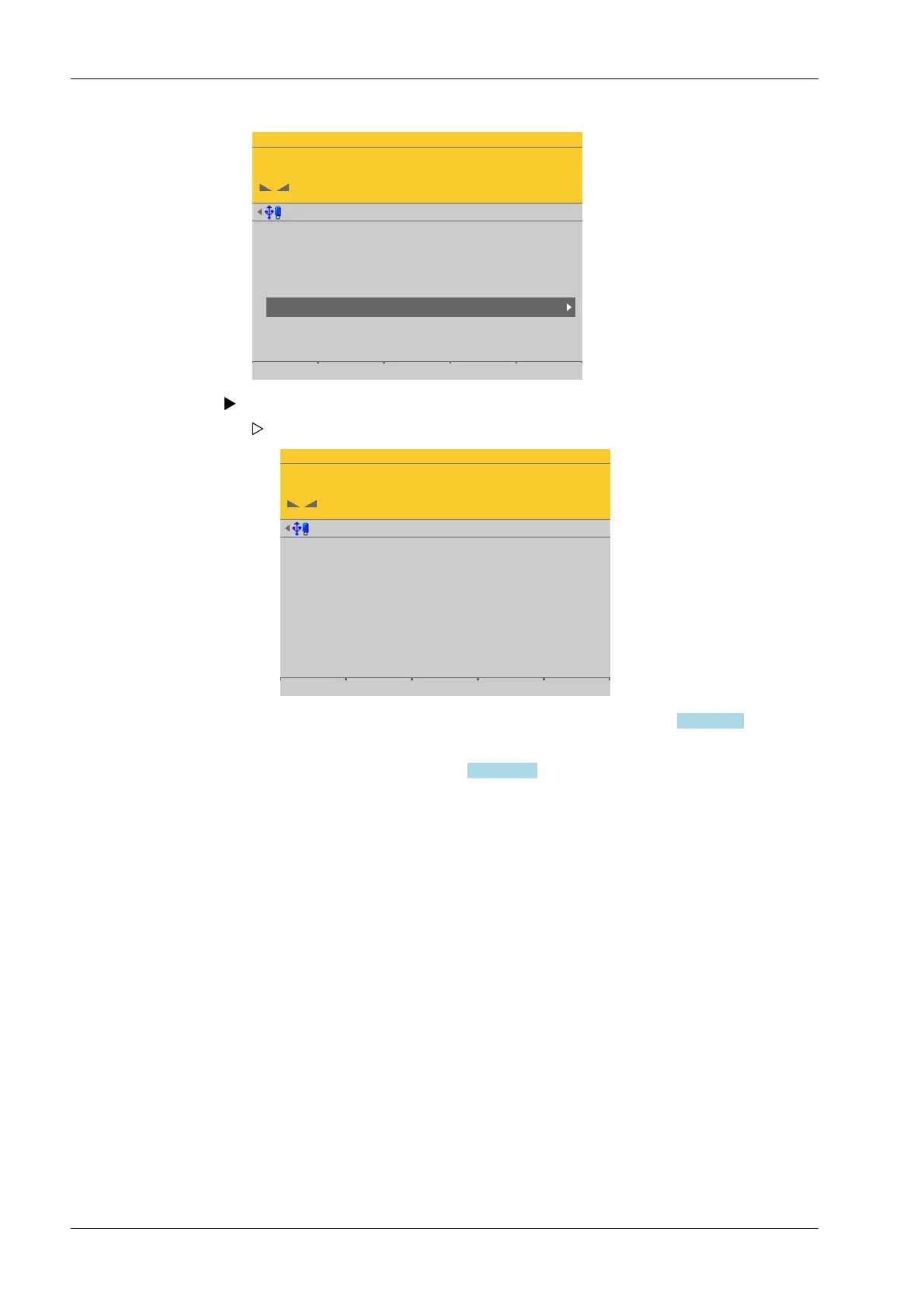
Accessible via MENU - [Operating] - [System setup] - [Weighing points] - [Weighing
point x] - [Calib] - [Calibrate the scale] - [New] .
Select and conrm [Calibrate the scale].
WP-D
Max 200t d= 0.02t
7.500+ t
Calibration @admin
Number of vessel feet
Local gravity
Max
Scale interval
Dead load
Calibration weight
Corner correction
4
9.81379 m/s²
200.000 t
0.020 t
0.000 t
10000 d
1 d
- The [New] soft key starts a new calibration, see Chapter 4.7.8.3.4.1.
- The [Modify] soft key (only use for small changes!) changes an existing
calibration, see Chapter 4.7.8.3.4.2.
The data from the last calibration is displayed.
Process Controller Maxxis 5 PR 5900 4 System setup
Minebea Intec EN-202



 To Next Page