Note:
BIOS and rmware cannot be updated if CAL switch 2 is closed or if the [Settings
locked] parameter is activated whilst [W&M mode] is selected for at least one
weighing point.
Update software from USB stick
Installed software
PR5900-Bios 00.02.00.138280
PR5900-Firm 00.02.00.138404
PR5900-Basic 01.00.06.4464
No labels installed.
Select software to update from
PR5900-r01-Bios 02.11.00.208007
PR5900-r01-Firm 02.11.00.208007
PR5900-Appl-Basic 01.00.04.28
2012-08-13-13:51:51
2012-08-14-06:04:36
2012-08-13-15:23:23
2014-04-28-12:34:02
2014-04-28-12:34:02
2014-03-28-11:44:04
No labels retained
Start
Retain current application
PR5900-Appl-Basic 01.00.09.128 2016-06-24-09:11:04
PR5900-Appl-Batching 01.00.13.297 2016-06-24-08:05:54
PR5900-Appl 2016-06-24-08:22:34
PR5900-Appl 2016-06-24-08:27:46
PR5900-Appl-Phase 01.00.08.20 2015-05-19-15:38:17
PR5900-Appl-Truck 01.00.09.89 2016-06-24-08:37:04
File name PR5900-Appl-Phase
01.00.08.20.bin
Min. Firmware-Version 01.00.02
Update software from USB stick
Installed software
PR5900-Bios 00.02.00.138280
PR5900-Firm 00.02.00.138404
PR5900-Basic 01.00.06.4464
No labels installed.
Select software to update from
PR5900-r01-Bios 02.11.00.208007
PR5900-r01-Firm 02.11.00.208007
2012-08-13-13:51:51
2012-08-14-06:04:36
2012-08-13-15:23:23
2014-04-28-12:34:01
2014-04-28-12:34:01
Retain current application
No labels retained
Start
Update software from USB stick
?
Press 'Next' to update the selected software
from USB stick.
Cancel Continue
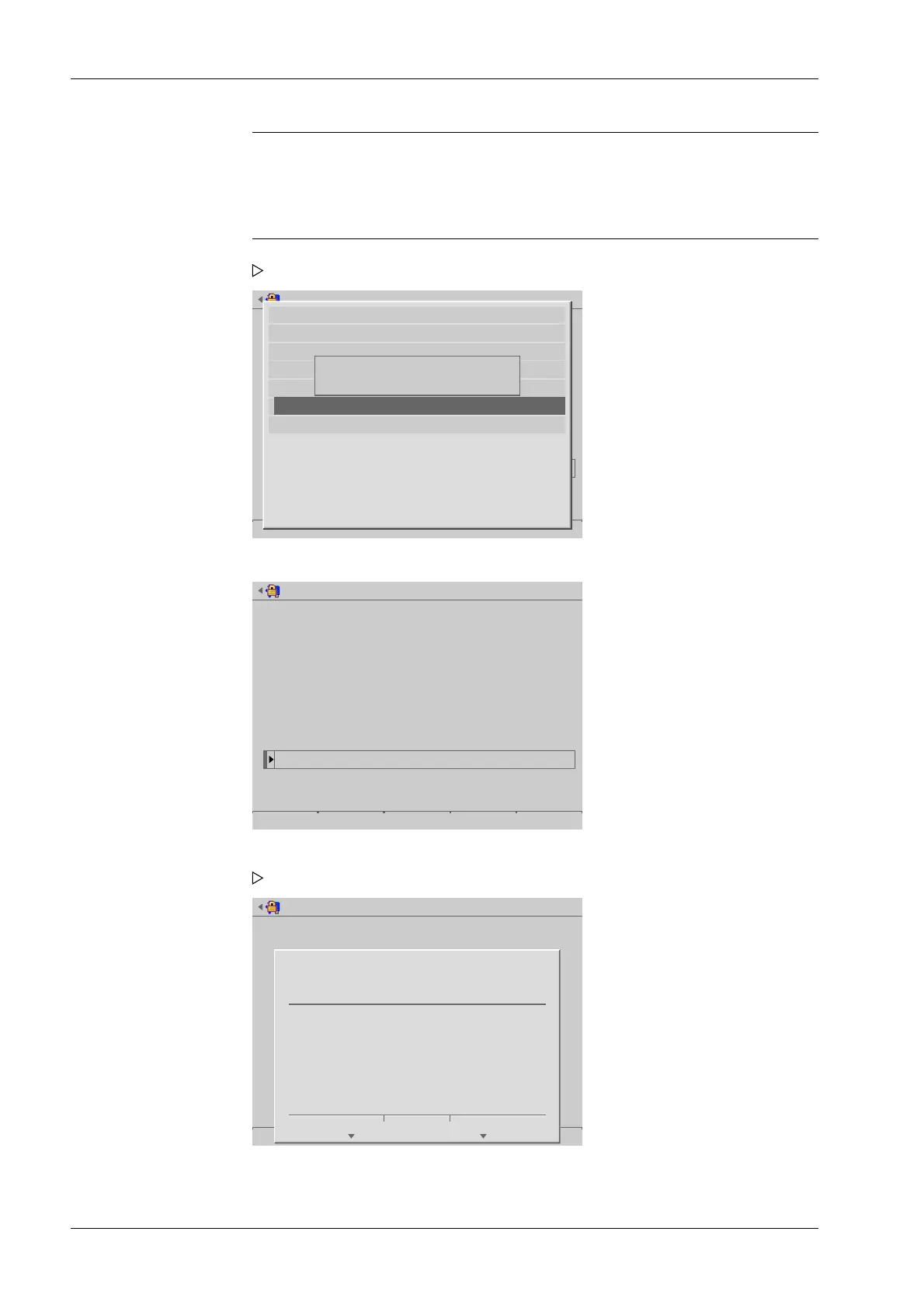
A selection window opens.
6. Select and conrm the desired le.
7. Press the [Start] soft key to start the update.
A prompt window appears.
8. Press the [Continue] soft key.
Process Controller Maxxis 5 PR 5900 6 System maintenance
Minebea Intec EN-324



 To Next Page