Displayless 146 Unit Cha
ter Three: Overview
98
Displayless 146 Unit
A displayless 146 unit is controlled by remote RS-232 communications through the RS-232
connector on the rear panel. An additional Interface connector on the front panel provides a
convenient serial communications port so you can use a portable computer to communicate with
the unit while it is installed in your system.
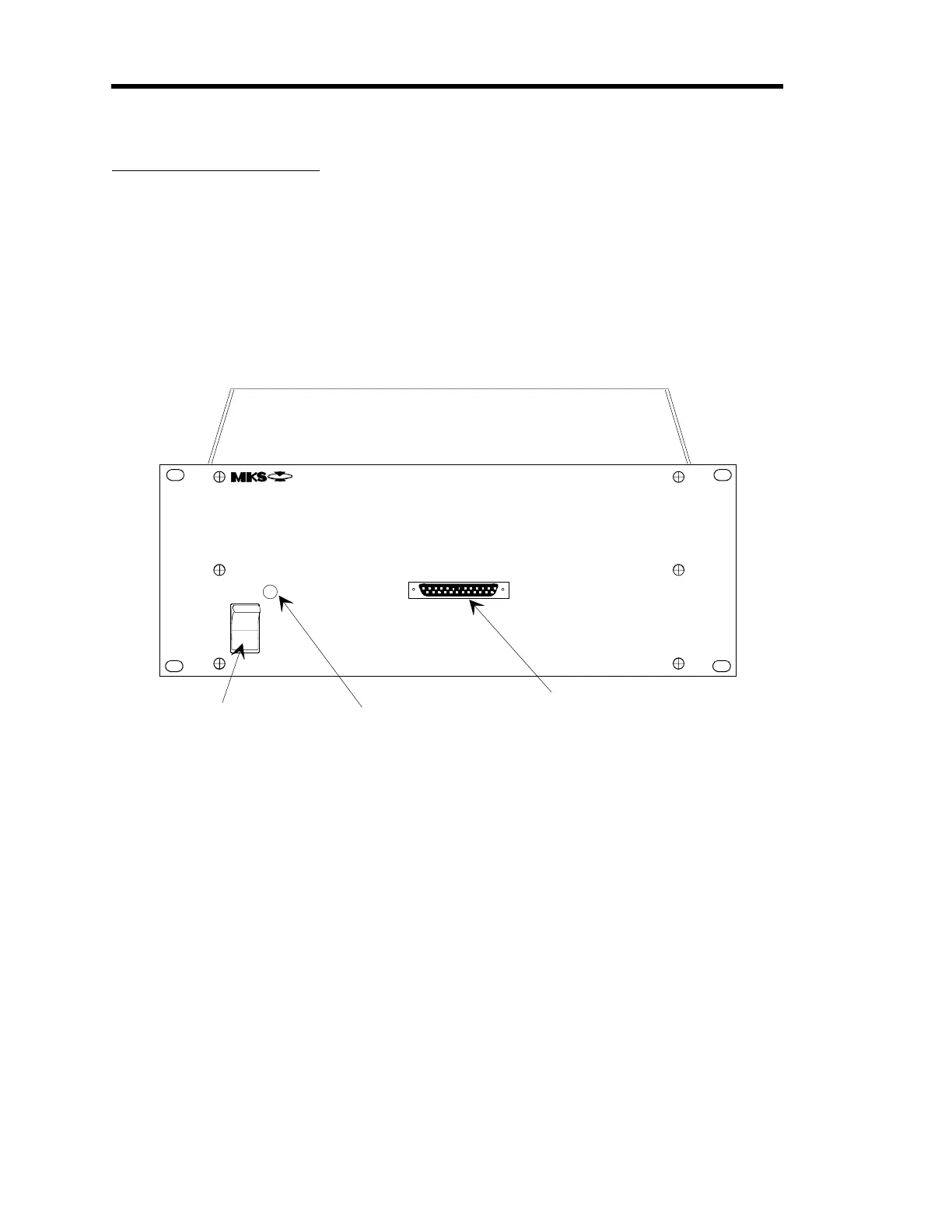
The displayless 146 unit has only a power switch, LED, and the Interface connector. The
Interface connector is a 25-pin female Type “D” connector. Refer to Table 30, page 75, for a
pinout of the connector on the displayless 146 unit.
Interface Connector
LED
Power Switch
0
1
VACUUM GAUGE
MEASUREMENT AND CONTROL SYSTEM
TYPE 146
POWER
ON
OFF
INTERFACE
Figure 24: The Front of a Displayless 146 Unit
Connecting to the Displayless 146 Unit
The displayless 146 unit has an Interface connector, located on the front panel, and an RS-232
connector, located on the rear panel. Both connectors support RS-232 communication between
the 146 unit and a computer. However, the 146 unit only accepts command messages through
one port at a time, though it can report status information on both ports simultaneously. The 146
unit determines which port takes precedence based on the state of pin 4 of the Interface
connector. When pin 4 is left open, the device connected to the Interface connector can only
receive RS-232 communications that are currently being issued
from
the 146 unit, through the
rear panel. Therefore, the RS-232 connector takes precedence. If pin 4 is grounded, the device
connected to the Interface connector overrides the rear panel communication link and it can
communicate fully with the 146 unit.
Use the RS-232 connector on the rear panel to connect the 146 unit to your system. The
Interface connector provides a convenient port to connect a portable computer to the 146 unit
should you need to troubleshoot the unit.
Artisan Technology Group - Quality Instrumentation ... Guaranteed | (888) 88-SOURCE | www.artisantg.com











 To Next Page