How To Change the Valve Position Cha
ter Six: O
eration in Tunin
Mode
162
How To Change the Valve Position
TUNING
HOLD
2
TORR
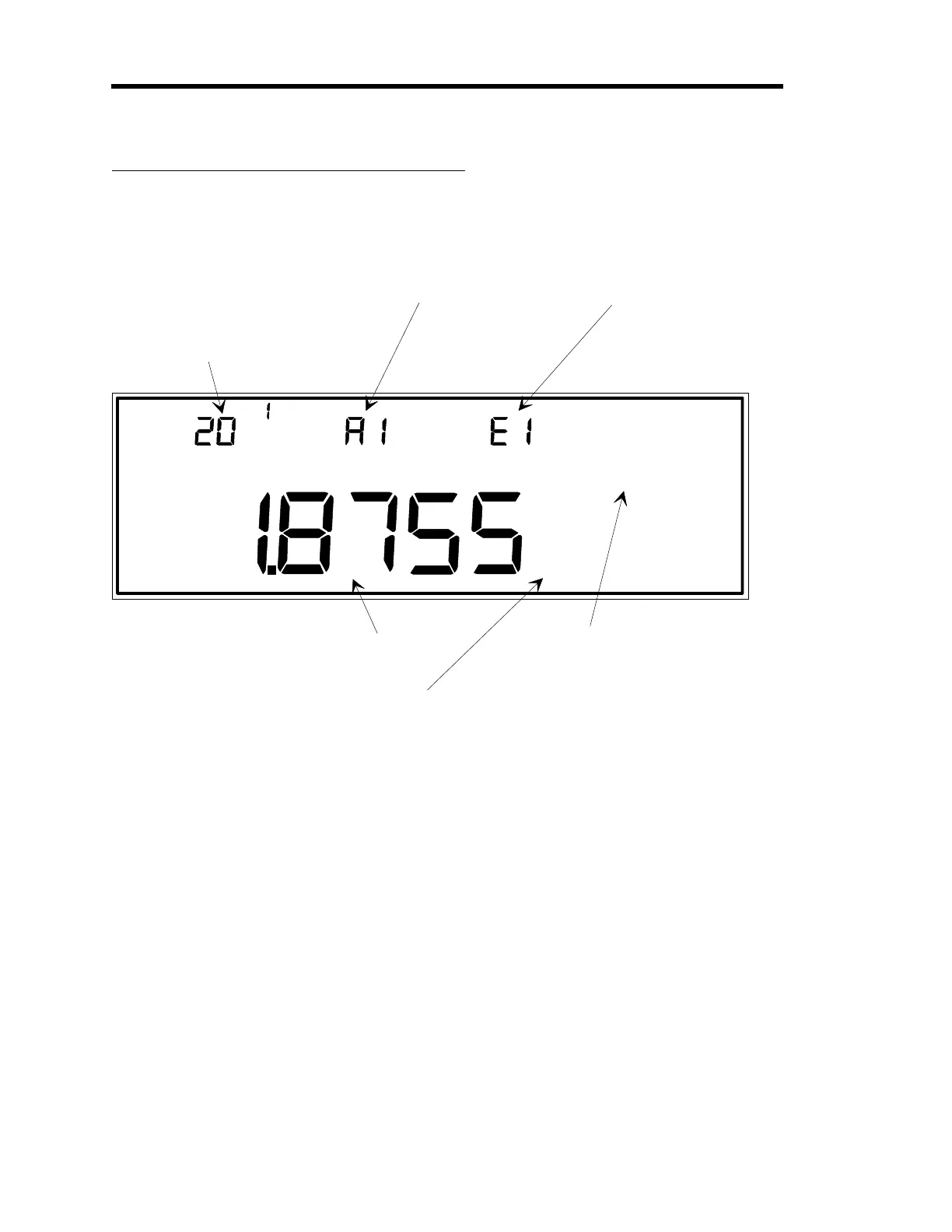
LEFT DISPLAY
CENTER DISPLAY
RIGHT DISPLAY
This is the current valve
position expressed as a
percent of the valve
control si
nal output.
This example shows a
settin
of 20.1% of the
valve control si
nal output.
This indicates which of the
four possible recipes is the
active recipe (in this case,
it is recipe 1).
This indicates which of the
four possible recipes is
selected for editin
(in this
case, it is recipe 1).
MAIN DISPLAY
The pressure readin
from the
au
e on the
control channel (in this case, channel 2) is
shown here.
Note:
The control channel determines which
au
e's pressure readin
is compared with set point.
This parameter must be HOLD
(as in this example), or MANUAL
in order to adjust the valve position
shown in the left display.
Figure 45: Tuning Mode Display when Adjusting the Valve Position
The Valve Position can only be changed if the
MANUAL
or
HOLD
legend is displayed.
The Valve Position is expressed as a percent of the valve control signal output. If the valve is
currently in a
HOLD
position (selected in Control Mode) the
HOLD
feature is overridden
while the Valve Position is changed. After adjusting the Valve Position, the
new
position is
maintained in a
HOLD
status.
Valve Position is a real-time parameter. The new valve position goes into effect as soon as it is
adjusted with this procedure.
Artisan Technology Group - Quality Instrumentation ... Guaranteed | (888) 88-SOURCE | www.artisantg.com











 To Next Page