How To Adjust Preset Cha
ter Six: O
eration in Tunin
Mode
170
How To Adjust Preset
MANUAL
TORR
TUNING
PRESET
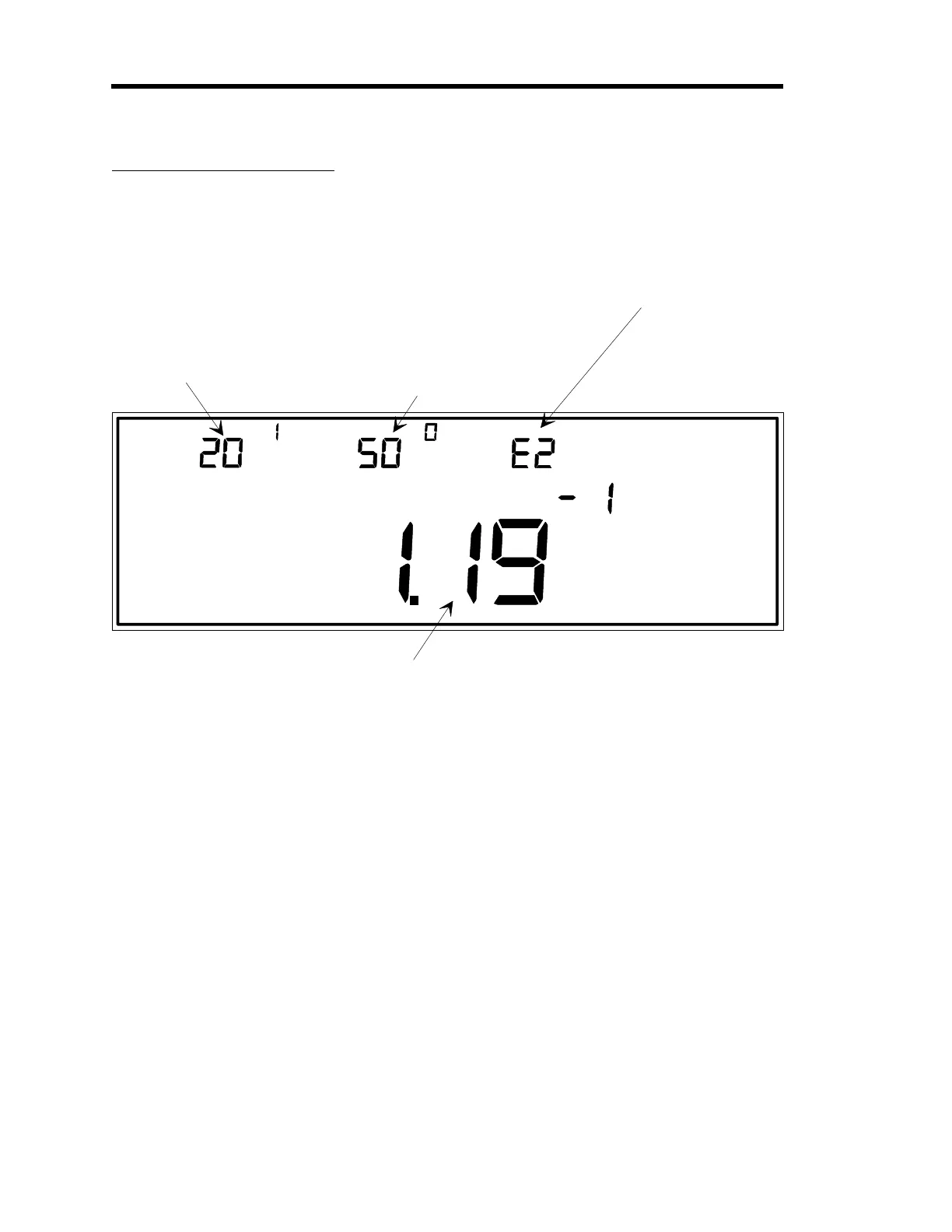
LEFT DISPLAY
CENTER DISPLAY RIGHT DISPLAY
This is the current valve
position expressed as a
percent of the valve
control signal output.
This example shows a
setting of 20.1% of the
valve control signal
output.
The PRESET valve position
is expressed as a percent
of the valve control signal
output.
In this example, PRESET is
the parameter which is
selected for editing, and
is currently set at 50.0%.
This indicates which of the
four possible recipes is
selected for editing (in this
case, it is recipe 2).
MAIN DISPLAY
This is the pressure reading from the
gauge on the control channel.
Figure 49: Adjusting the Preset Valve Position
Preset is a valve position, expressed as a percent of the valve control signal output. The Preset
value is used to set the position of the valve when the
MANUAL
feature is evoked in Control
Mode.
1. Repeatedly press the [
DISPLAY MODE
] key until the 146 unit is in Tuning Mode.
The system responds by scrolling through modes.
2. Select the
PRESET
parameter by scrolling through the parameters with the arrow keys.
The system responds by displaying each of the Tuning parameters as they are scrolled
through.
3. Press the [
ENTER
] key.
The system responds by causing the center display to blink.
Artisan Technology Group - Quality Instrumentation ... Guaranteed | (888) 88-SOURCE | www.artisantg.com











 To Next Page